Save_Main
-> go to [File]

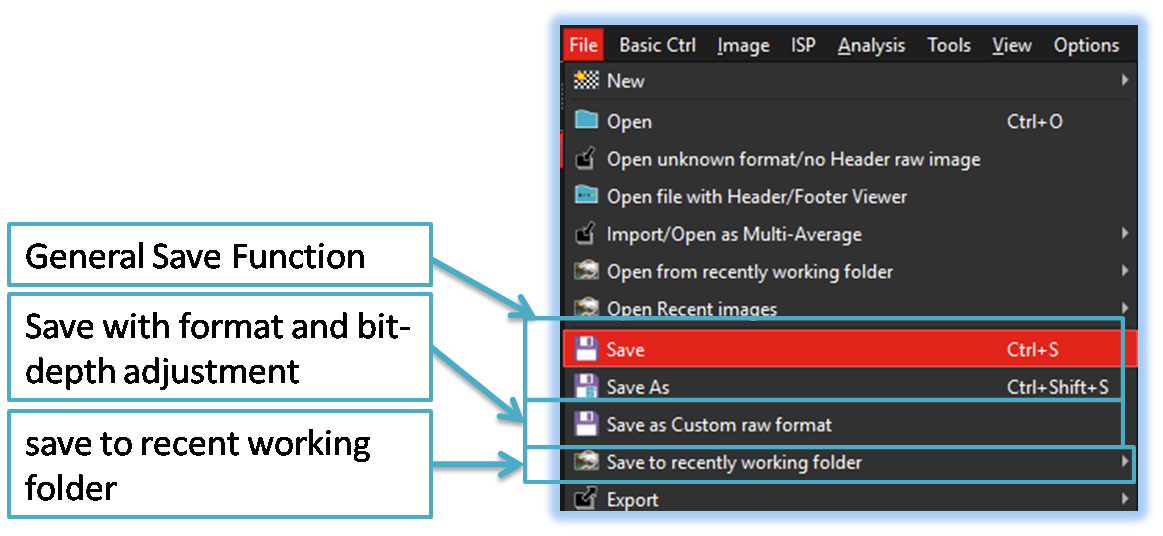
Like many other image tools, this application offers various options for saving image files. In particular, when saving in Bayer RAW format, it provides flexible methods that allow users to adjust parameters such as bit depth and bit order.
-
Save
Like most conventional image tools, all currently opened images are saved in their original input format. However, for Bayer RAW files without header information, SSImXel saves them using its own standardized Bayer RAW format that includes default header metadata. This ensures that when reopening such files later, users can conveniently load them without manually specifying image dimensions or bit depth.
-
Save As
The 'Save As' option allows users to save currently open images under a different name or in a different format. If the image is in Bayer RAW format and the selected output format is a standard one such as BMP, JPG, or PNG, the tool automatically converts the Bayer RAW data to RGB24 format before saving.
-
Save with Custom Bit Order and Depth

The user can adjust the bit order and bit depth to save the data in the desired format through this menu. -
Save to recent working folder
Allows users to quickly save files to the most recently used folder, improving workflow efficiency by eliminating the need to browse directories repeatedly
