Data Viewer: Display as Hex or Dec
-> go to [Tools]

Users can view the file data of the currently opened image in hexadecimal format. This allows for precise inspection of raw image content, making it easier to verify data integrity, analyze embedded metadata, and diagnose low-level formatting or encoding issues.


- Tools (Parent Menu)


By selecting the menu options in the order shown in the image above or by choosing the toolbar icon
 , the HexViewer dialog box will be showed up as shown in below picture.
For a more detailed explanation of the toolbar button or how to configure toolbar,please refer to configure toolbar
, the HexViewer dialog box will be showed up as shown in below picture.
For a more detailed explanation of the toolbar button or how to configure toolbar,please refer to configure toolbar 



Below demo demonstrates HexViewer
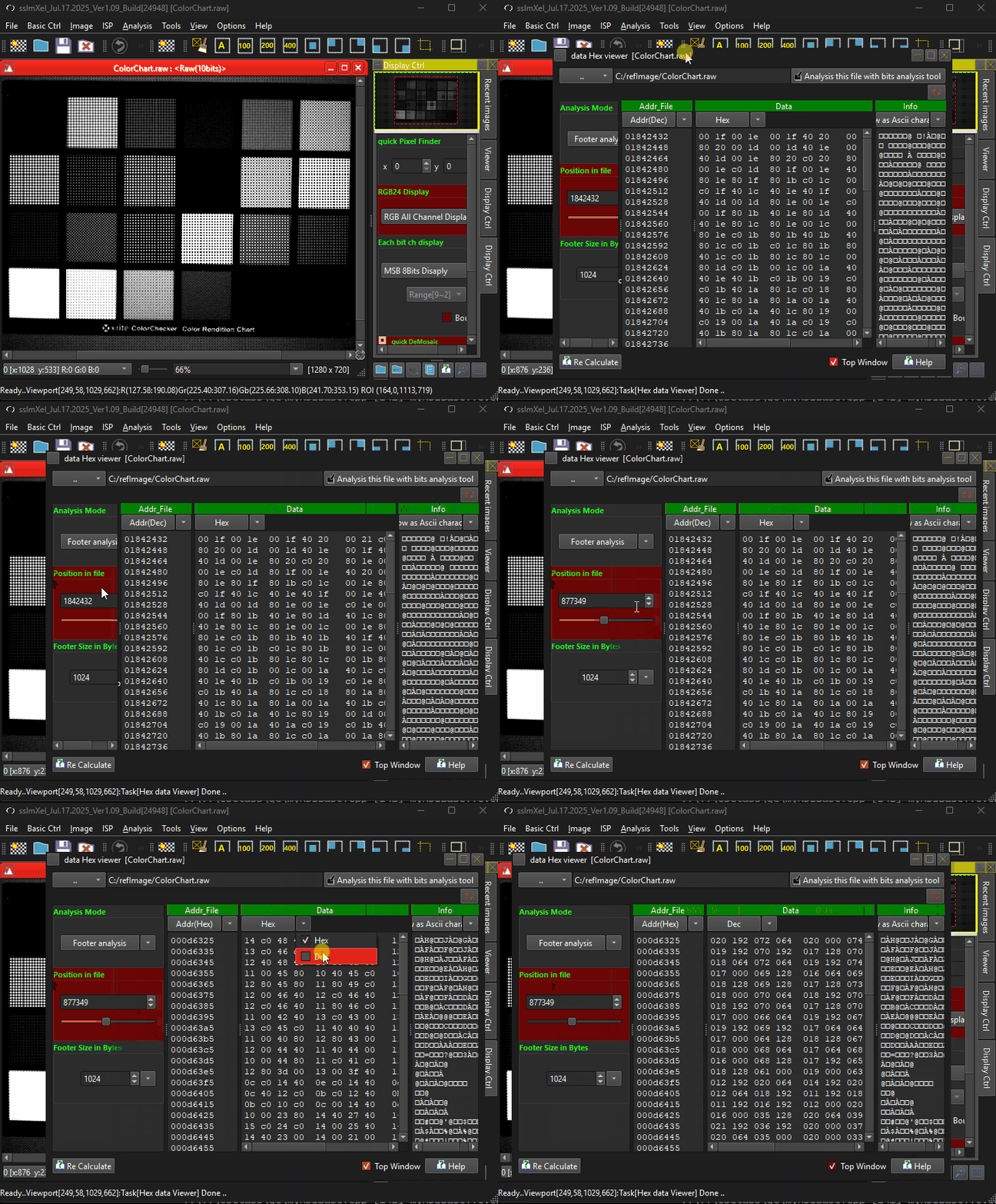 .
.