Docking Window
-> go to [UI]

Allows users to organize workspace panels flexibly by snapping them to predefined zones or floating them independently.
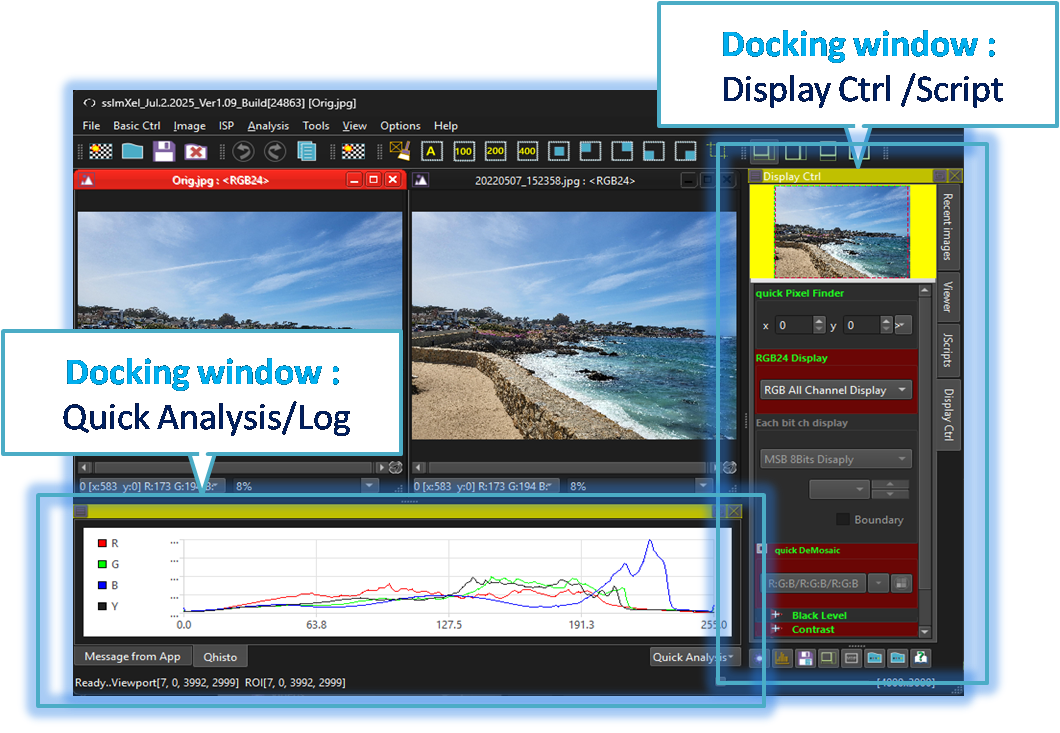
SSImXel includes two docking windows: one for quick analysis and message logs, and another for handling image loading, display and view controls, and scripting functions.
-
Dock-Display/Scripts
Recent Image Load, Display Control and Script Control. -
Dock-Quick Analysis/Log
Quick Analysis and Message Log . -
Docking window Show/Hide
How to Show/Hide Docking windows

- UI (Parent Menu)