View
-> go to [Menu Home]

This menu group provides various controls for image analysis, display settings, and processing options.
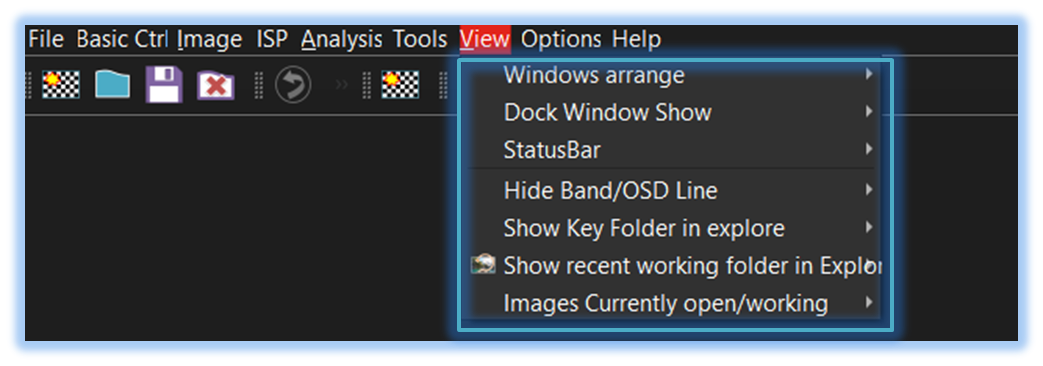
-
Window Arrange
This menu group provides standard window arrangement options including tile, cascade, and tabbed views for efficient multi-image management.
A key strength of this tool is its support for horizontal and vertical tiling, which makes it exceptionally convenient for comparing multiple images. -
Dock Window Show
Users can show or hide the docking windows through the 'Dock Window Show' menu displayed below. -
StatusBar
Users can show or hide the image viewer and the mainframe status bar through this menu. -
Hide Band/OSD Line
Selecting this menu adds the 'SSImXel' menu item to the file context menu. -
Show Key Folder in explore
Displaying essential folders like working, ini, or configuration folders in Explorer is particularly helpful when utilizing the tool's script-based control functionalities. -
Show recent Working Folder in explore
Displays the most recently used working folder in Explorer for quick access and file management. -
Curently working Image
This feature allows users to identify the location of the active image file and open its folder in Explorer for quick access.

- Menu_Home (Parent Menu)