Menu-Based Function Info
-> go to [App_Home]

Users can access detailed information about each function by navigating through the menu in order.
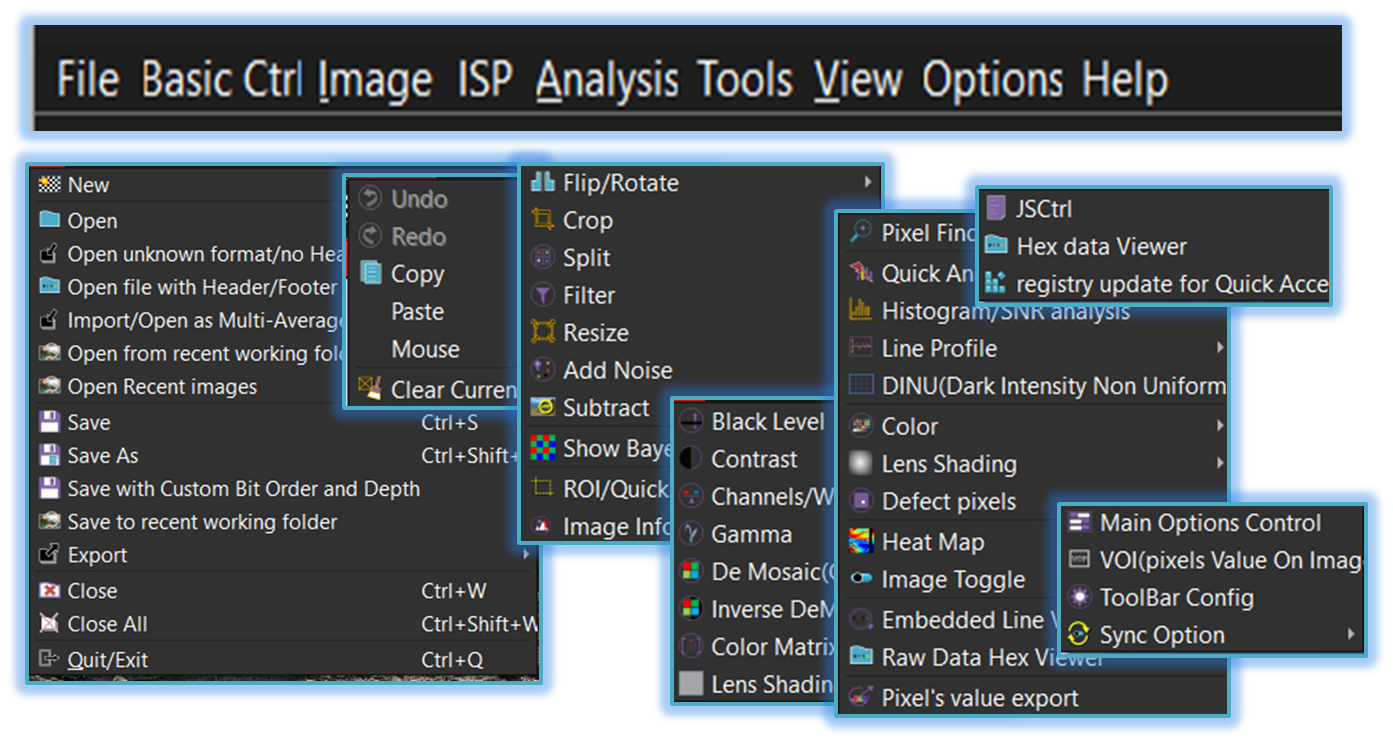
-
File
Create a new image file or open and close existing image files in various formats through the File menu. -
Basic Ctrl
Basic editing and navigation tools, such as Undo/Redo, Copy/Paste, and mouse control options for smooth interaction. -
Image
Essential image data manipulation functions-such as Crop, Split, Filter, Resize, Add Noise, and Subtract-as well as features for displaying detailed image information. -
ISP(Image Signal Processing)
Image processing features-from black level and contrast adjustment to color correction, demosaicing, and lens shading removal-for high-quality, balanced visual output. -
Analysis
Various analysis functions for evaluating image quality, including signal-to-noise characteristics, DINU, color metrics, shading factors, and defect pixel identification. -
Tools
This menu group contains miscellaneous tools. -
View
This menu group includes controls and options related to the image display window, viewport, and on-screen display (OSD). -
Options
This menu group provides various controls for image analysis, display settings, and processing options. -
Help
This menu group provides various controls for image analysis, display settings, and processing options.

- App_Home (Parent Menu)