SSImXel - Basic Ctrl /Copy

Copy
The Copy function allow user to copy selected area of image to clip board, In case of standard Image(such as jpg, png, bmp) , the selected area of image save to system clipboard and in case of Bayer raw data image, the selected area of image (processed display buffer) save to system clipboard as well as bayer raw data save to App(SSImXel) Clipbaord
Copied clipboard image can be pasted to another Window Image editing software or it can be pasted as new image in SSImXel
For more details regarding Paste click here
Usage
Step1 : Select ROI using mouse
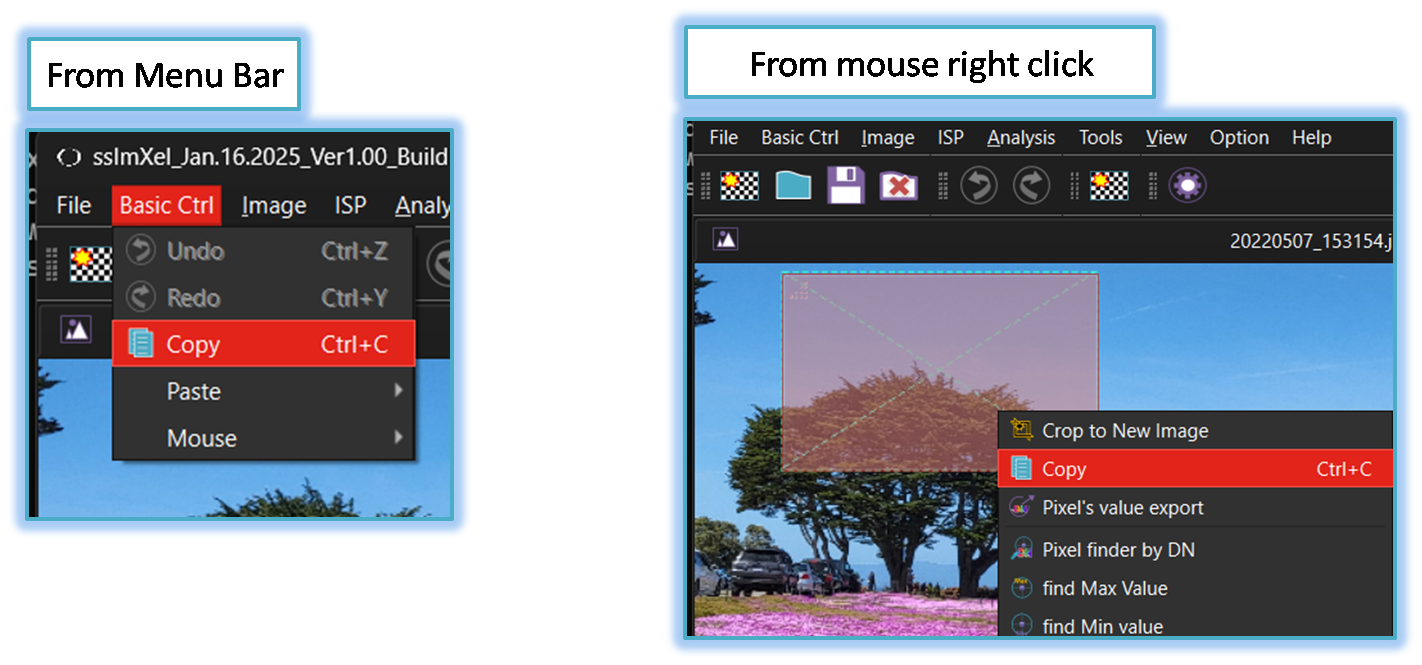
Step2a: [From Menu Bar]
Select "Copy" from the dropdown list of BasicCtrl Menu
Step2b: [From mouse right click]
Click Mouse right click on Selected ROI of Image and then Select "Copy" from popup menu list.