DINU
-> go to [Analysis]

Dark Intensity Non-Uniformity (DINU) and Photon Response Non-Uniformity (PRNU) analysis are essential in an image tool for evaluating sensor performance, identifying pixel-level variations, and ensuring accurate image calibration. DINU helps detect inconsistencies in dark regions, while PRNU analyzes variations in pixel response to light, both of which are crucial for noise characterization and correction. This tool provides convenient features for precise DINU/PRNU analysis, allowing users to efficiently assess and optimize sensor quality.
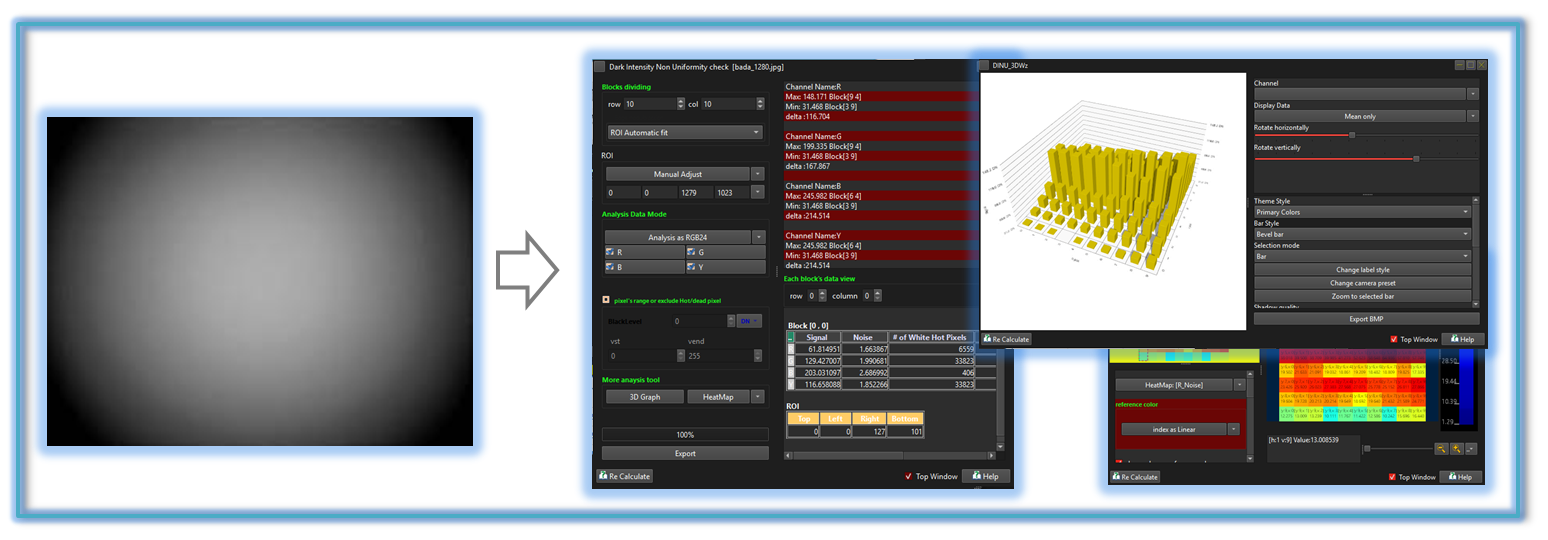

-
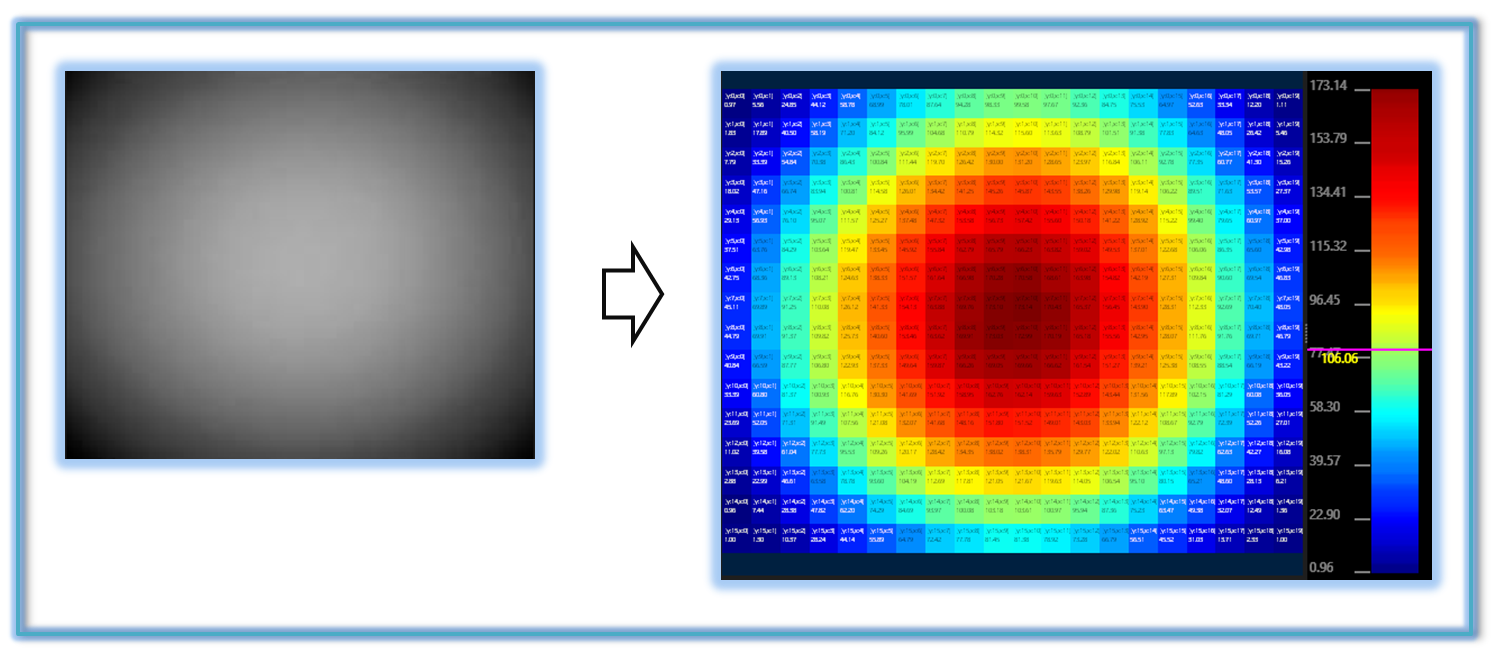
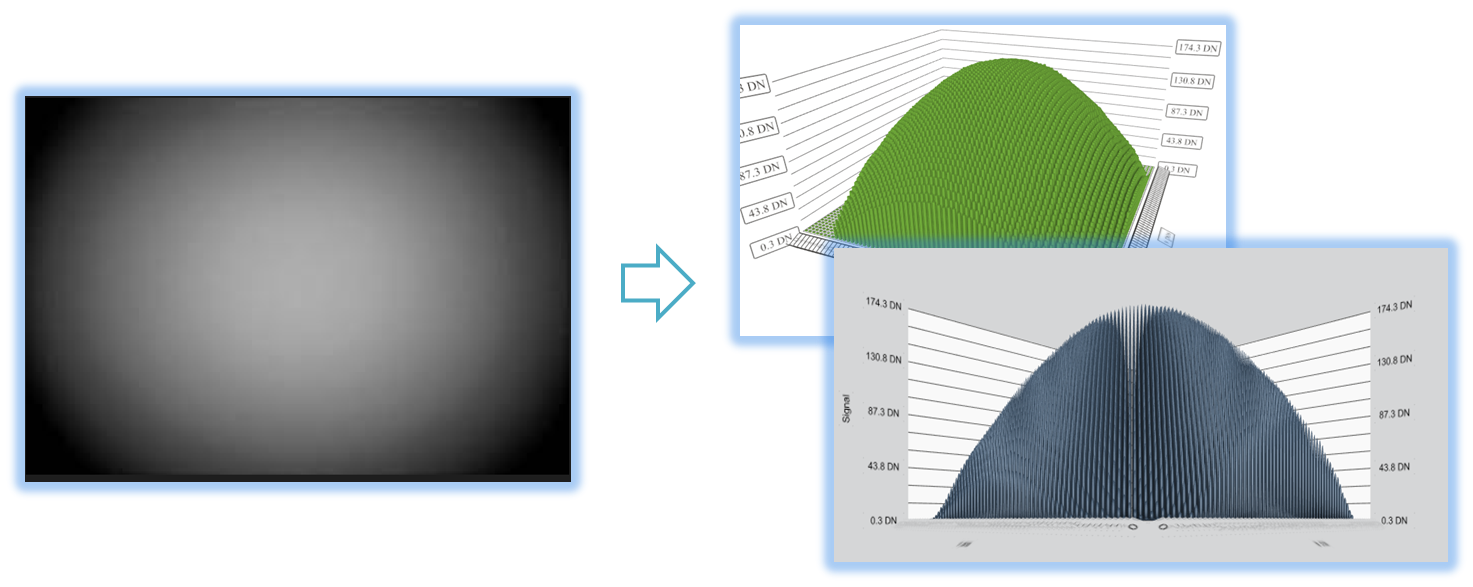
The tool also offers heatmap and 3D lens shading functionalities, both of which are
effective in analyzing signal non-uniformity. Furthermore, combining
these features can provide a synergistic advantage in the evaluation of signal non-uniformity.
-
HeatMap
-
Lens Shading 3D

- Analysis (Parent Menu)

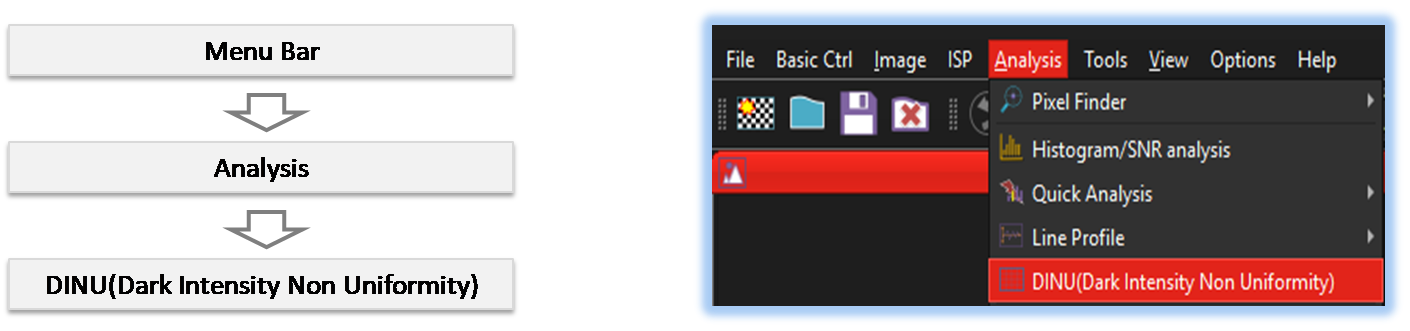
By selecting the menu options in the order shown in the image above or by choosing the toolbar icon
 , the DINU dialog box will be showed up as shown in below picture.
For a more detailed explanation of the toolbar button or how to configure toolbar,please refer to configure toolbar
, the DINU dialog box will be showed up as shown in below picture.
For a more detailed explanation of the toolbar button or how to configure toolbar,please refer to configure toolbar 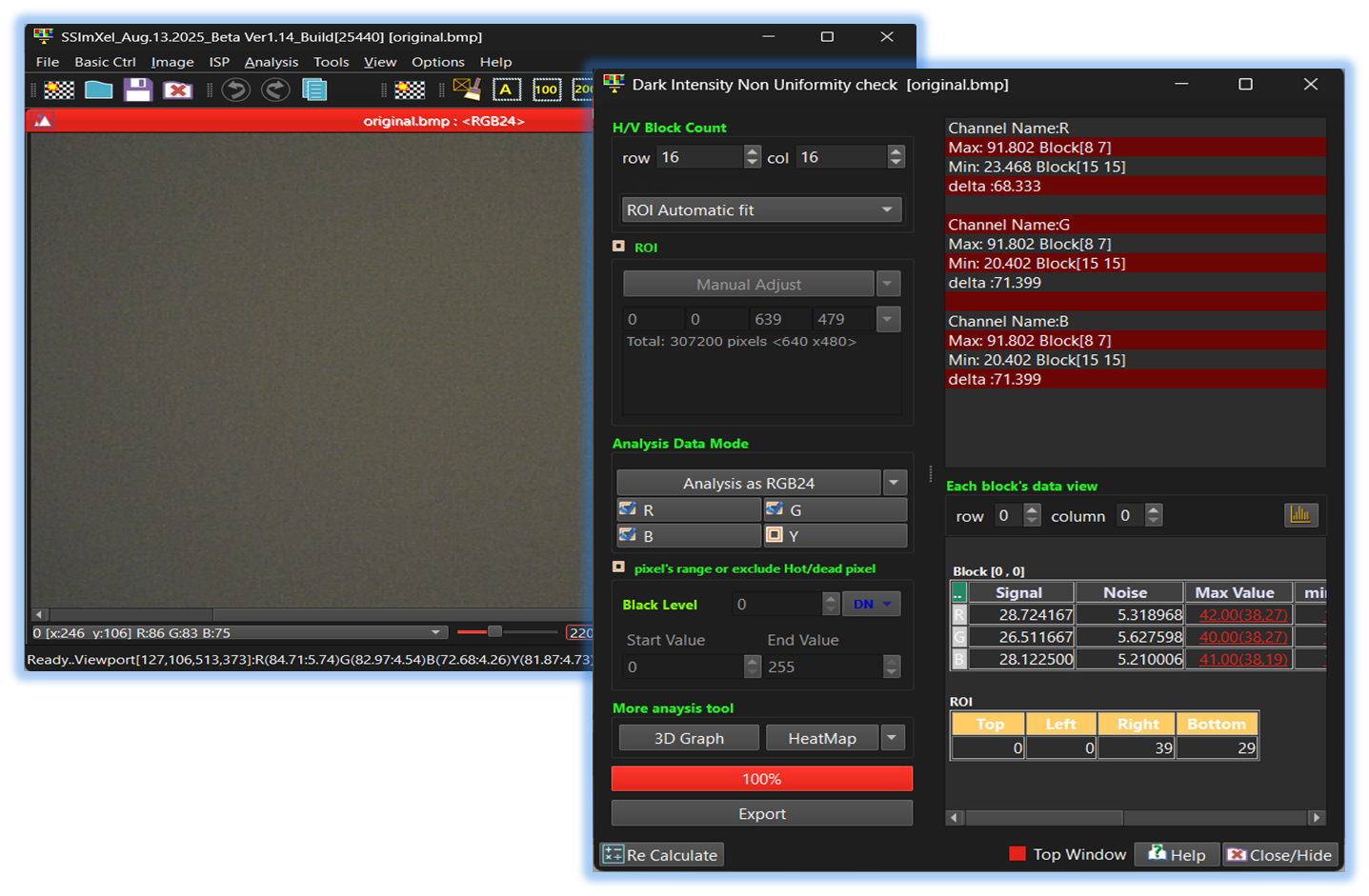

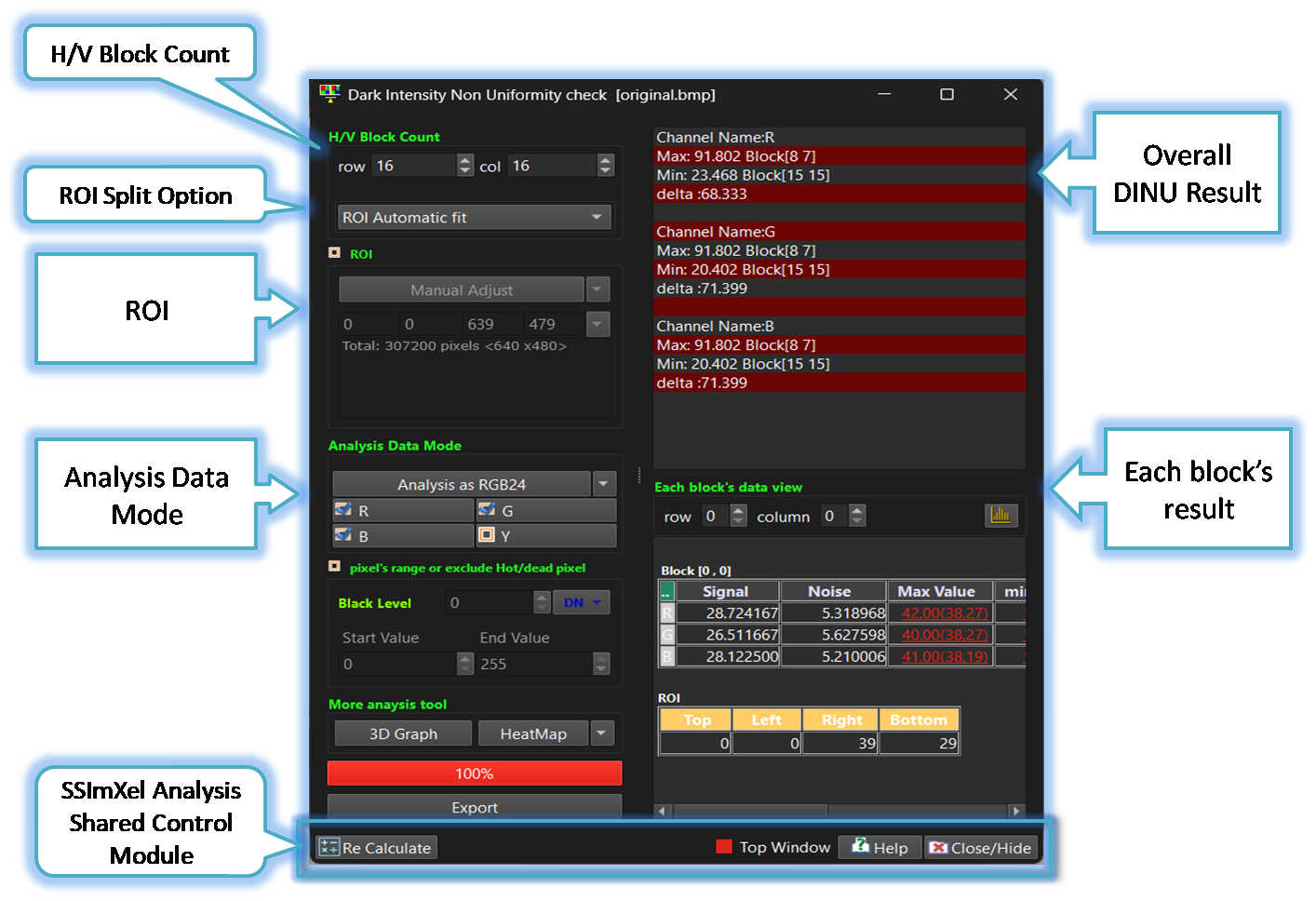
-
H/V Block Count
The user can specify the number of ROI blocks for analyzing the desired number of DINUs, setting the values separately for the horizontal and vertical directions. -
ROI Split Option
When the image size is not an integer multiple of the number of divided ROIs, SSimXel provides three options for determining each ROI size.
-
ROI Auto-Fit
When the number of ROIs is not an integer multiple of the overall image size, the tool automatically adjusts the ROI sizes according to their positions. As a result, the width or height of each ROI may differ by about one pixel or one line. -
Keep all blocks the same size
This option keeps all blocks the same size. In this case, if the total image size is not an integer multiple of the ROI division, the corner pixels and lines on the edges (left, right, top, and bottom) may be excluded from the DINU calculation. -
Different size at corners
When this option is selected, if the total image size is not an integer multiple of the ROI division, the ROIs in the middle retain the same size, while the ROIs located at the top, bottom, left, and right edges may have different sizes.
-
ROI Auto-Fit
-
ROIxxxx
By allowing users to specify a Region of Interest (ROI) in addition to analyzing the entire image, the analysis speed can be increased, and the accuracy of the analysis can be improved by focusing only on the areas of interest.
-
Analysis_Data_Mode
This control allows the user to select specific channels for analysis. For Bayer raw images, the analysis can be performed in either Bayer raw mode or RGB24 mode. Within each mode, the user can further select the desired color or pattern channels for analysis.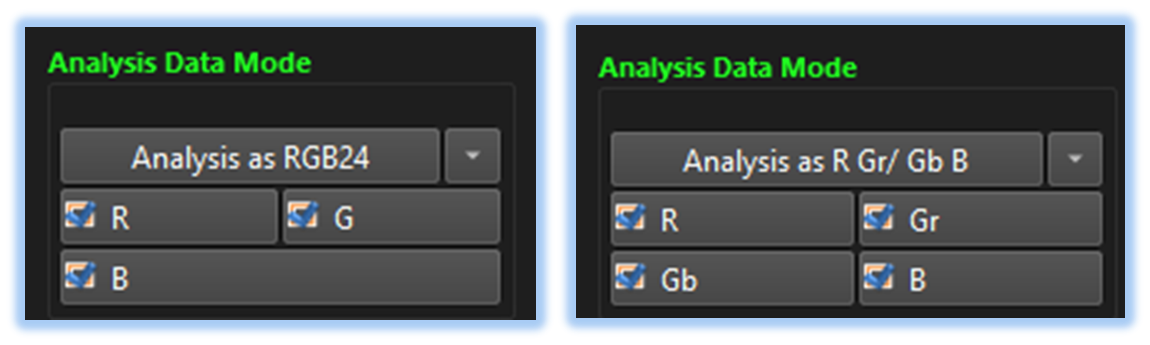
-
Overall DINU Results
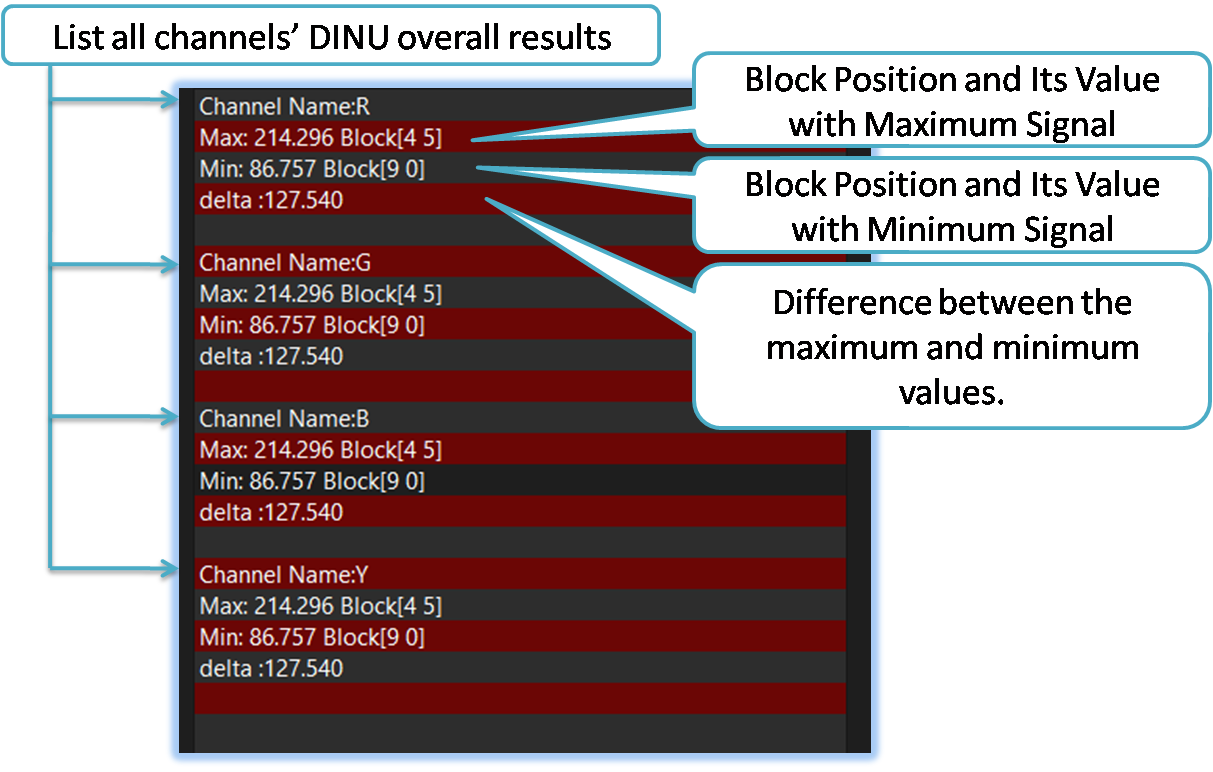
-
SSImXel Analysis Dialog Common Ctrl
Through this control module, the user can access Help, close or hide the active analysis window, or set it as the top-most window. For more detailed information, please refer here.

Below demo demonstrates DINU
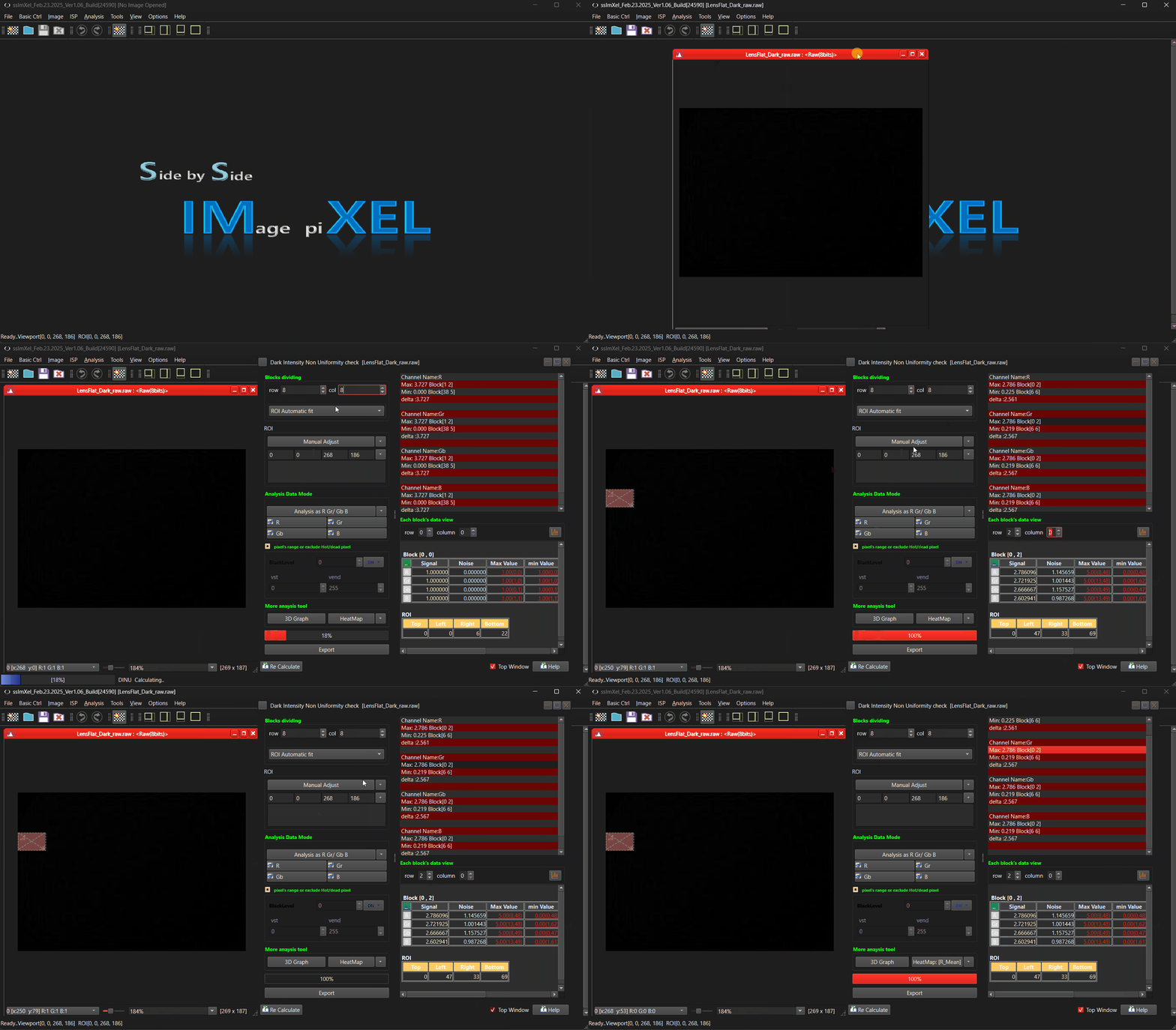 .
.