ColorAnalysis
-> go to [Analysis]

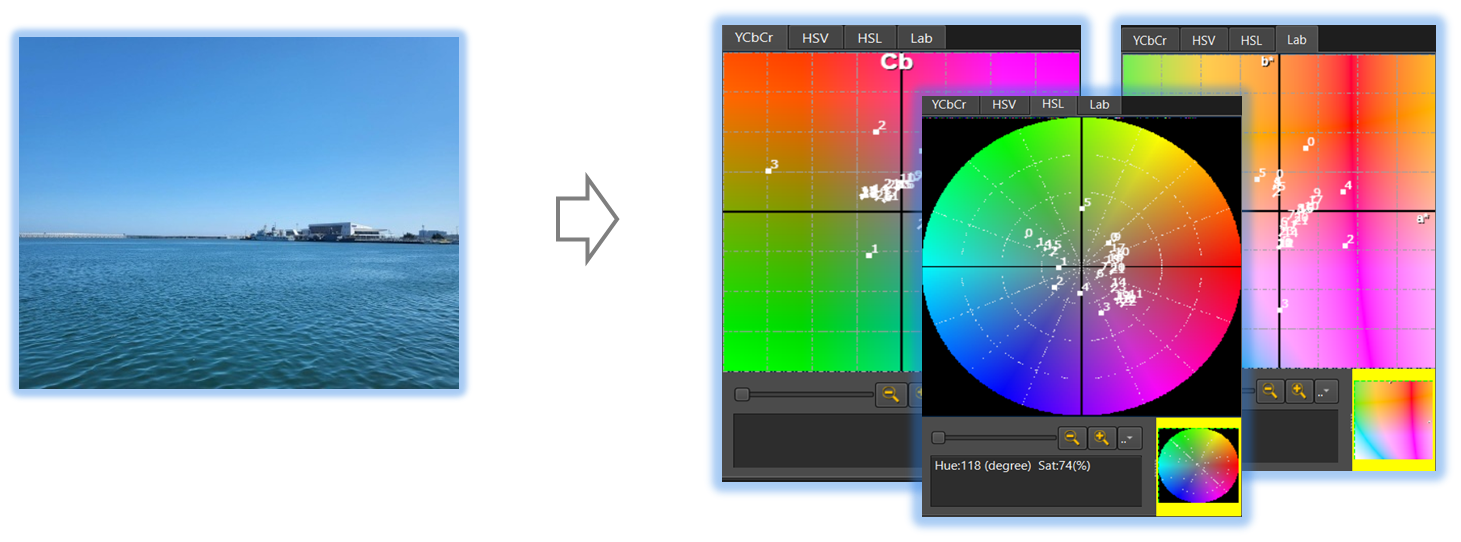
Accurate color analysis is crucial for ensuring consistency and precision in image processing. This tool offers powerful features specifically designed for in-depth color analysis, making it an essential resource for accurate color correction and evaluation

- Analysis (Parent Menu)

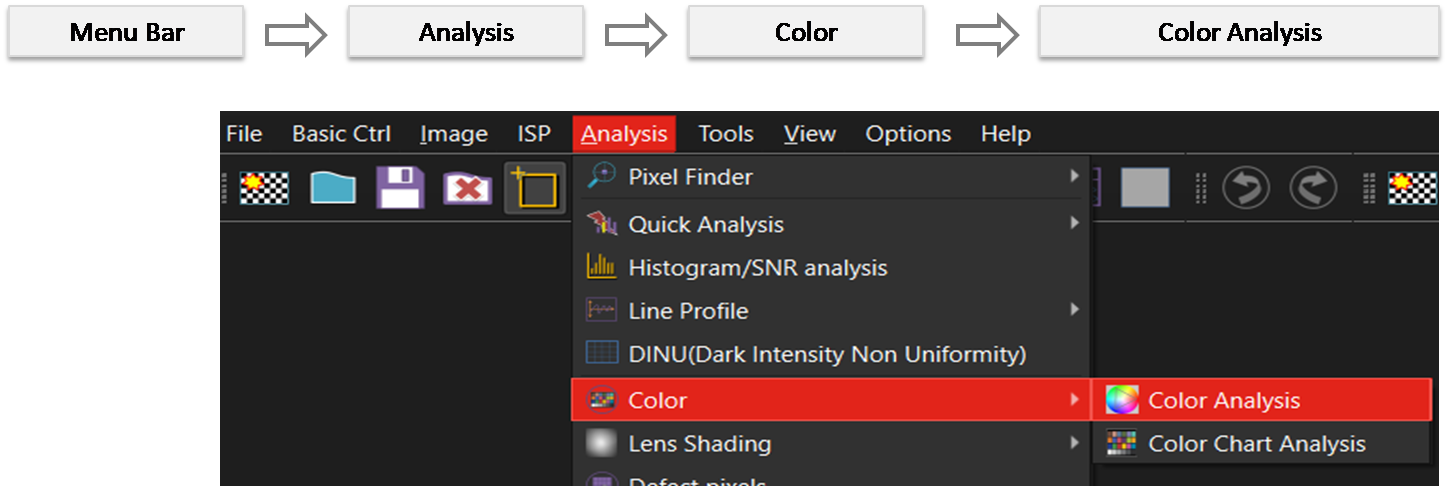
By selecting the menu options in the order shown in the image above or by choosing the toolbar icon
 , the ColorAnalysis dialog box will be showed up as shown in below picture.
For a more detailed explanation of the toolbar button or how to configure toolbar,please refer to configure toolbar
, the ColorAnalysis dialog box will be showed up as shown in below picture.
For a more detailed explanation of the toolbar button or how to configure toolbar,please refer to configure toolbar 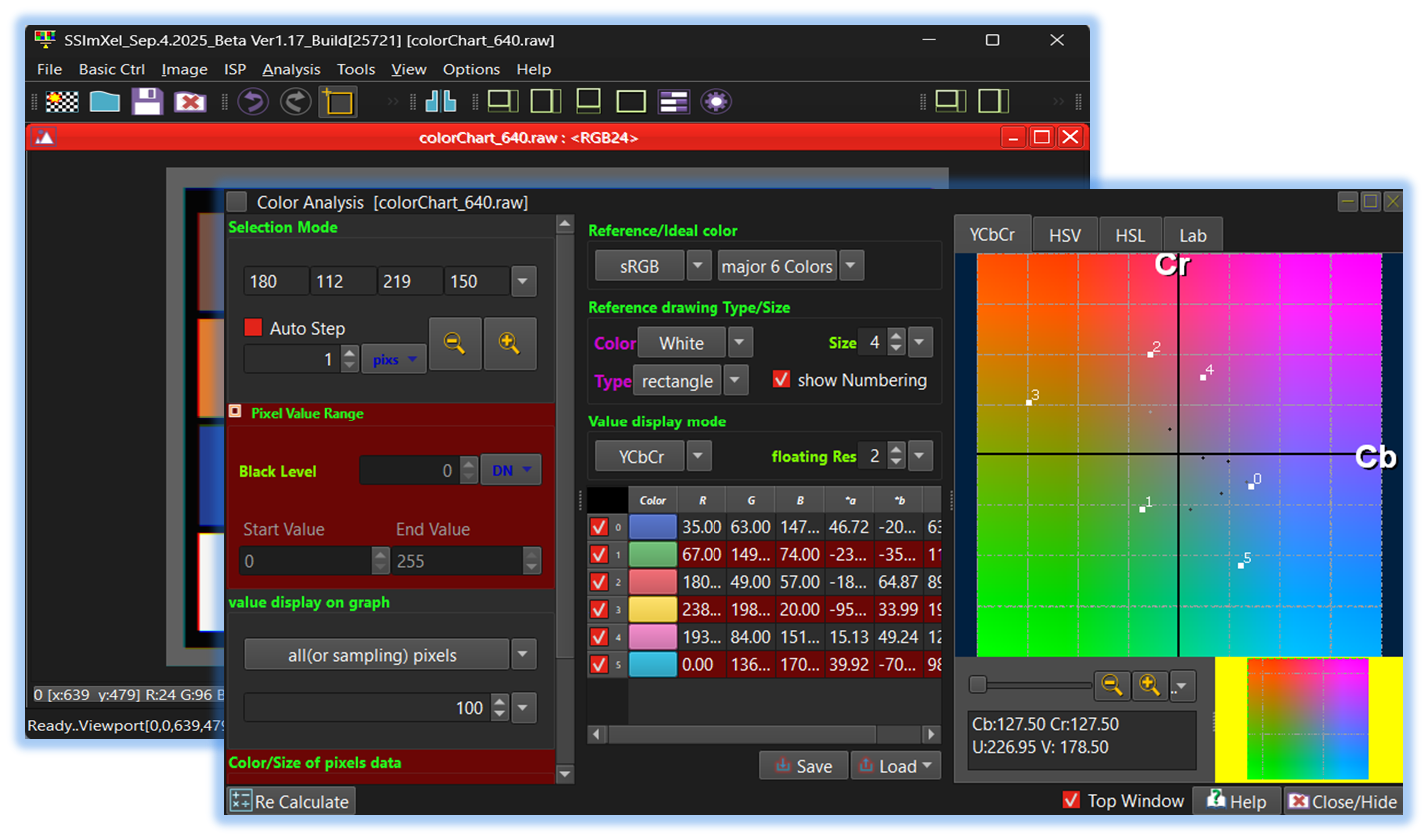

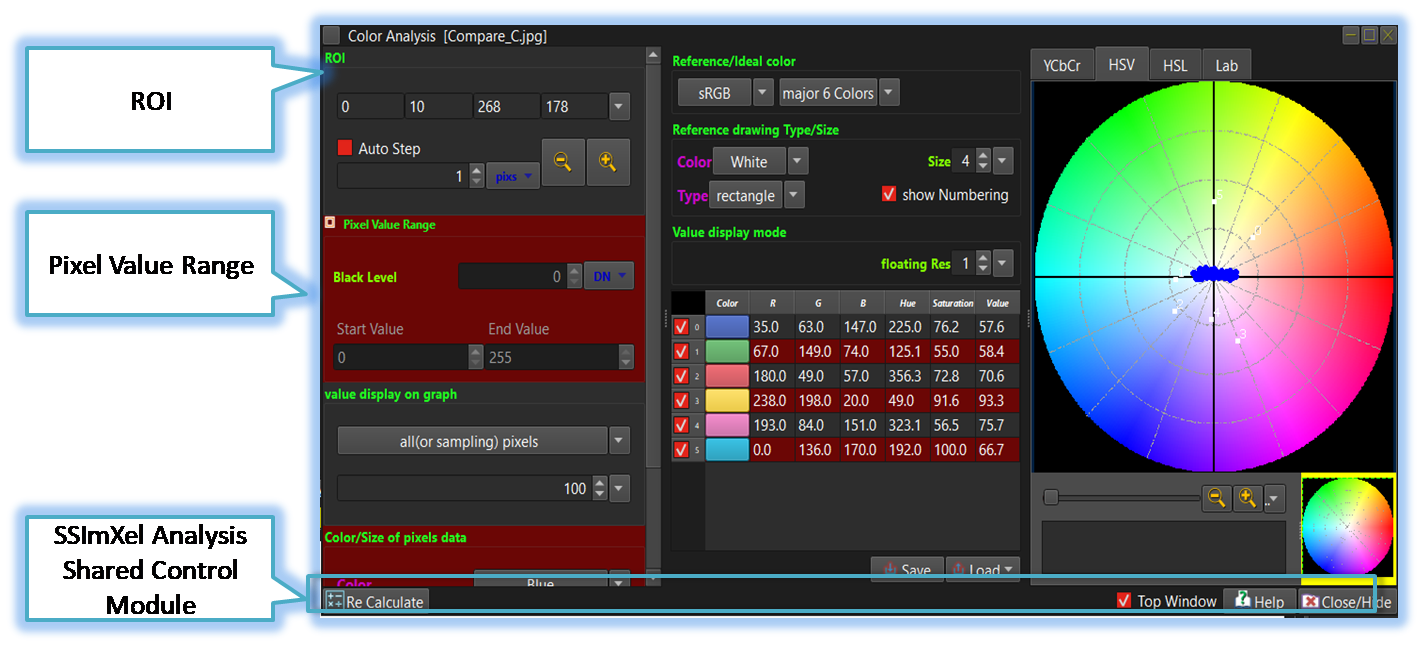
-
ROI
By allowing users to specify a Region of Interest (ROI) in addition to analyzing the entire image, the analysis speed can be increased, and the accuracy of the analysis can be improved by focusing only on the areas of interest.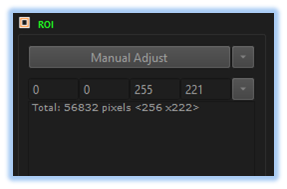
-
Pixel Value Range
This control allows the user to define the pixel value range and set the black level for analysis.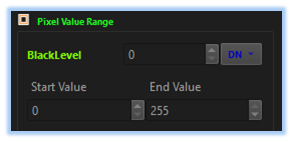
-
SSImXel Analysis Dialog Common Ctrl
Through this control module, the user can access Help, close or hide the active analysis window, or set it as the top-most window. For more detailed information, please refer here.

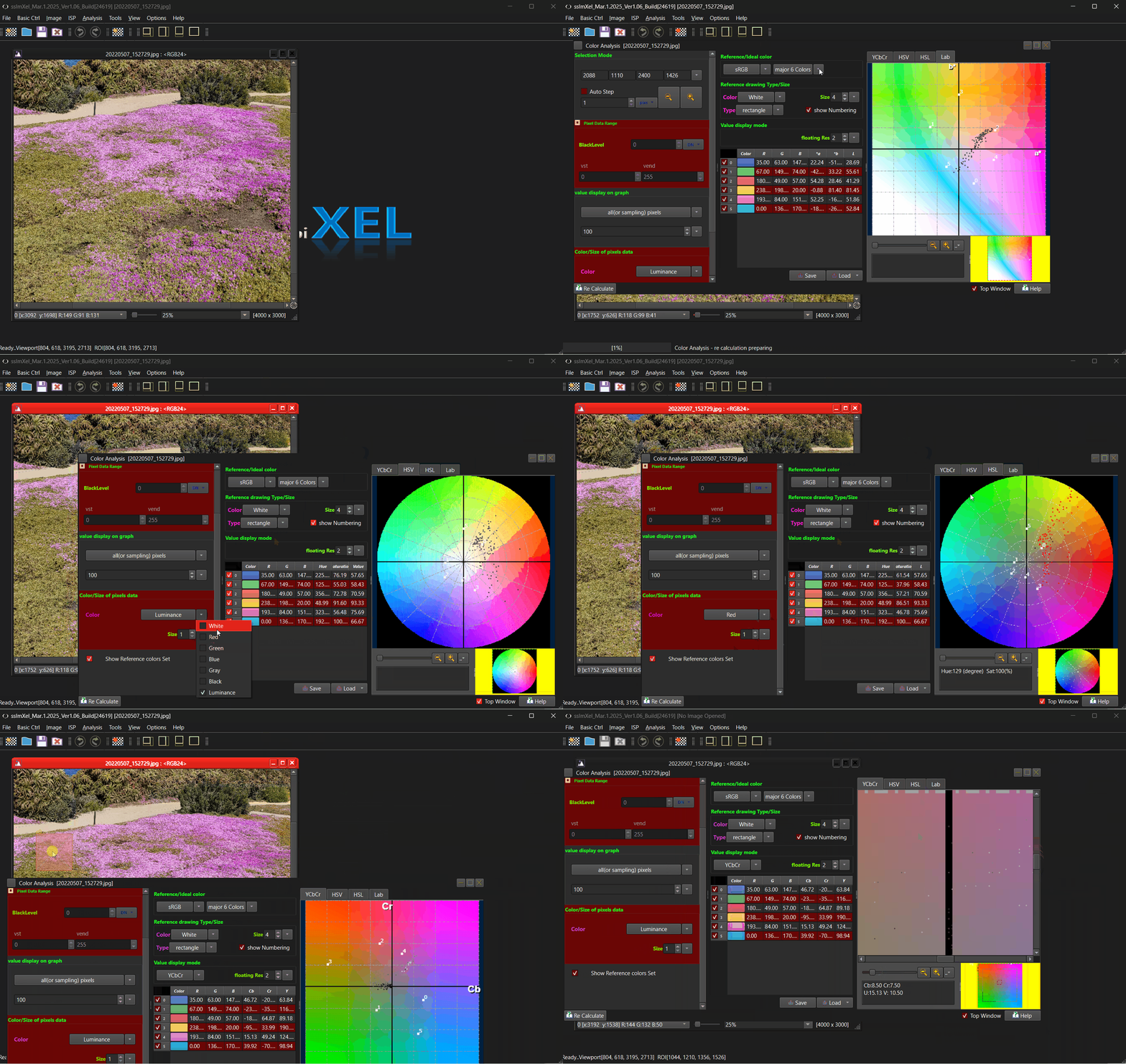
Below demo demonstrates ColorAnalysis
 .
.