Toggle
-> go to [Analysis]

In image analysis workflows, toggling between two or more image frames significantly enhances the ability to detect subtle differences in edge sharpness, noise distribution, and chromatic fidelity.
SSImXel provides a highly effective image-switching feature that facilitates precise visual comparison.
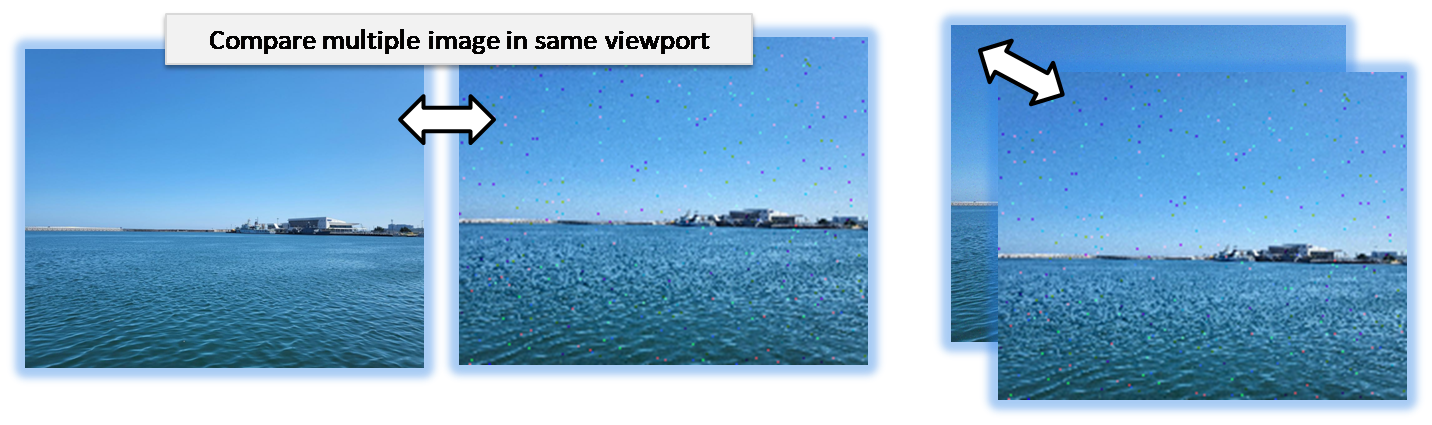

- Image Comparison
- Side by Side Comparison
- Subtract
- Analysis (Parent Menu)

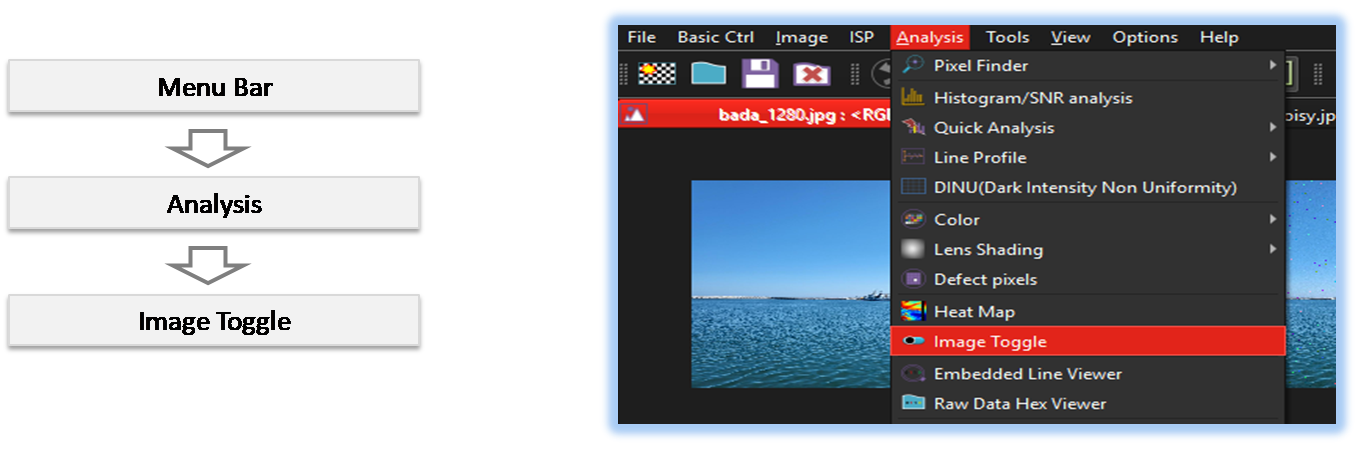
By selecting the menu options in the order shown in the image above or by choosing the toolbar icon
 , the Toggle dialog box will be showed up as shown in below picture.
For a more detailed explanation of the toolbar button or how to configure toolbar,please refer to configure toolbar
, the Toggle dialog box will be showed up as shown in below picture.
For a more detailed explanation of the toolbar button or how to configure toolbar,please refer to configure toolbar 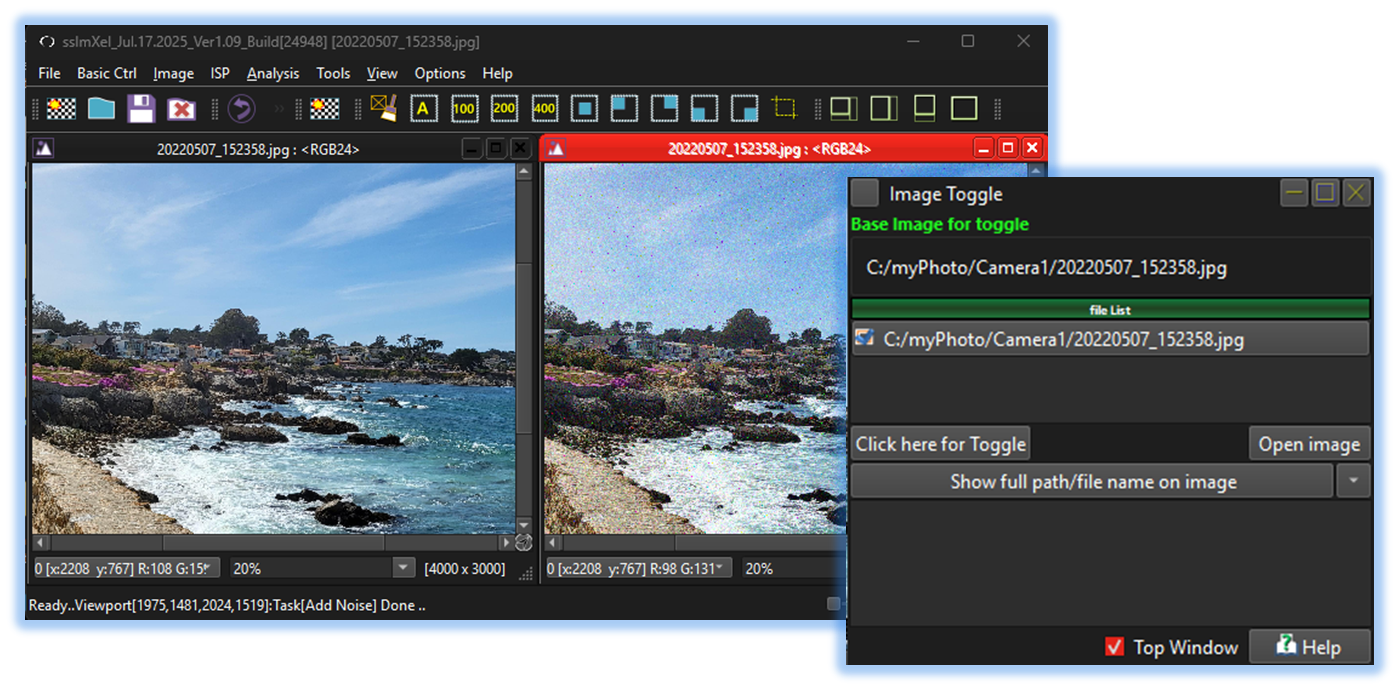

-
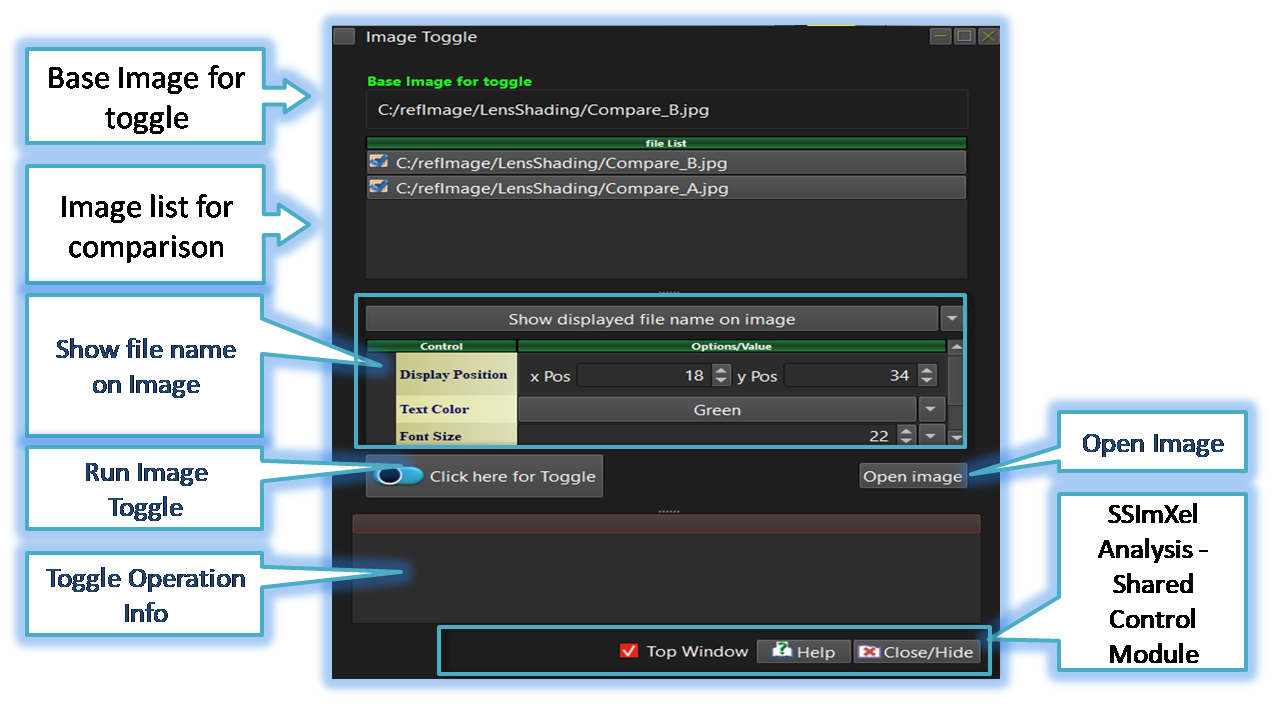
Base Image for Toggle
The image corresponding to the view on which the toggle operation will be performed among the multiple open images. -
Image list for comparison/toggle
When the user selects the Toggle option from the menu, the Toggle Control Window displays a list of all open images except the currently selected one. The user can then select or deselect images to be toggled.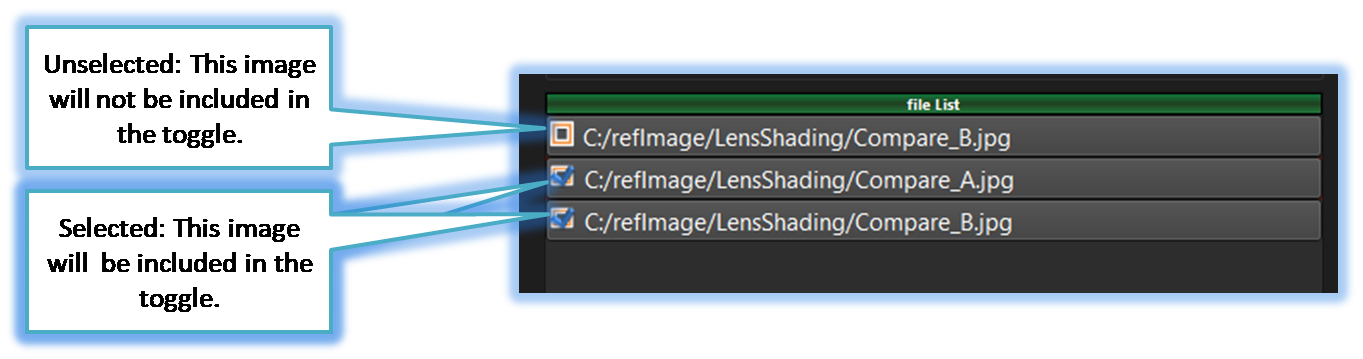
-
Open Image
If the user wants to use images for toggling that are not currently open, this button can be used to open additional images. -
Run Image Toggle
Runs the Image Toggle operation, allowing the user to switch between the currently open images. -
SSImXel Analysis Dialog Common Ctrl
Through this control module, the user can access Help, close or hide the active analysis window, or set it as the top-most window. For more detailed information, please refer here.

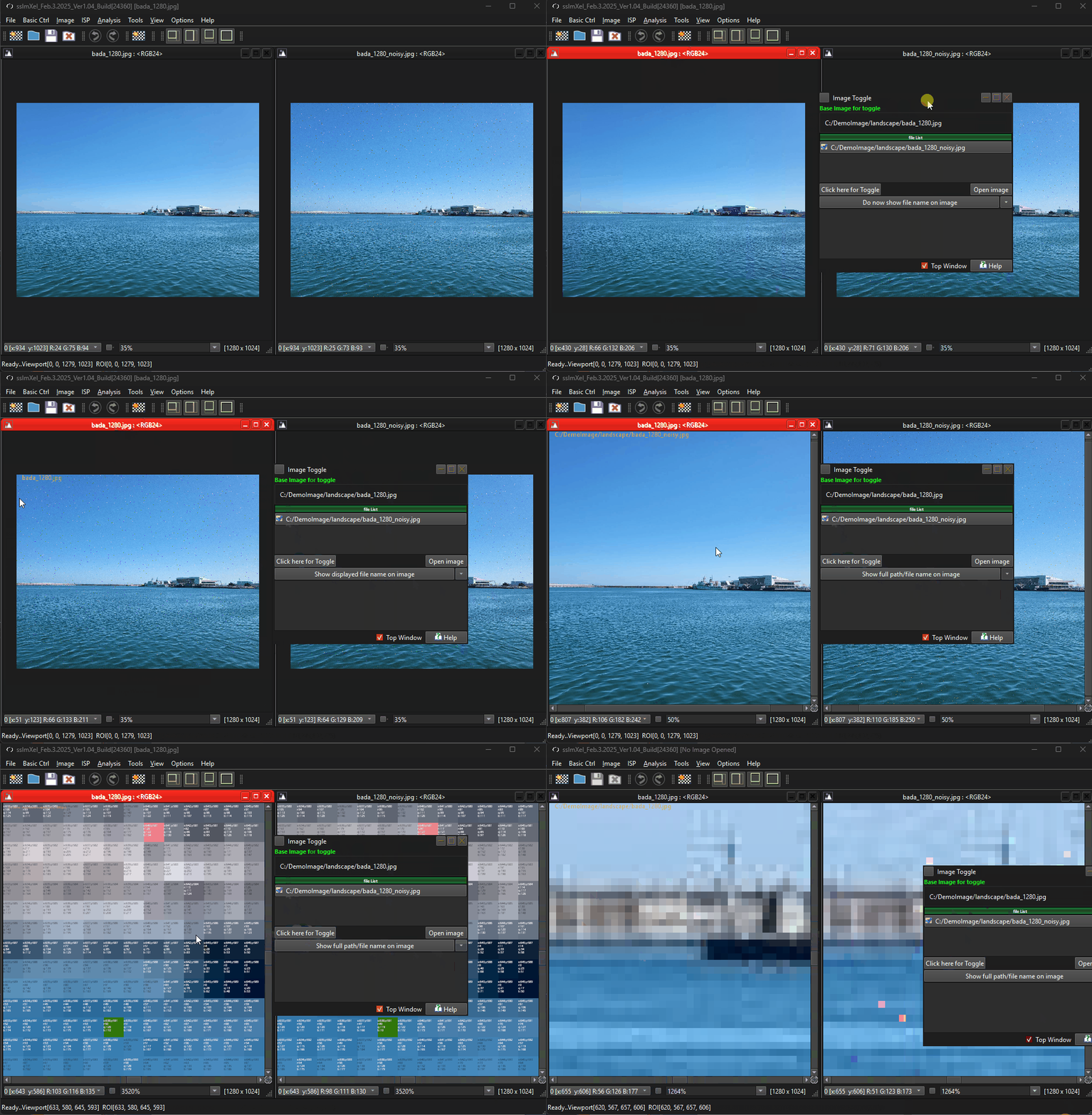
Below demo demonstrates Toggle
 .
.