Pixel Finder by Position
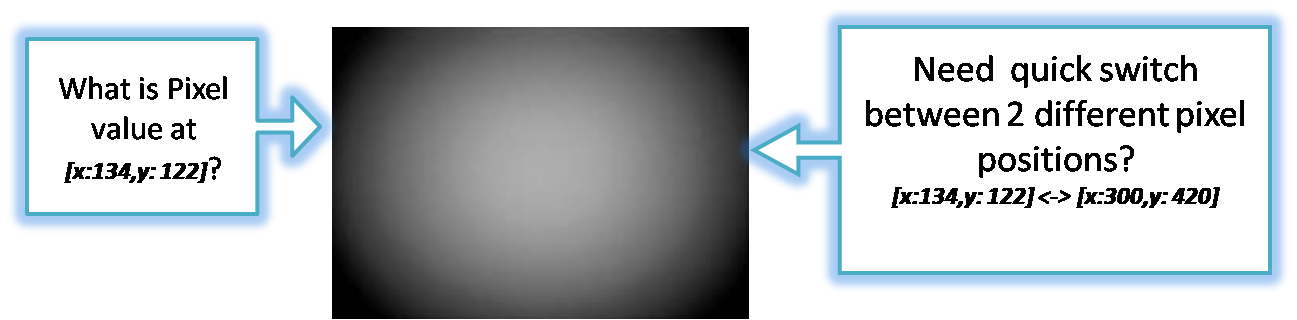
 In many cases, users need to access specific pixel locations for pixel value-based investigations, such as hot or defect pixel analysis. When a pixel is reported as abnormal, identifying its precise location becomes crucial.
However, navigating to specific pixel positions or values is challenging with just zoom and scroll, especially for high-resolution images.
Additionally, in many scenarios, users need to quickly switch between multiple pixel locations to efficiently analyze various defect patterns or anomalies.

-
Quick Pixel Location Access
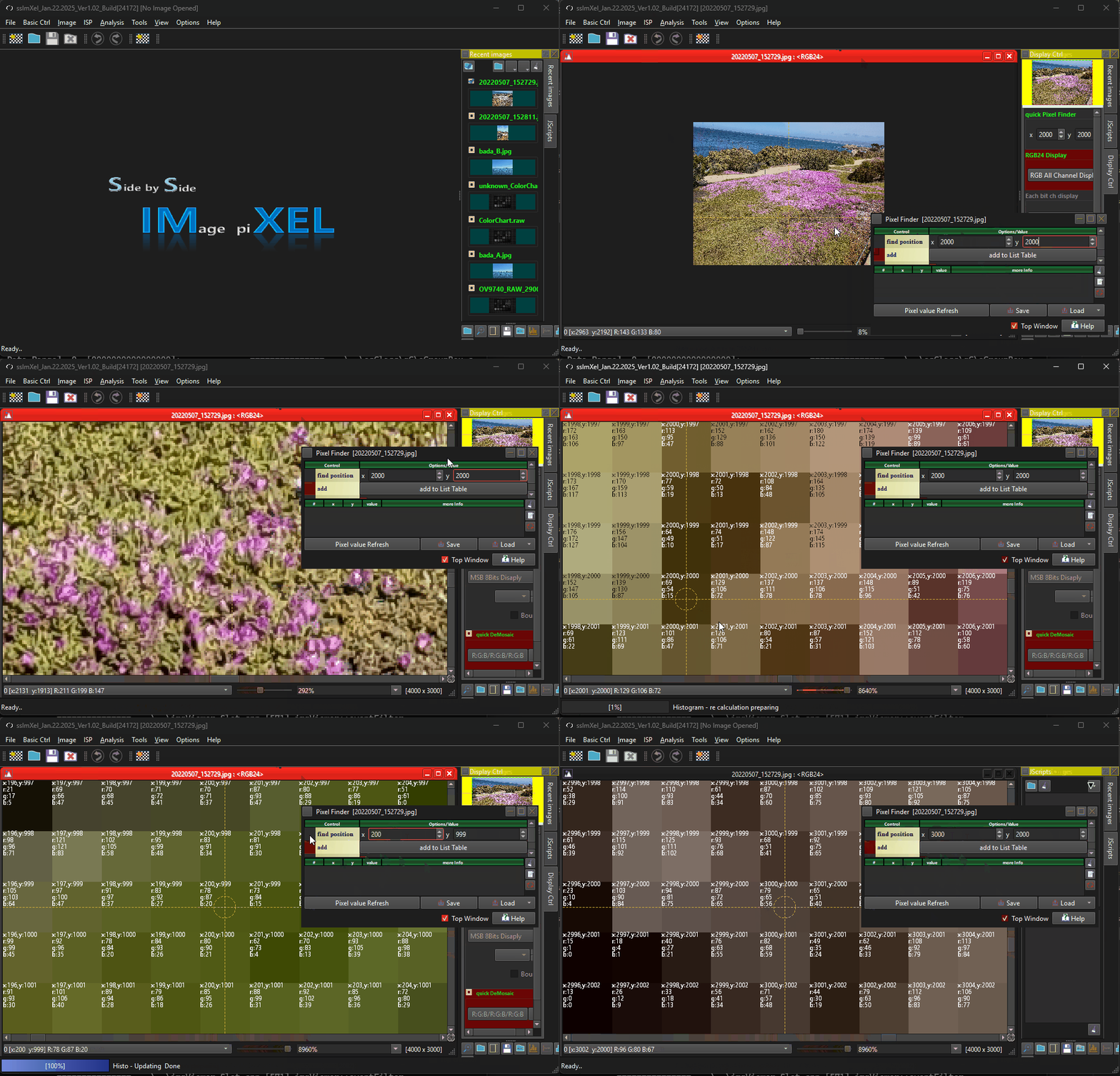
When a position value is provided, the image viewer locates that position and displays it using a crosshair and a circle to highlight the exact location.
SSImXel also provide Lens Shading Analysis function.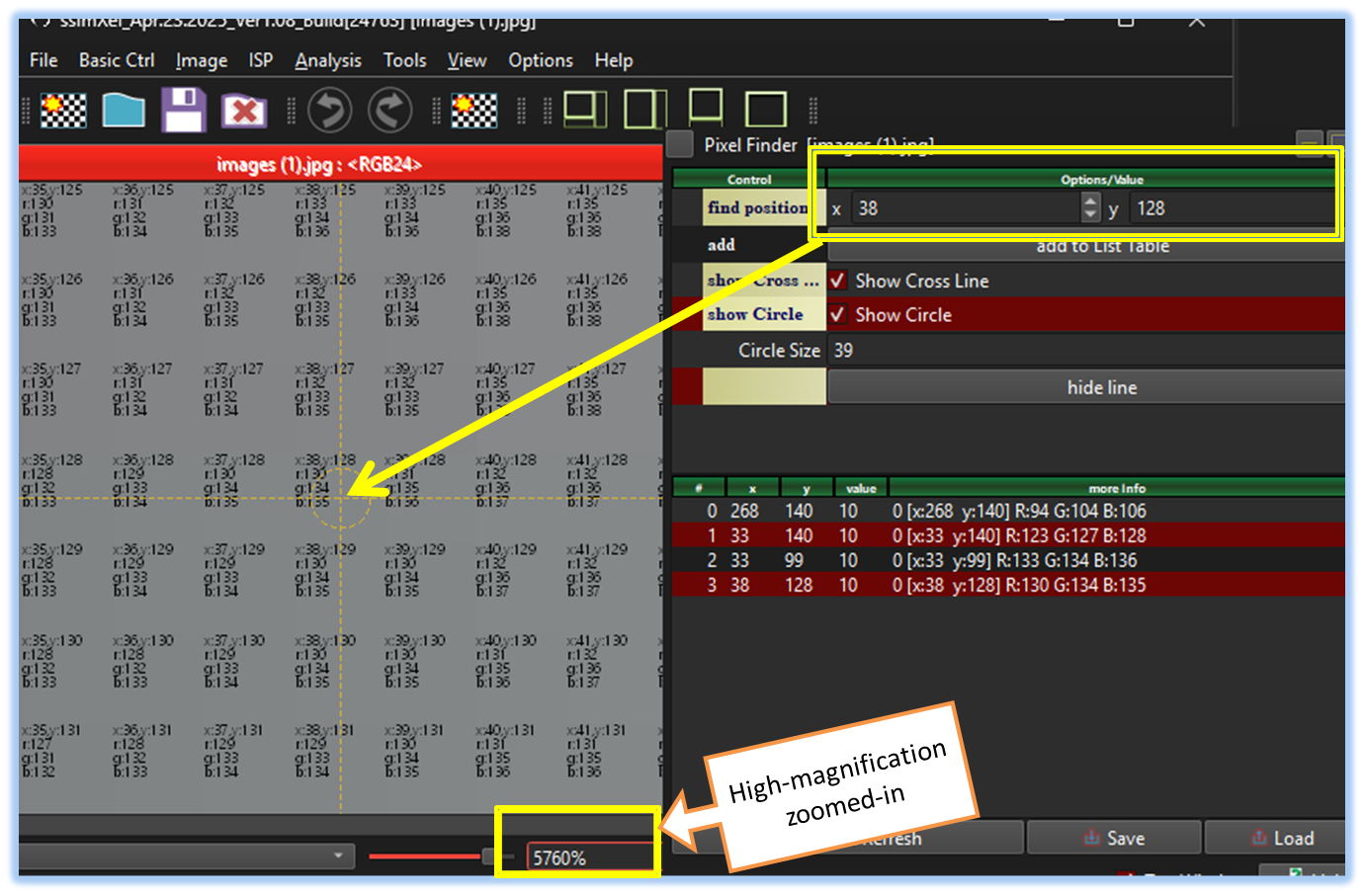
-
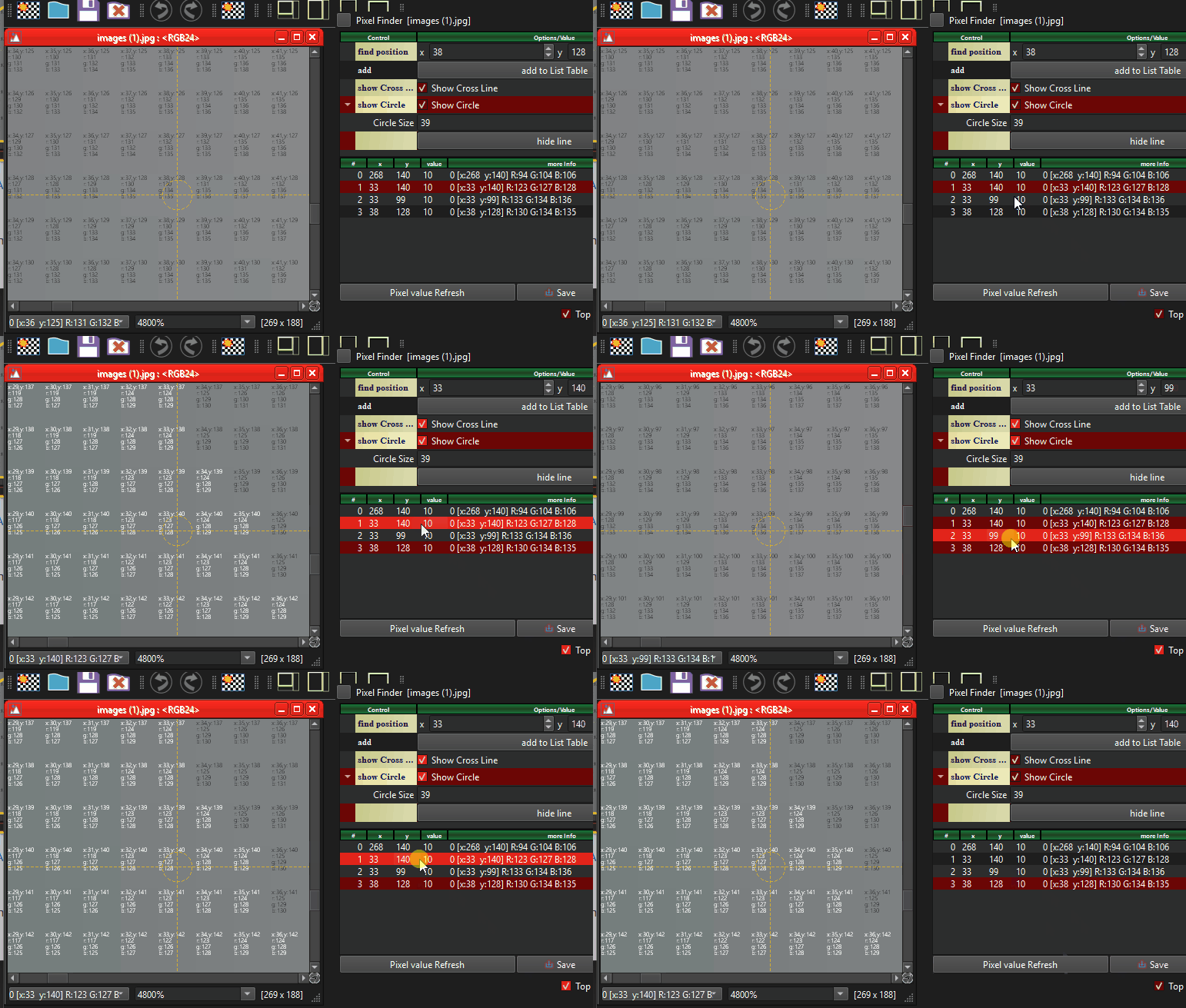
Quick Pixel Location Switch
Users can quickly switch between multiple pixel locations to efficiently analyze various defect patterns or anomalies.
-
Pixels Value/Info display table
Pixel Finder provides a table displaying pixel values and position information, making it convenient to access pixel data even when the image is zoomed out.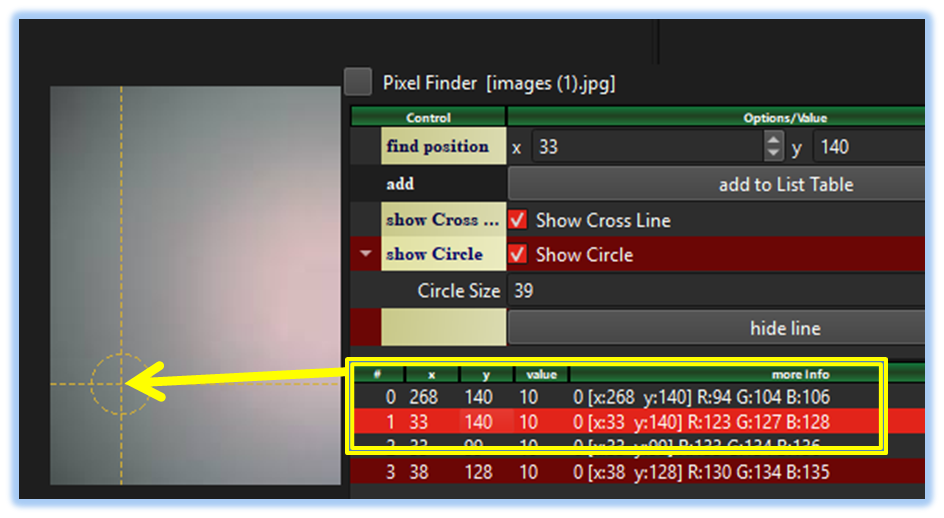

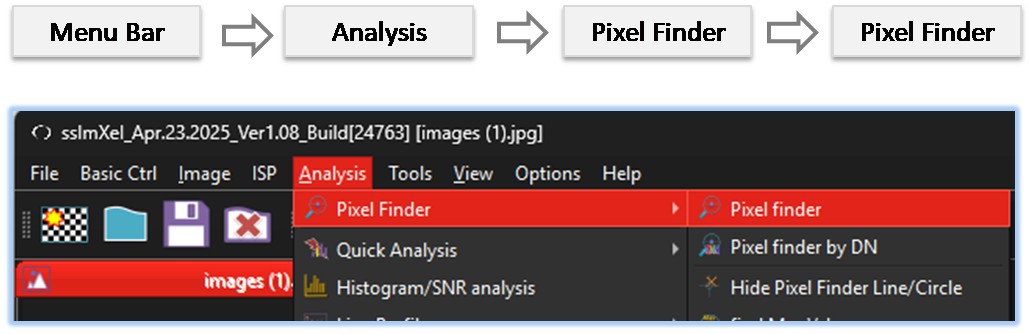
By selecting the menu options in the order shown in the image above or by choosing the toolbar icon
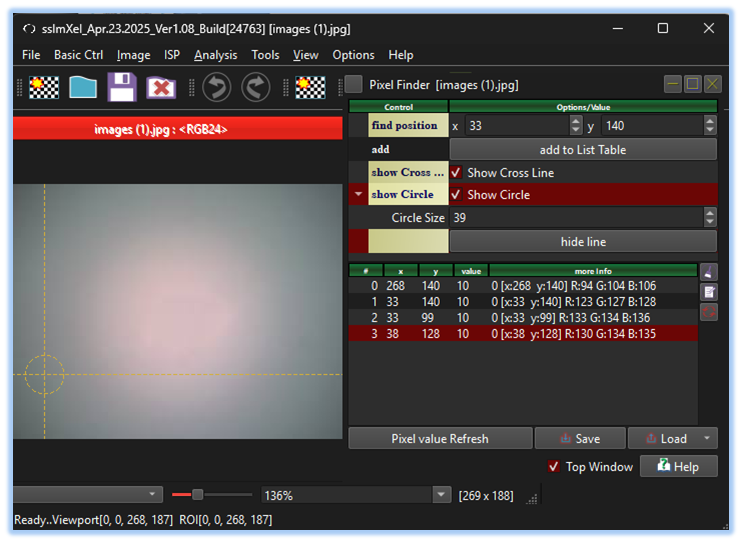
 , the PixelFinderPos dialog box will be showed up as shown in below picture.
For a more detailed explanation of the toolbar button or how to configure toolbar,please refer to configure toolbar
, the PixelFinderPos dialog box will be showed up as shown in below picture.
For a more detailed explanation of the toolbar button or how to configure toolbar,please refer to configure toolbar

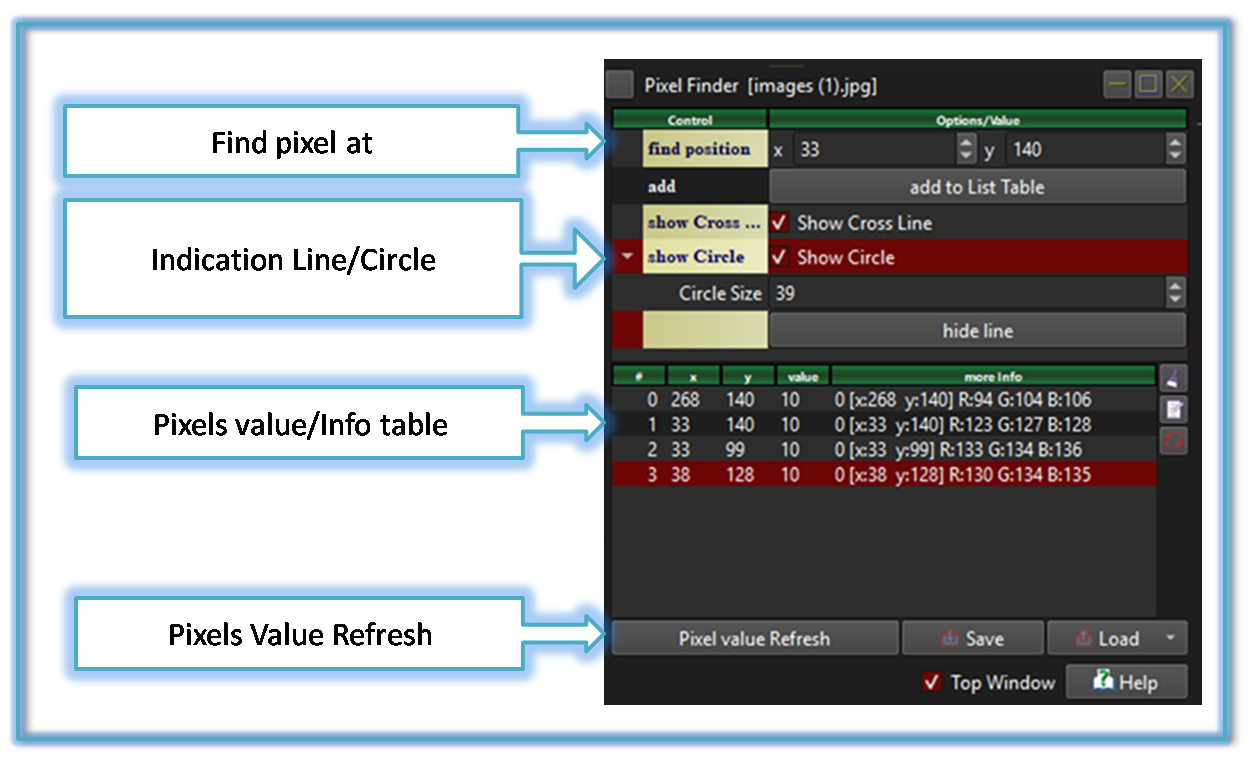
| Control | Function description |
|---|---|
| Find position (x, y) | Input the x and y values into the corresponding boxes to find the pixel at that location |
| Add | Click 'Add to List Table' to save the data of the current located pixel to the list at the bottom of the window |
| Show Cross Line Show Circle Circle Size |
Options to edit/view the scope of the pixel finder |
| Hide Line | Hides the scope of the pixel finder Scope can be re-enabled by searching for the pixel again |
| Pixel Value Refresh | When image data is modified using the SSImXel's processing functions, such as ISP, clicking this button will update the listed pixel values accordingly. |


Below demo demonstrates Pow Pixel Finder by Position works
 .
.