Pixel value Export
-> go to [Analysis_Main]

Pixel Values Export enables users to extract raw pixel intensity values from either the entire image or user-defined regions. The exported data can be saved in standard formats (e.g., CSV or TXT) for use in external analysis, documentation, or comparison workflows. This feature is particularly useful for quantitative evaluation, debugging, or cross-validation with other image processing tools.
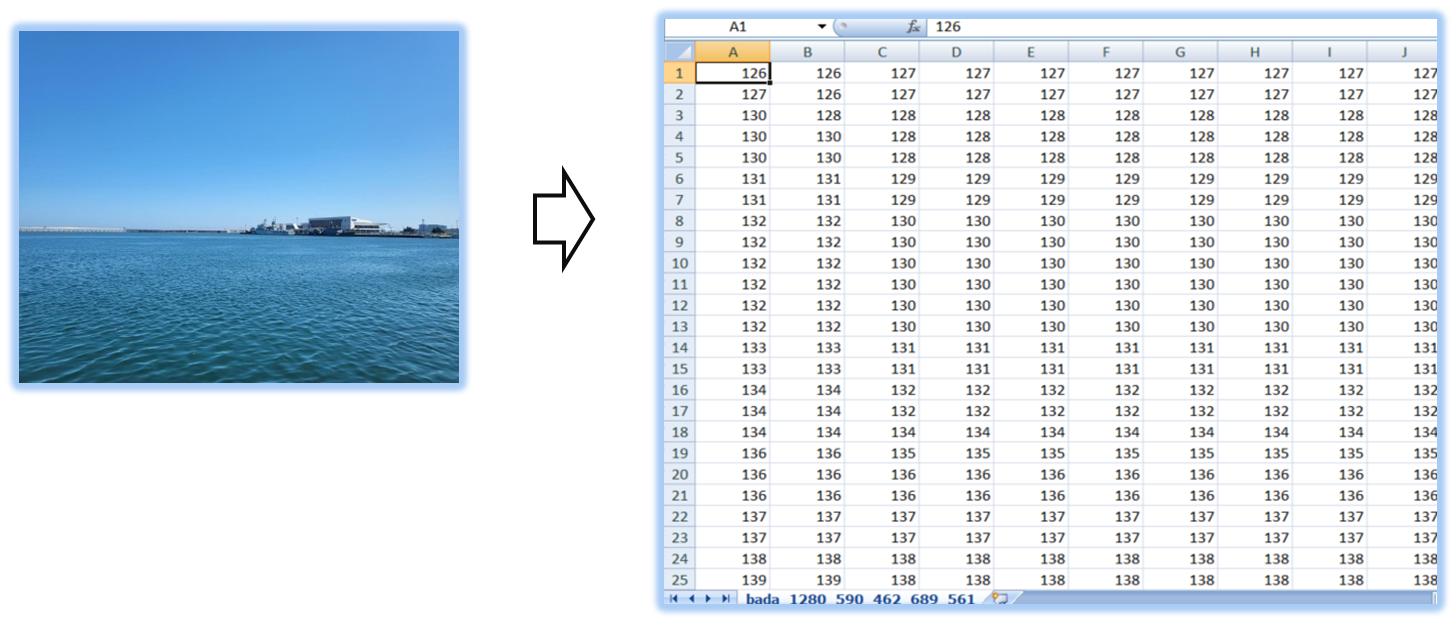

-
This feature can also be very useful for analyzing Embedded Line Data.
For more details on Embedded Line Data analysis,
please refer to the following link.
[Embedded Line Data Analysis]
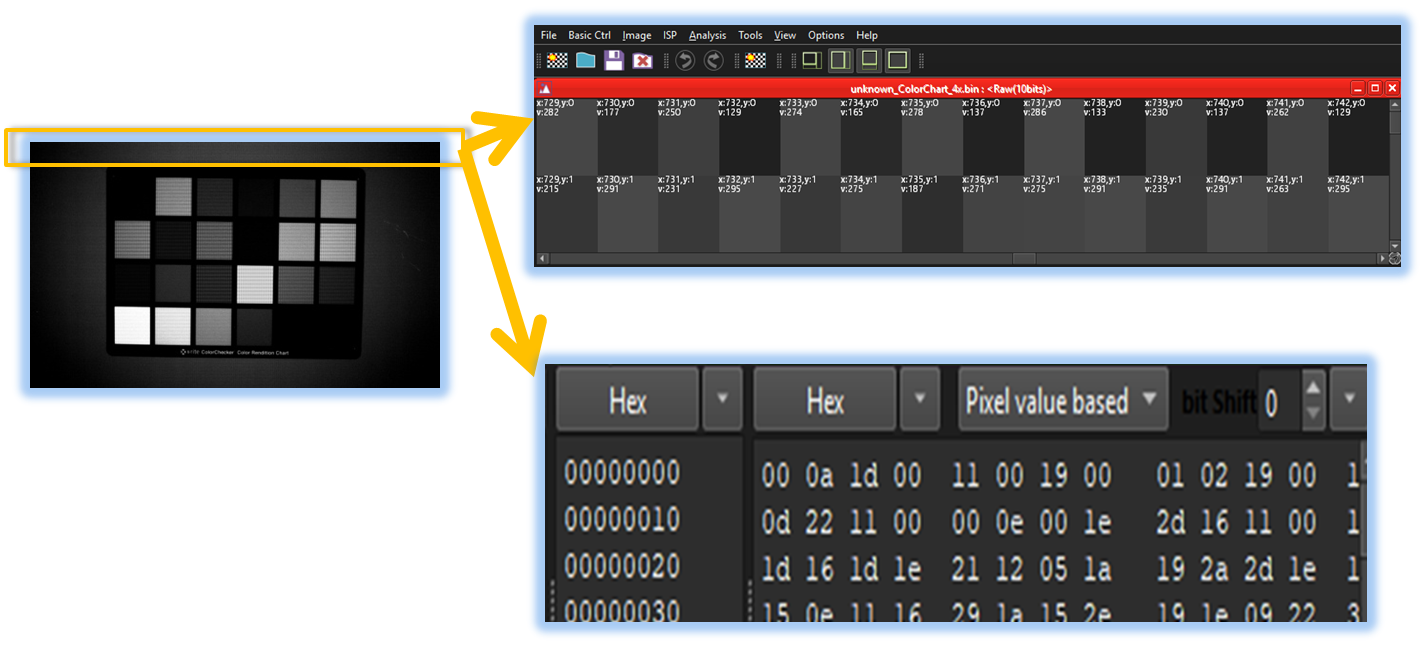

- VOI(Value on Image)
- Embedded Line Viewer
- Analysis_Main (Parent Menu)

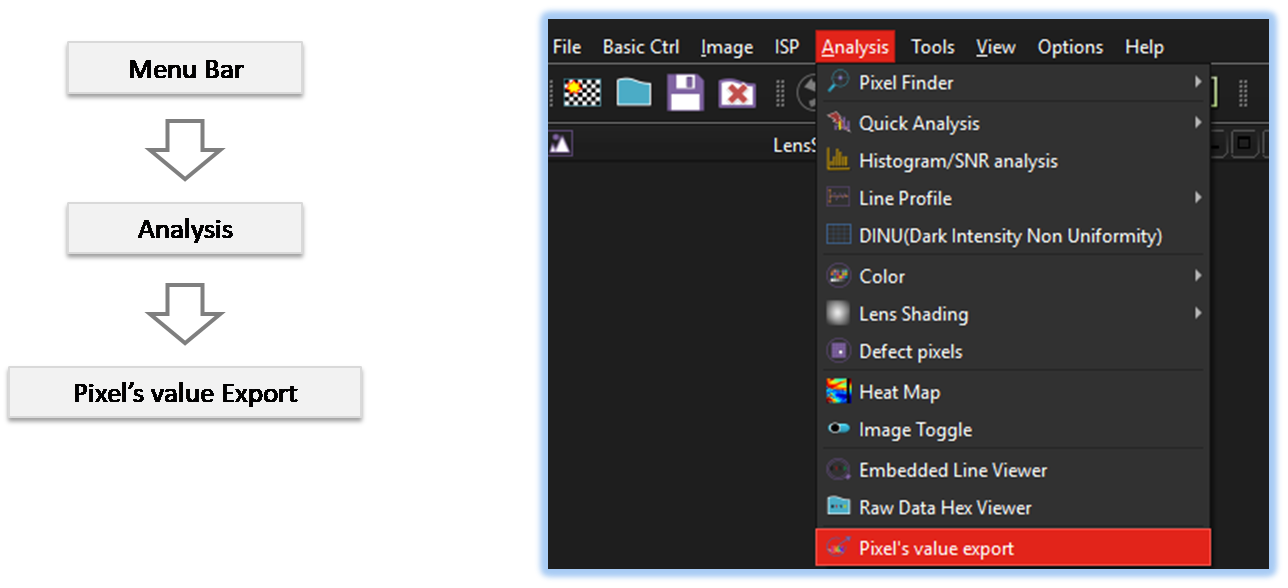
By selecting the menu options in the order shown in the image above or by choosing the toolbar icon
 , the PixelExport dialog box will be showed up as shown in below picture.
For a more detailed explanation of the toolbar button or how to configure toolbar,please refer to configure toolbar
, the PixelExport dialog box will be showed up as shown in below picture.
For a more detailed explanation of the toolbar button or how to configure toolbar,please refer to configure toolbar 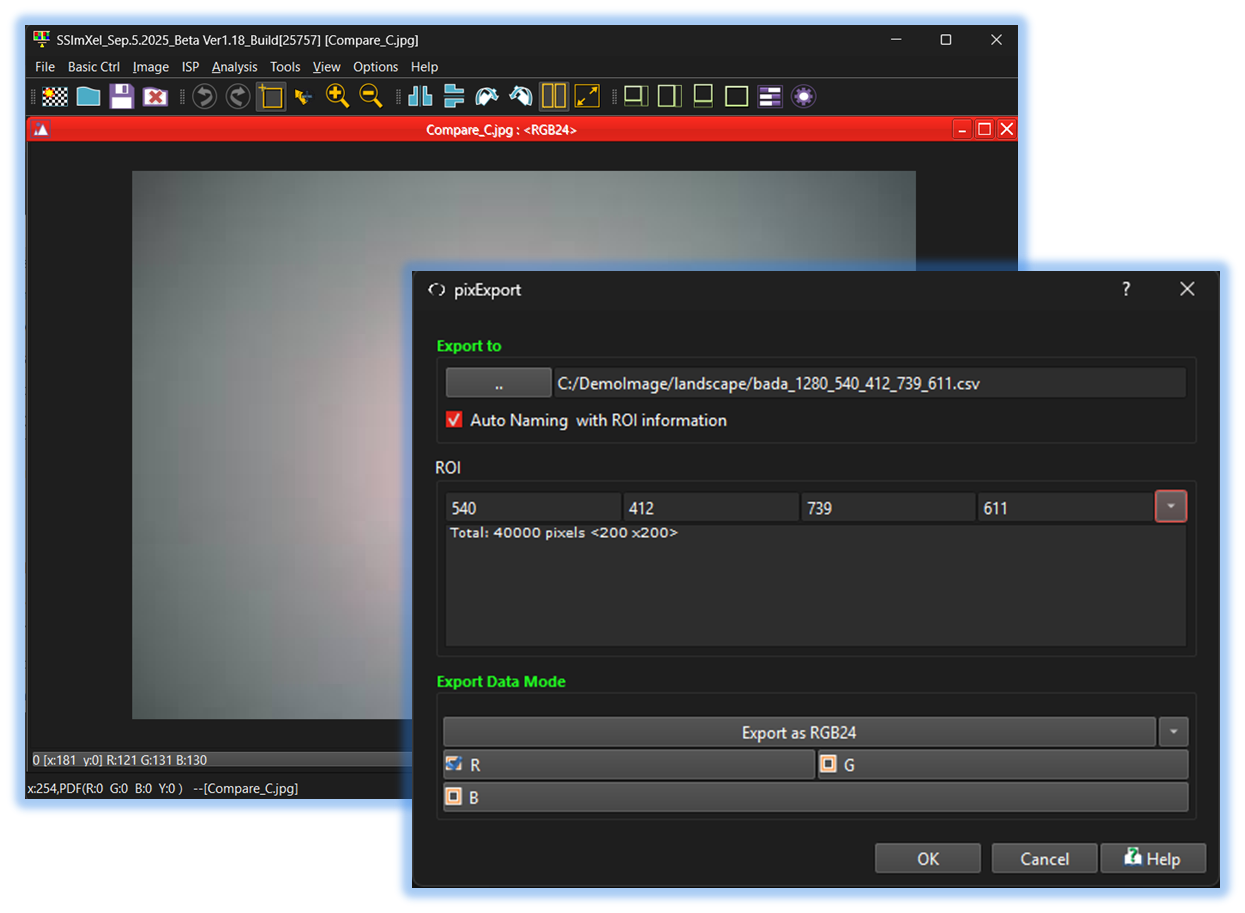

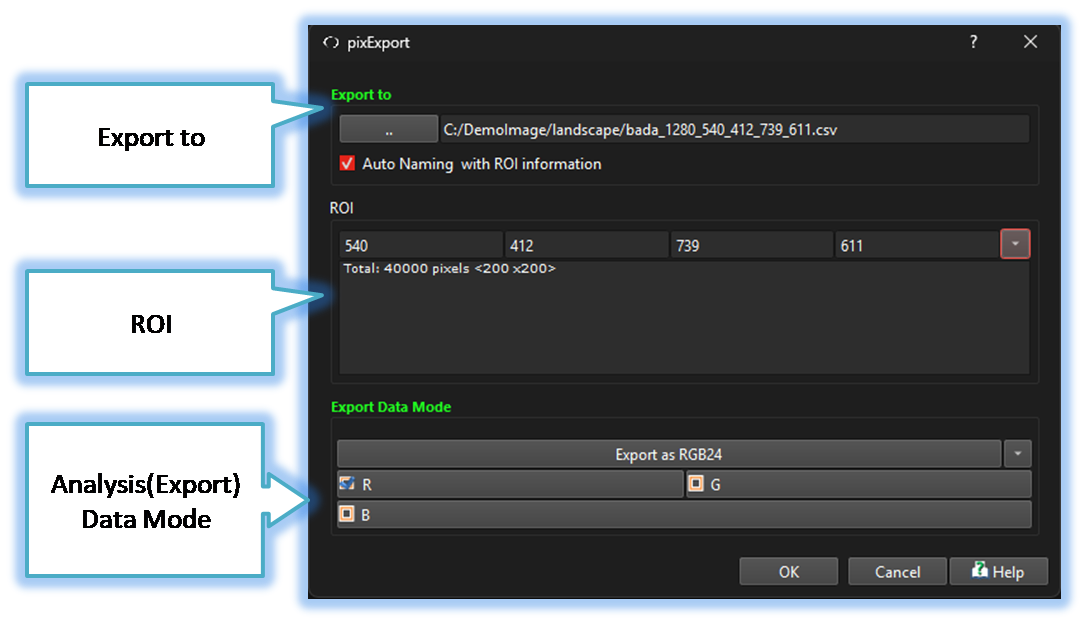
-
Export to
The Pixel Value Export Tool allows users to export pixel values to a file, and provides an option to specify the output file path and name. -
ROI
By allowing users to specify a Region of Interest (ROI) in addition to analyzing the entire image, the analysis speed can be increased, and the accuracy of the analysis can be improved by focusing only on the areas of interest.
-
Analysis(Export) Data Mode
This control allows the user to select specific channels for analysis. For Bayer raw images, the analysis can be performed in either Bayer raw mode or RGB24 mode. Within each mode, the user can further select the desired color or pattern channels for analysis.

Below demo demonstrates PixelExport
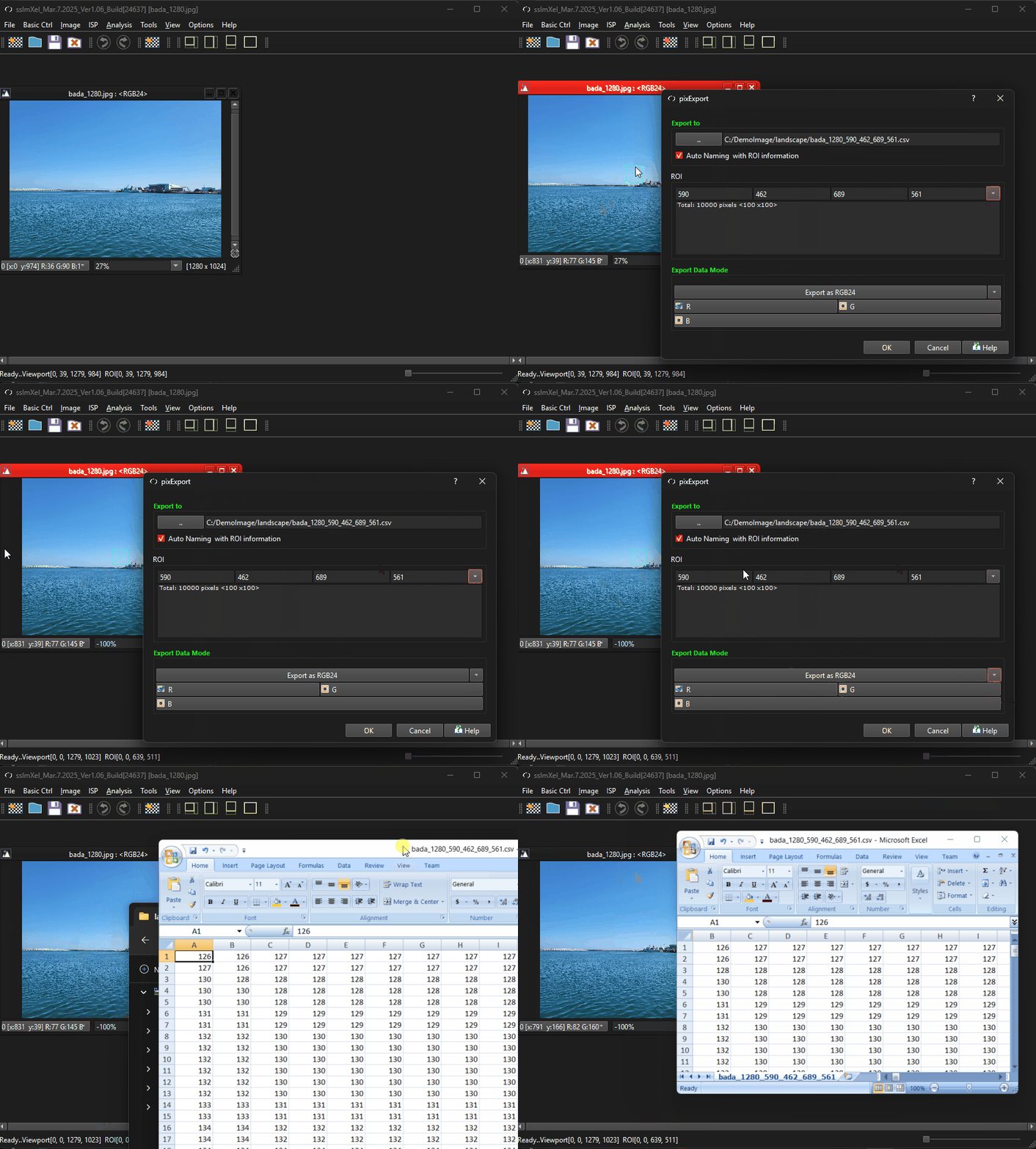 .
.