EL(Embedded Line) Viewer
-> go to [EmbeddedLine]

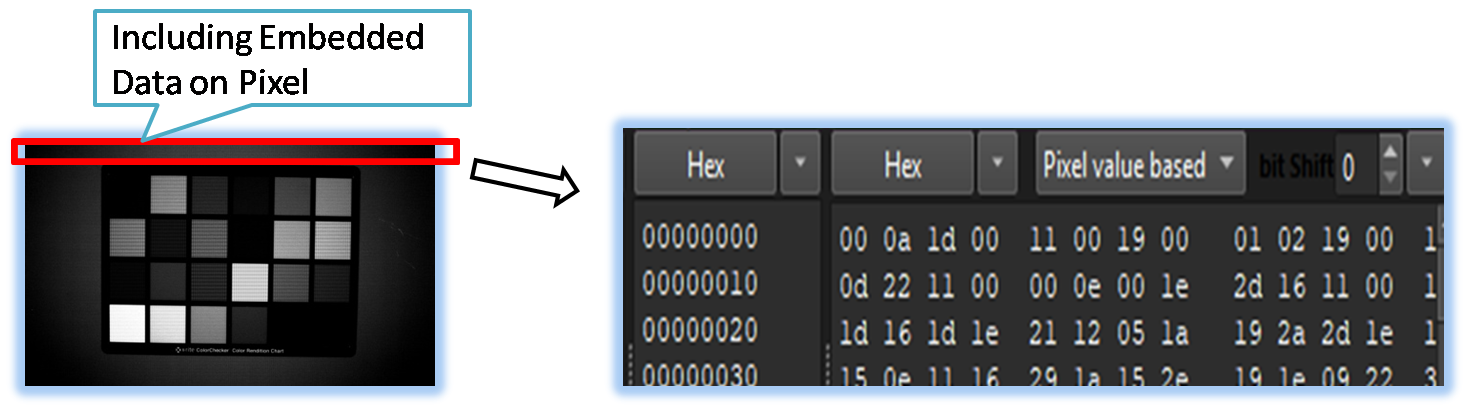
When an image contains embedded data, ELViewer provides direct access to view this information in either hexadecimal or decimal format. This is particularly useful when the data is located at the beginning or end of the image file, allowing for quick and easy inspection.
The tool also offers flexible options for analyzing embedded data, whether it is organized per pixel or stored as raw byte streams.

- VOI(pixel Value on Image)
- EmbeddedLine (Parent Menu)

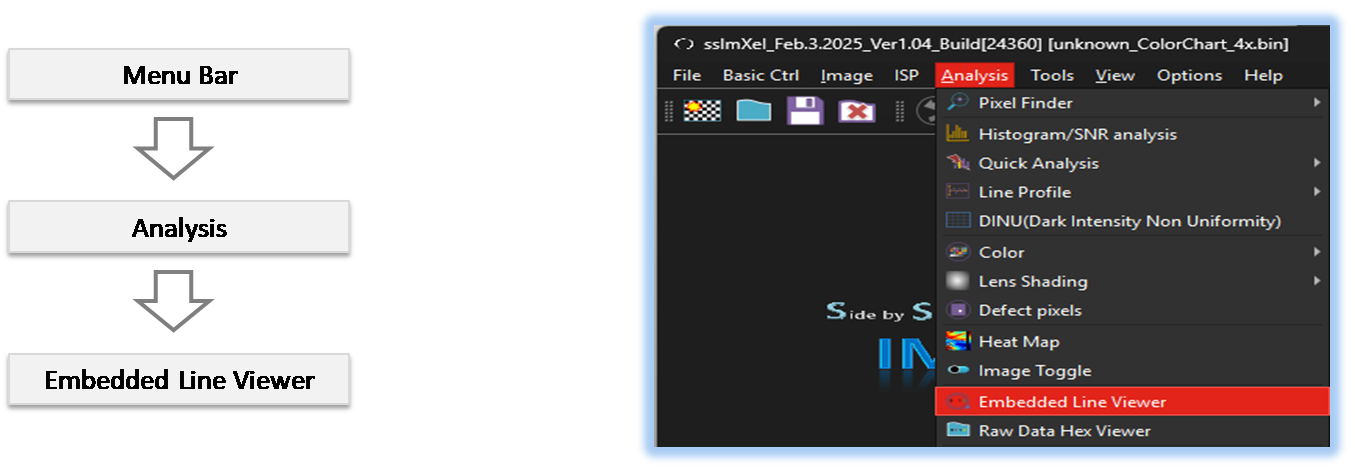
By selecting the menu options in the order shown in the image above or by choosing the toolbar icon
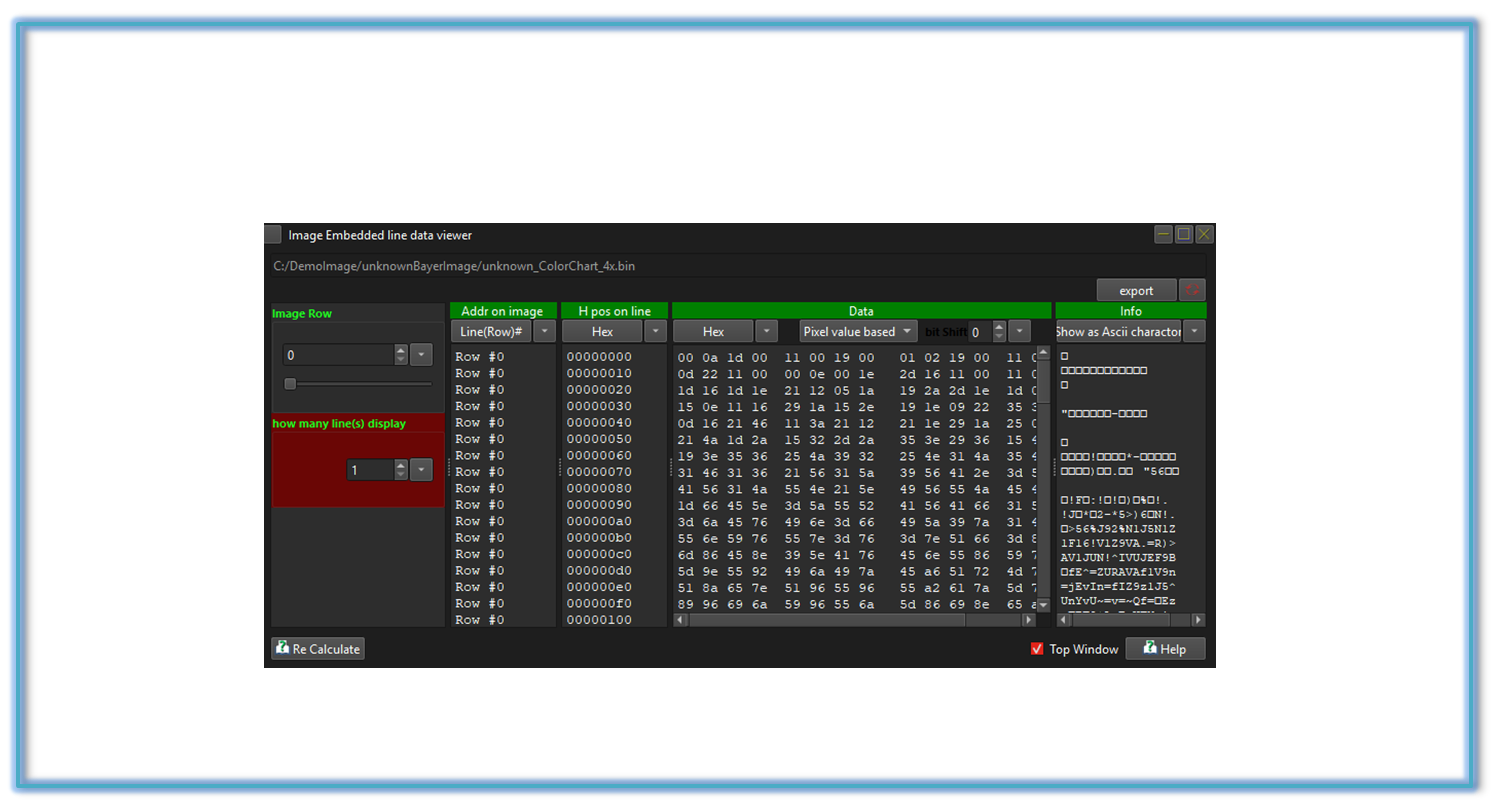
 , the ELViewer dialog box will be showed up as shown in below picture.
For a more detailed explanation of the toolbar button or how to configure toolbar,please refer to configure toolbar
, the ELViewer dialog box will be showed up as shown in below picture.
For a more detailed explanation of the toolbar button or how to configure toolbar,please refer to configure toolbar 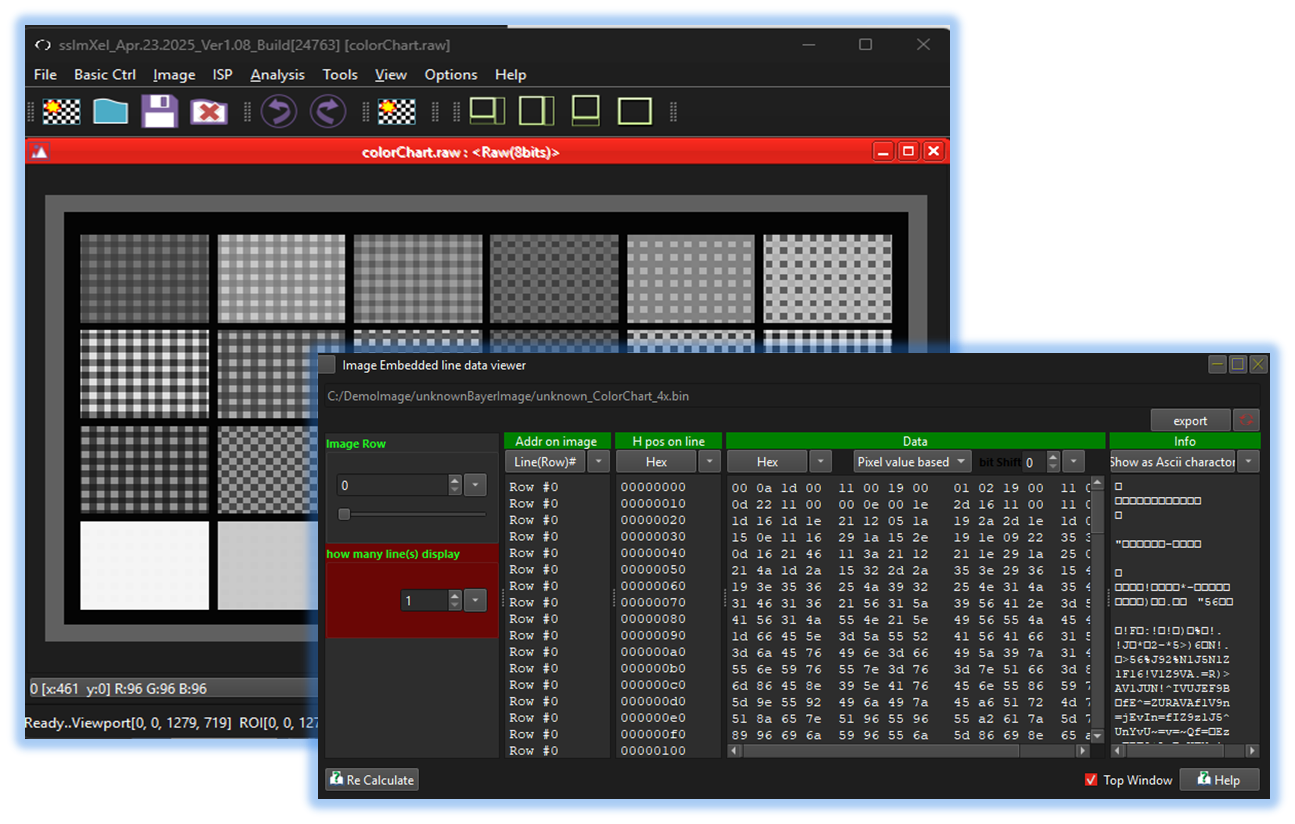


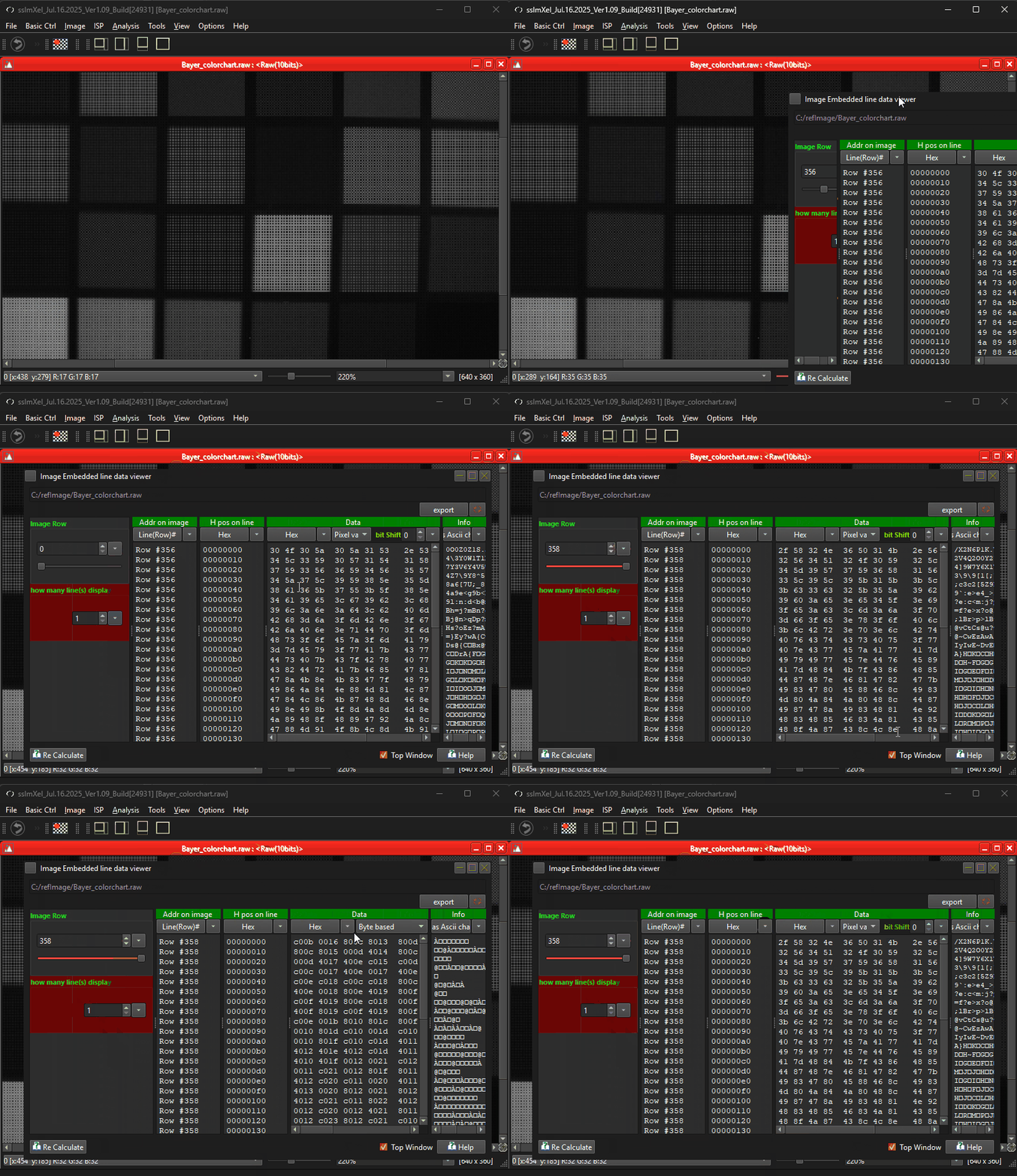
Below demo demonstrates ELViewer
 .
.