Adding Noise
-> go to [Image Control]

SSImXel provides functionality for adding Gaussian noise and impulse noise to support various analysis and experimental scenarios. These noise application features are useful for robustness testing, filter evaluation, and assessing the generalization performance of machine learning models.
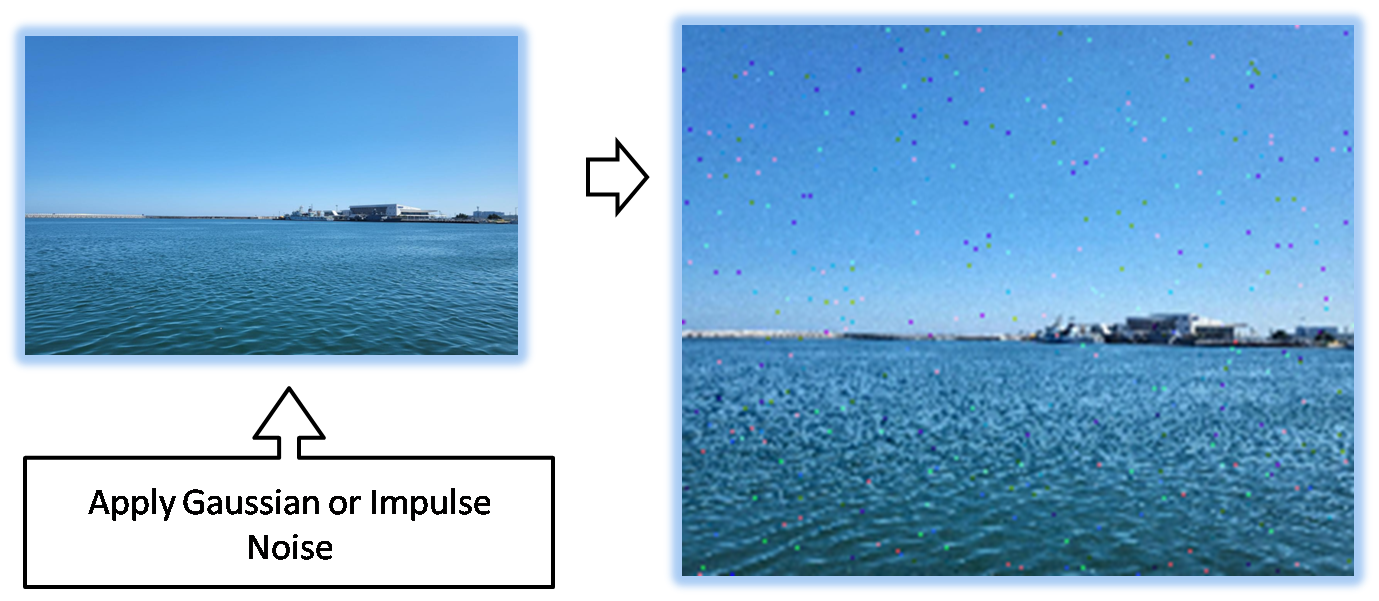

-
SSImXel allows selective noise application to individual color channels, enabling precise control over image modifications.
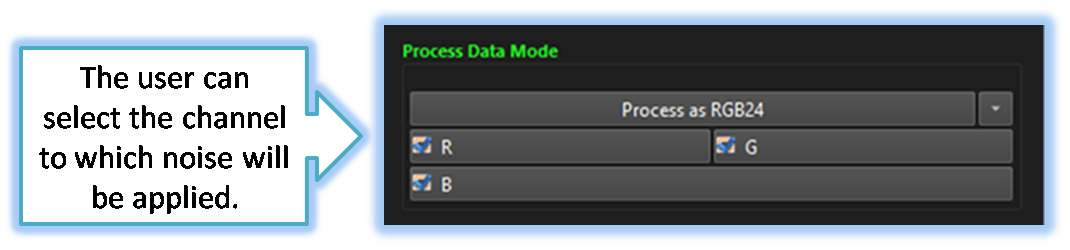
-
SSImXel allows users to define a specific Region of Interest (ROI) for noise application, enabling targeted modifications while preserving unaffected areas.
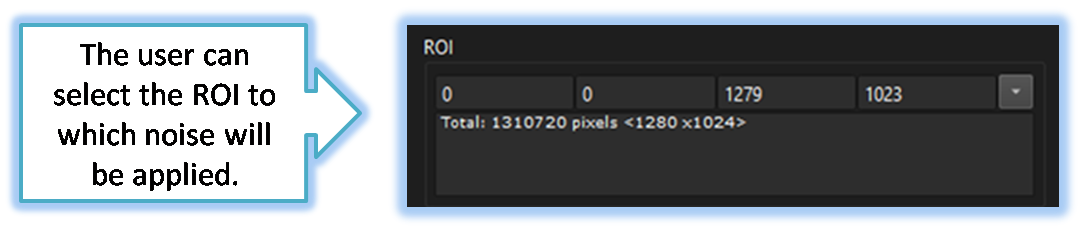

- Image Control (Parent Menu)

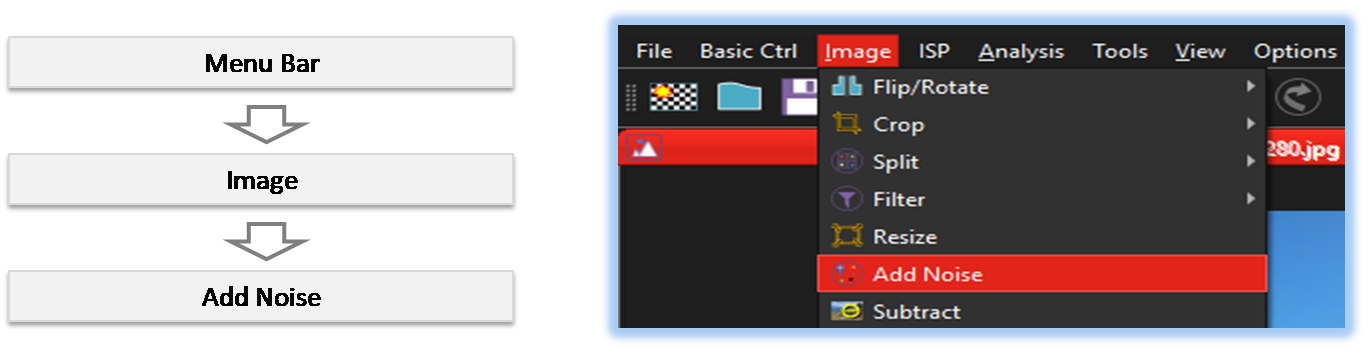
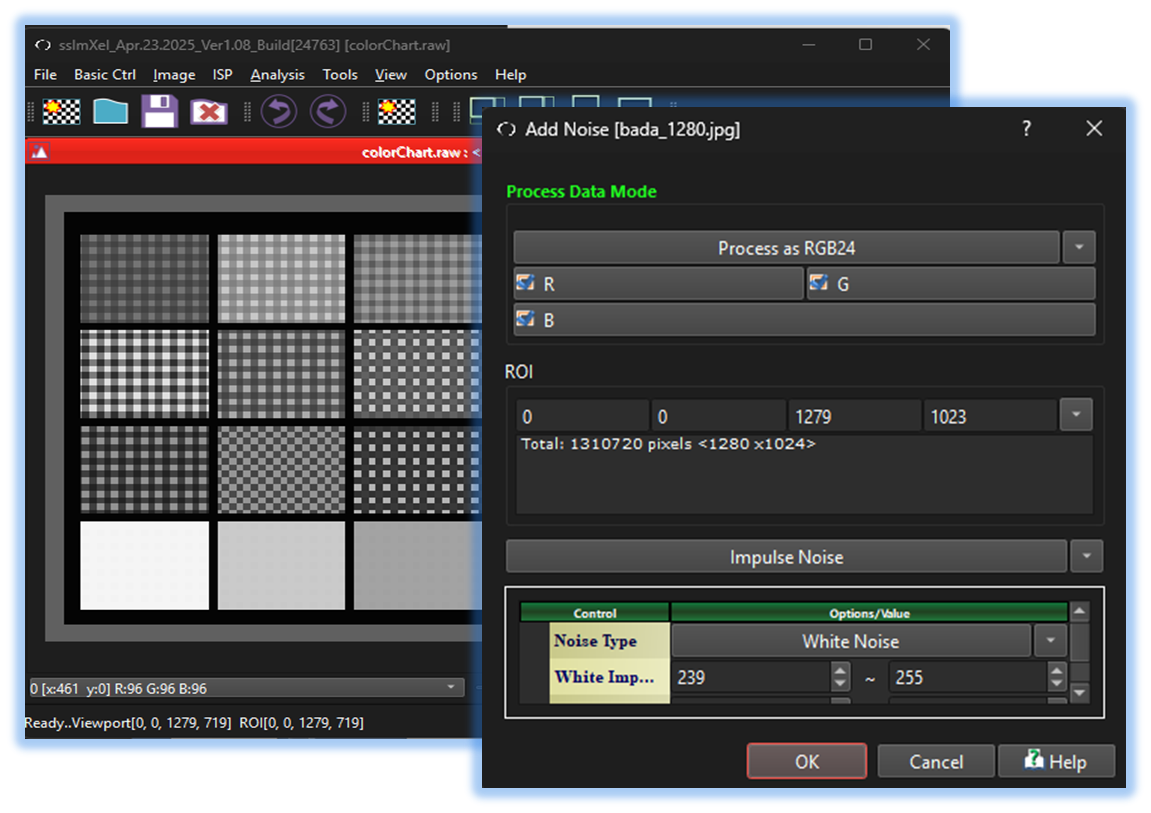
By selecting the menu options in the order shown in the image above or by choosing the toolbar icon
 , the AddNoise dialog box will be showed up as shown in below picture.
For a more detailed explanation of the toolbar button or how to configure toolbar,please refer to configure toolbar
, the AddNoise dialog box will be showed up as shown in below picture.
For a more detailed explanation of the toolbar button or how to configure toolbar,please refer to configure toolbar

-
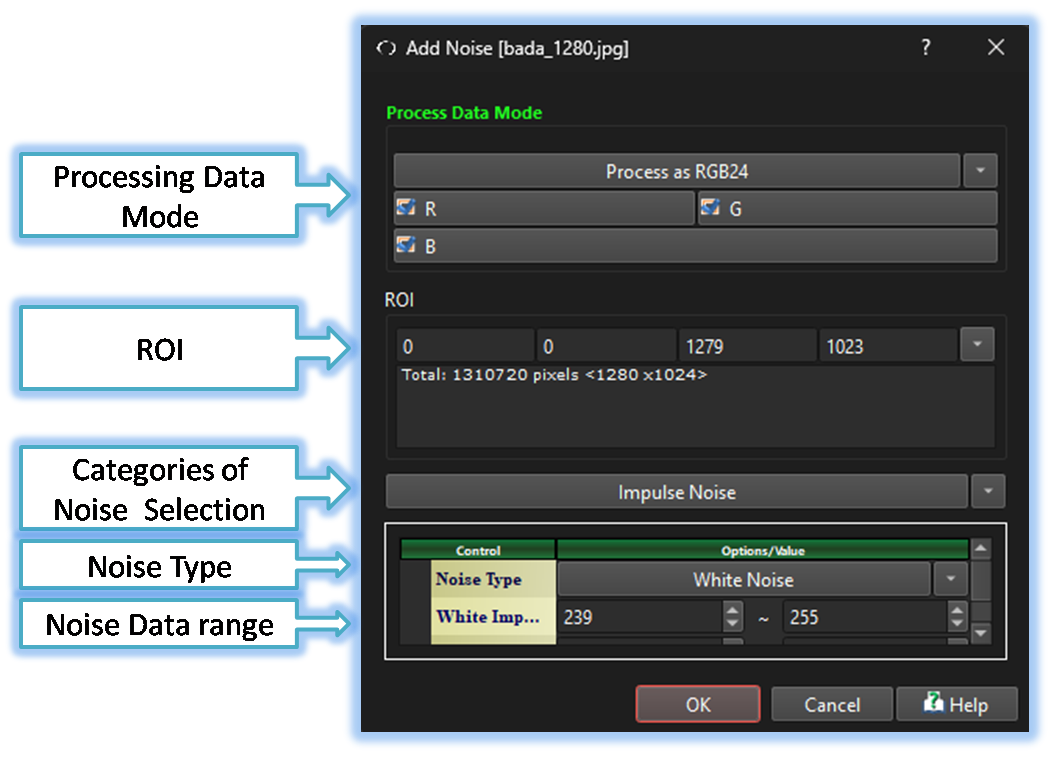
Processing Data Mode/Channels Selection
Depending on the image type, such as Bayer RAW or RGB24, this tool provides options to either apply different parameters to individual channels or treat the image as grayscale for uniform processing. -
ROI
The user can define a Region of Interest (ROI) using this control, ensuring that noise is applied only to the selected area. -
Categories of Noise Selection
The user can define a Region of Interest (ROI) using this control, ensuring that noise is applied only to the selected area.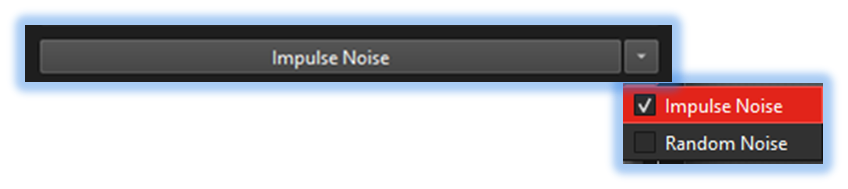
-
Noise Type/Noise Value range
This tool allows users to specify the value range for generated noise. For Impulse noise, it enables precise control over white defect and black defect effects by separately defining the value ranges for bright pixels and dark pixels. Additionally, this flexibility allows users to set a custom range for any desired noise intensity, making it highly adaptable for various applications..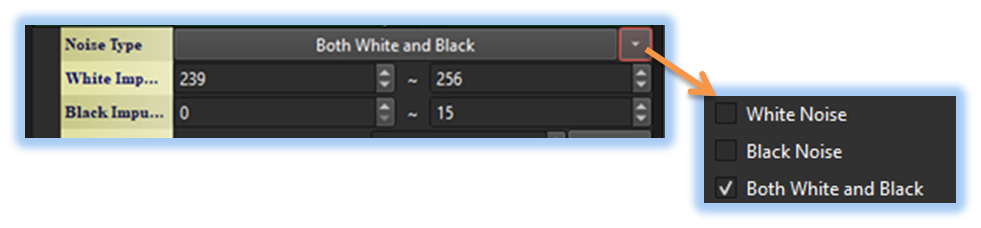
-
Noise Count
The user can specify the number of generated noise instances through this control, making it particularly useful for analyses that require signal and noise level prediction. This feature enhances precision in assessments, allowing for more accurate evaluations of system behavior under varying noise conditions.

Below demo demonstrates AddNoise
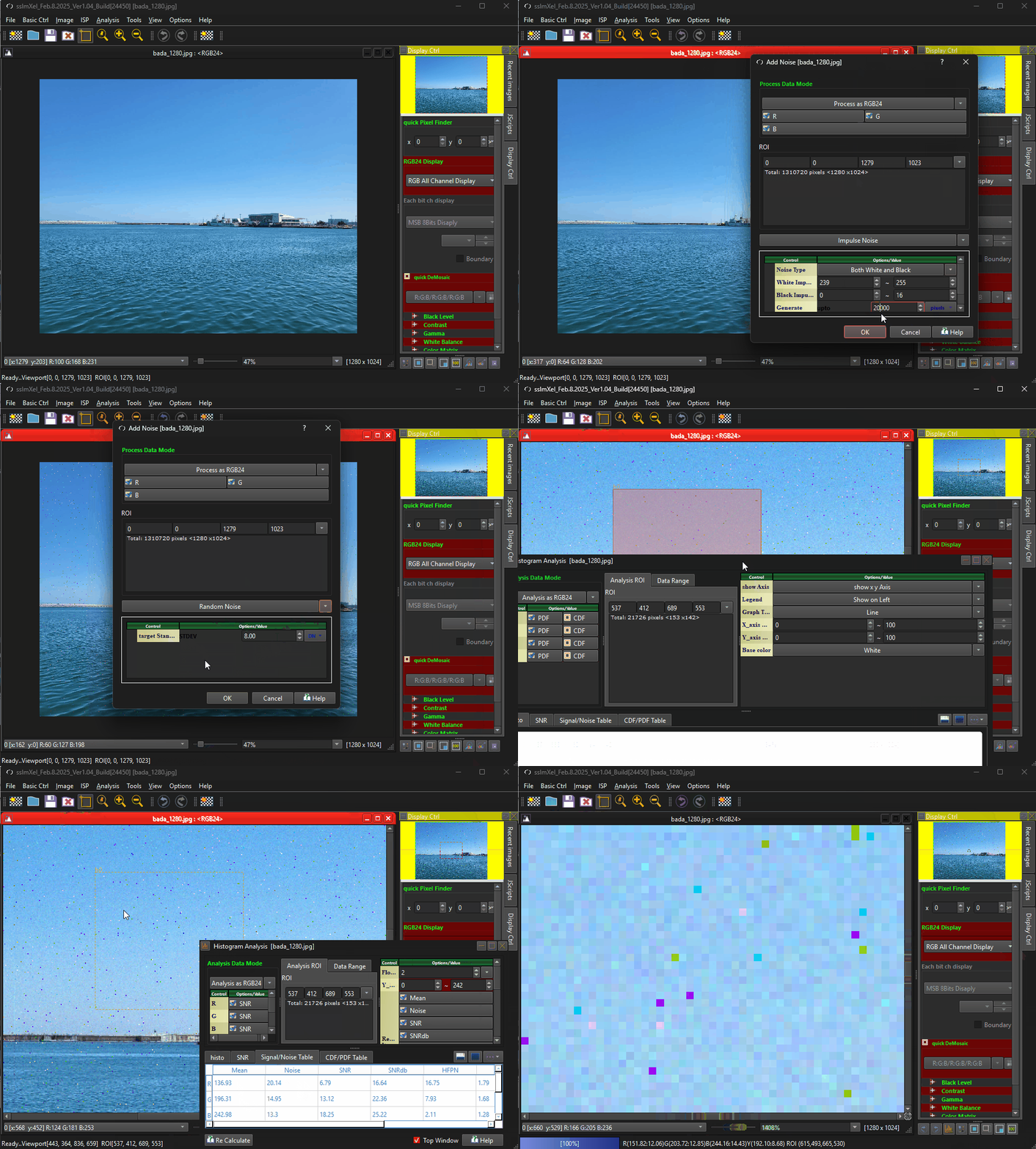 .
.