Subtract
-> go to [Image Main]

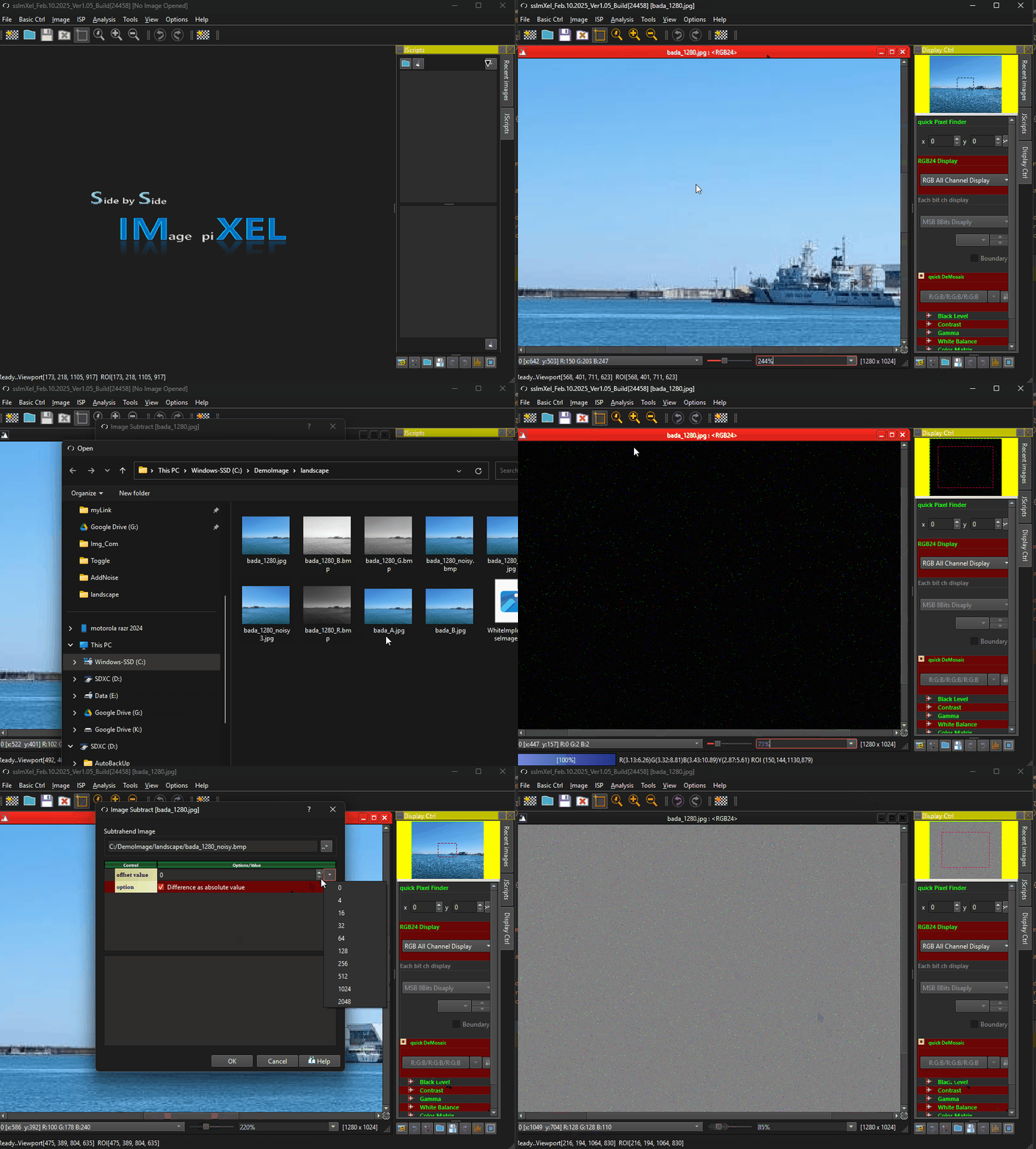
The image subtraction feature allows users to perform precise pixel-level comparisons by subtracting one image from another, enabling tasks such as background removal, foreground isolation, change detection, and defect identification across sequential images.
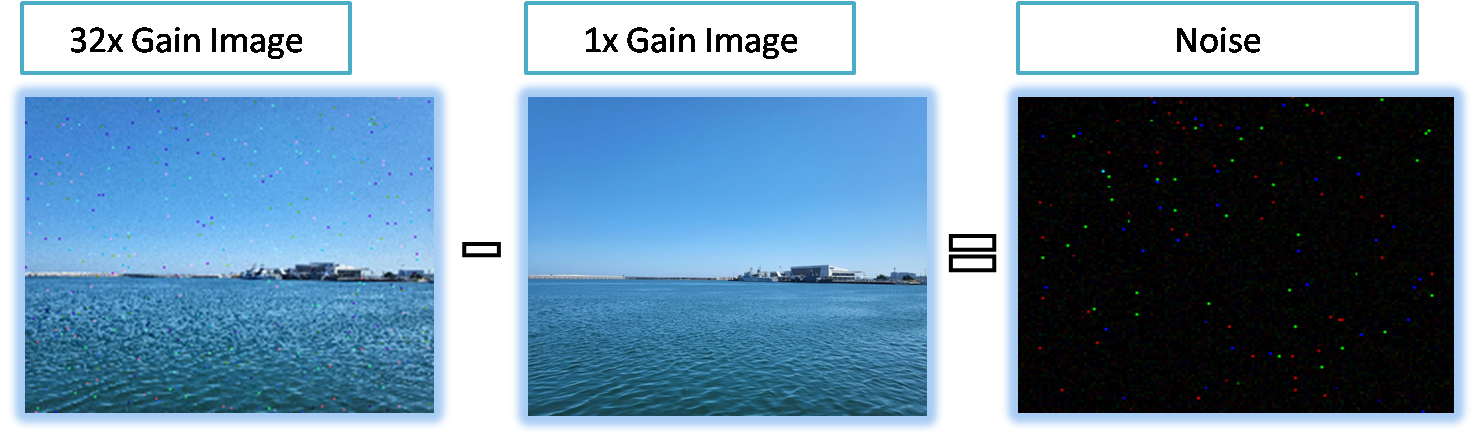

- Image Comparison
- Image Toggle
- Side by Side Comparison
- Image Main (Parent Menu)

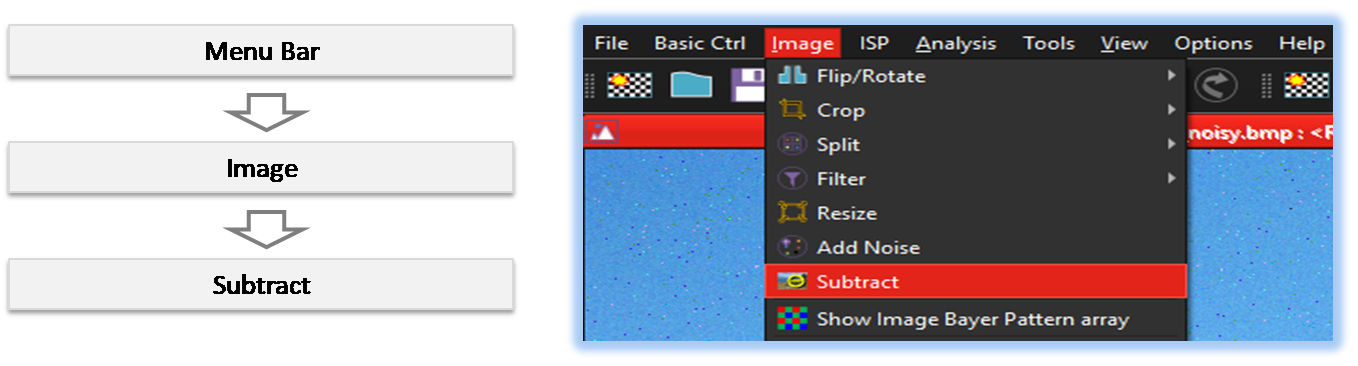
By selecting the menu options in the order shown in the image above or by choosing the toolbar icon
 , the Subtract dialog box will be showed up as shown in below picture.
For a more detailed explanation of the toolbar button or how to configure toolbar,please refer to configure toolbar
, the Subtract dialog box will be showed up as shown in below picture.
For a more detailed explanation of the toolbar button or how to configure toolbar,please refer to configure toolbar 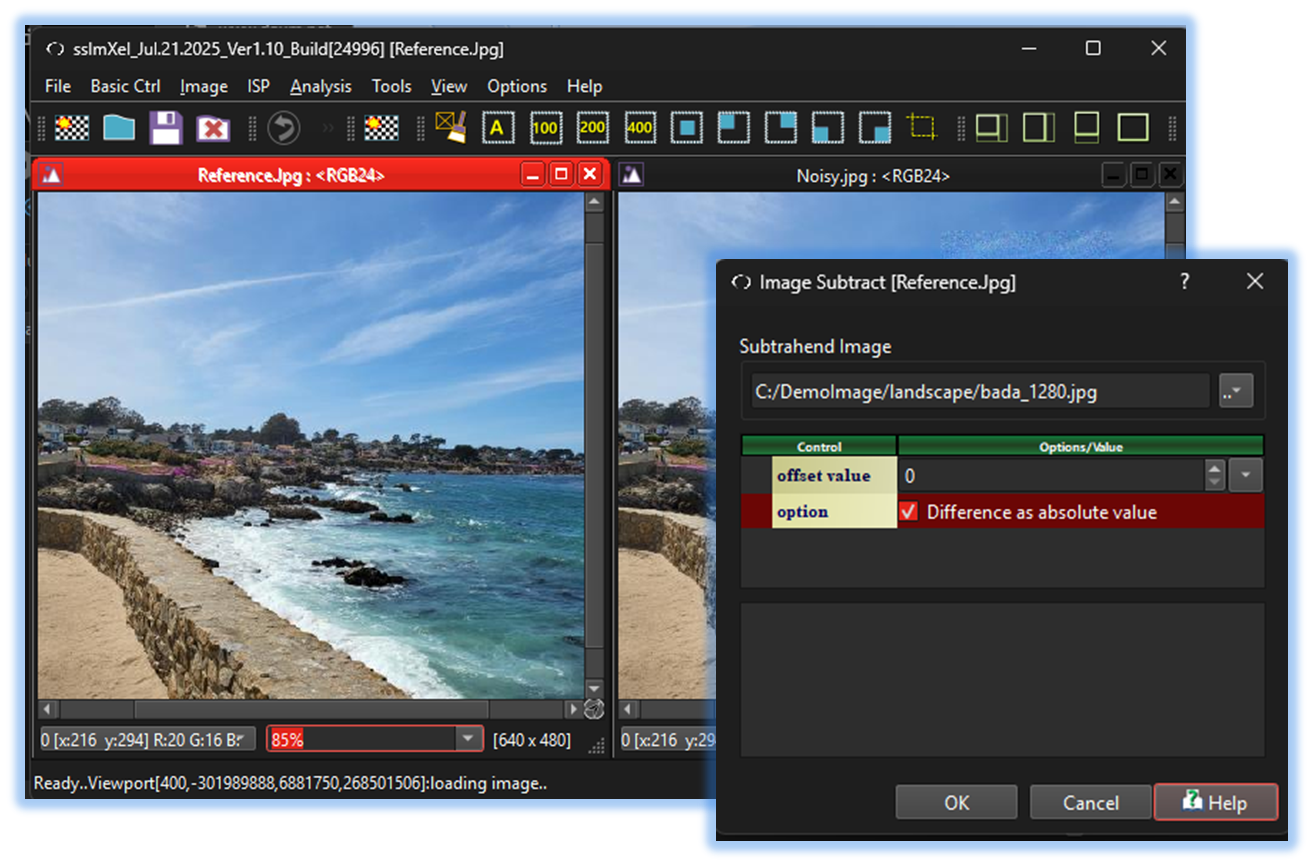

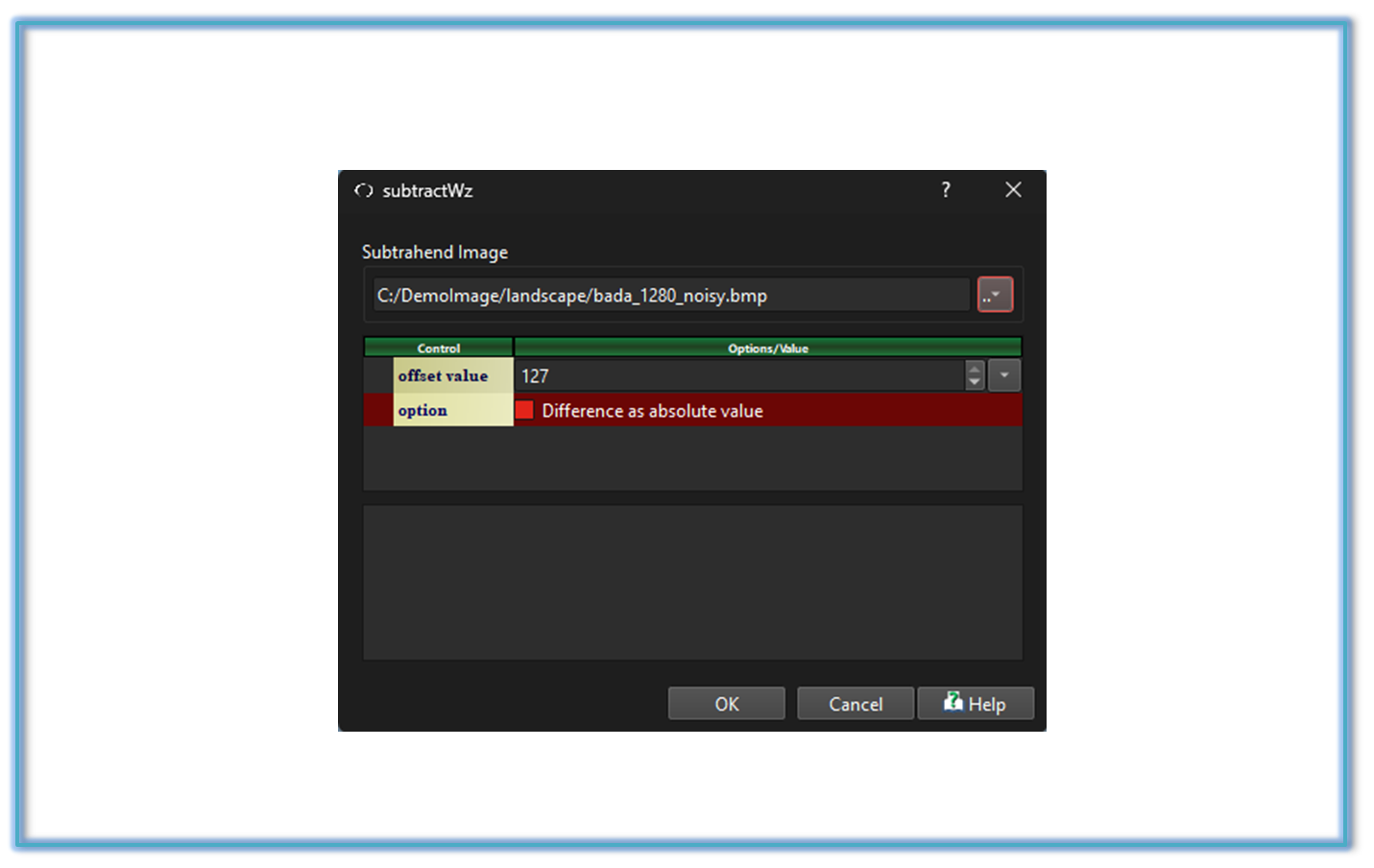

Below demo demonstrates Subtract
 .
.