White/Channel Balance Control
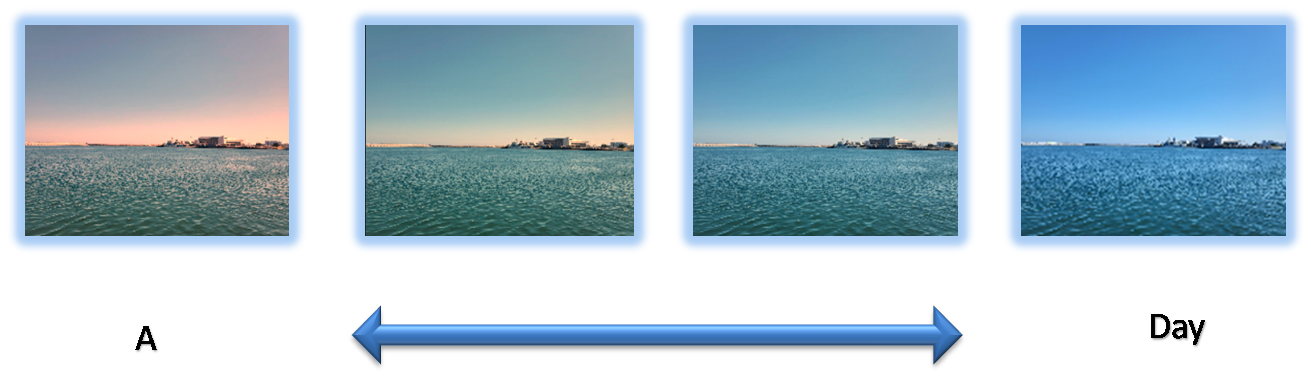
 White balance is essential in image tools to ensure accurate color representation by adjusting the color temperature. This tool provides convenient features for precise white balance control, allowing users to achieve natural and true-to-life images effortlessly.
 .
.
-
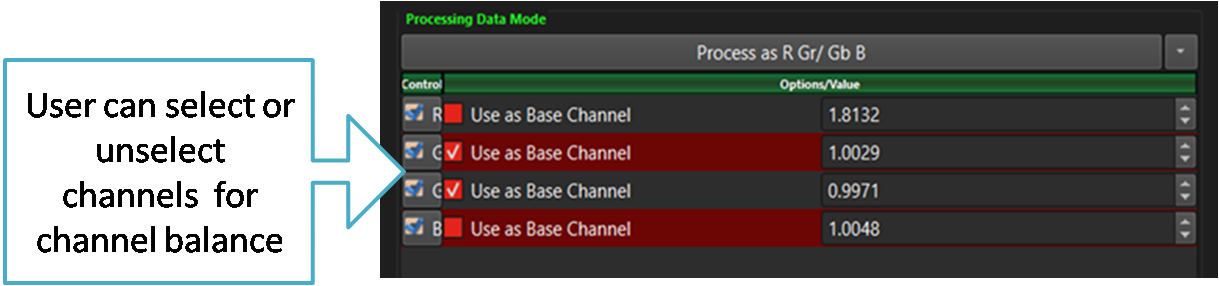
SSImXel allows users to select the channels for applying white/channel balance, as well as choose a reference channel for balance calibration."
- SSImXel provides a powerful and intuitive Color Analysis Tool , enabling precise color measurement and comprehensive analysis with ease. Additionally, it offers a dedicated Color Checker Analysis Tool for enhanced accuracy and evaluation.

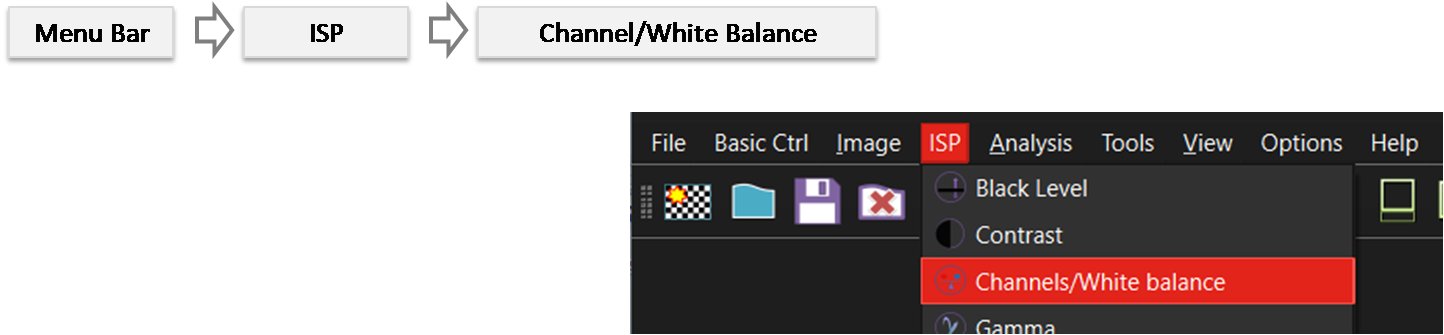 By selecting the menu options in the order shown in the image above or by choosing the toolbar icon
  , the WhiteBalance dialog box will be showed up as shown in below picture.
For a more detailed explanation of the toolbar button or how to configure toolbar , please refer to this link
, the WhiteBalance dialog box will be showed up as shown in below picture.
For a more detailed explanation of the toolbar button or how to configure toolbar , please refer to this link
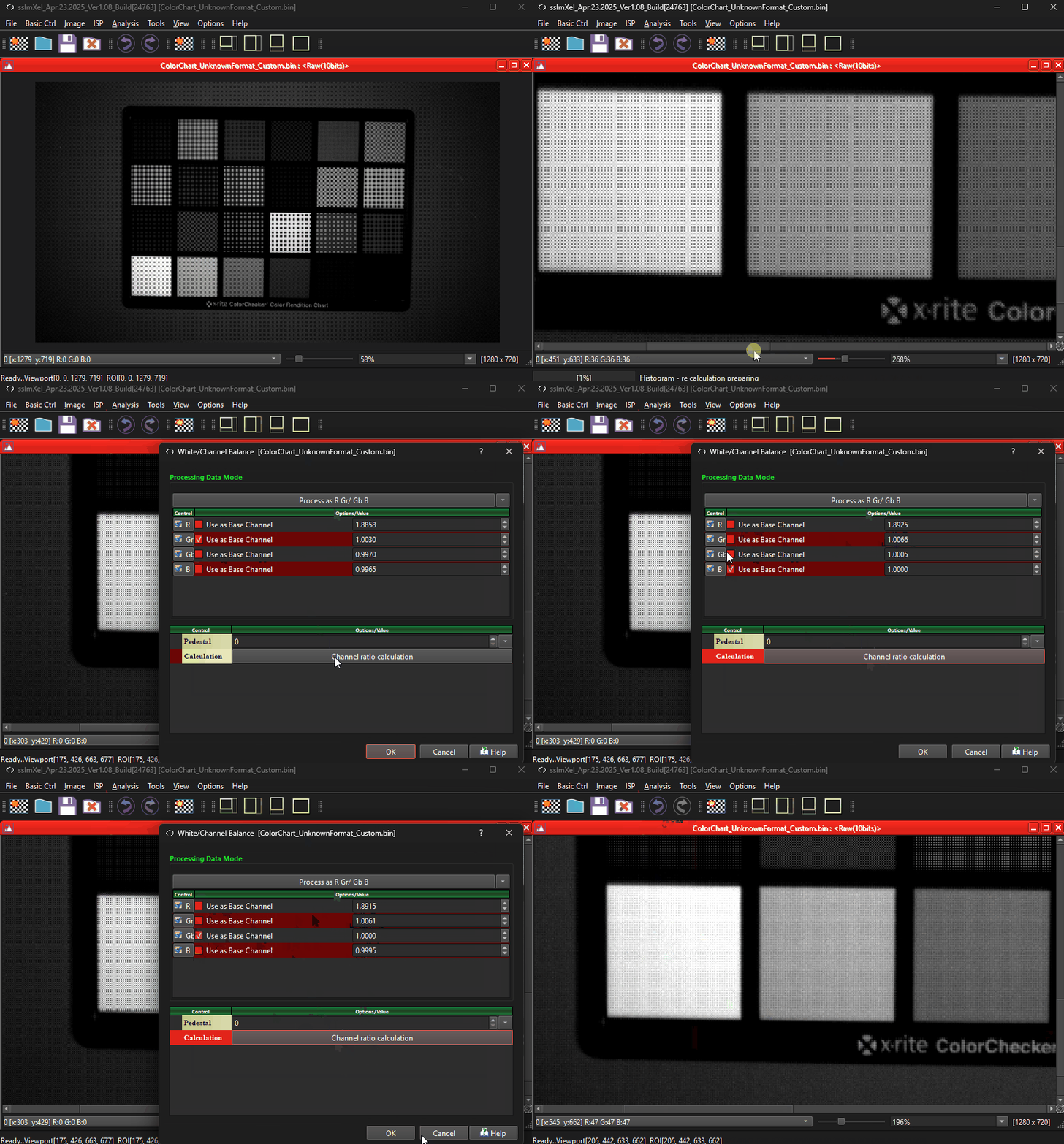
 The user can select which channels will serve as the base (or reference) for channel balance and specify which channels the balance ratio should be applied to. The tool will then calculate the channel ratio, and upon clicking the OK button, it will apply the calculated ratio value to each channel of the image
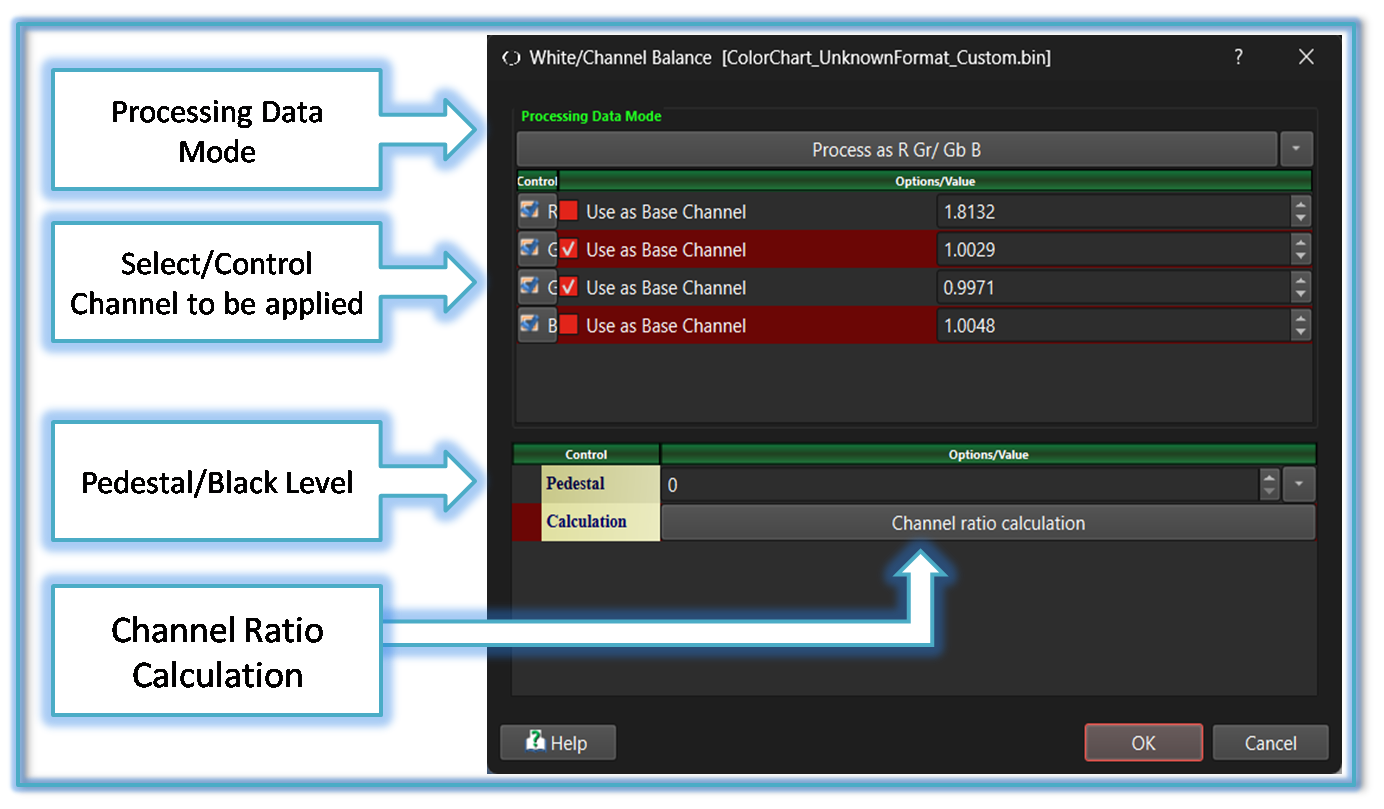 Processing Data Mode:
Depending on the image type, such as Bayer RAW or RGB24, this tool provides options to either apply different parameters to individual channels or treat the image as grayscale for uniform processing.
For more details refer to Processing_Data_Mode
Select/Control Channel to be applied:
The user can select and control the channel to which the Channel balance and it's parameter are applied.
Pedestal/Black Level:
If an image has Pedestal or Black Level applied, the user can set the image's Pedestal or Black Level using this control. The tool will then calculate the channel balance parameter based on this value.
Channel Ratio Calculation:
After the user configures different channel selections to be applied or used as the base channel, clicking this button will trigger a recalculation of the channel balance ratio.
Processing Data Mode:
Depending on the image type, such as Bayer RAW or RGB24, this tool provides options to either apply different parameters to individual channels or treat the image as grayscale for uniform processing.
For more details refer to Processing_Data_Mode
Select/Control Channel to be applied:
The user can select and control the channel to which the Channel balance and it's parameter are applied.
Pedestal/Black Level:
If an image has Pedestal or Black Level applied, the user can set the image's Pedestal or Black Level using this control. The tool will then calculate the channel balance parameter based on this value.
Channel Ratio Calculation:
After the user configures different channel selections to be applied or used as the base channel, clicking this button will trigger a recalculation of the channel balance ratio.
 Below demo demonstrates WhiteBalance
 .
.