
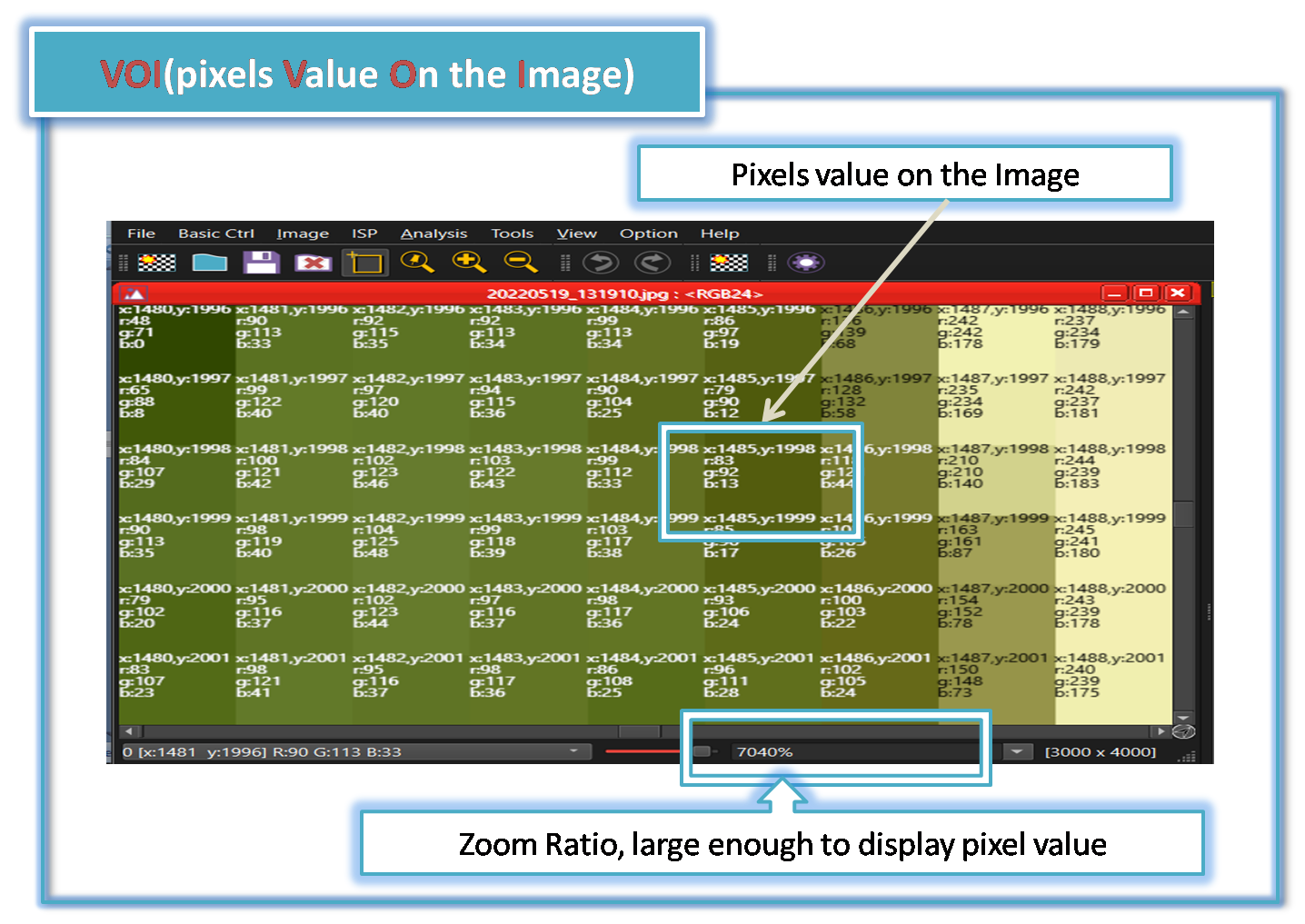
SSImXel offers very convenient way of direct pixels value analysis throguh VOI(pixels Value On Image) feature.
When a user zooms in with a high zoom ratio, where each pixel is large enough to display pixel value information, SSImXel begins to display the pixel values on the image.
Enable/Disable VOI
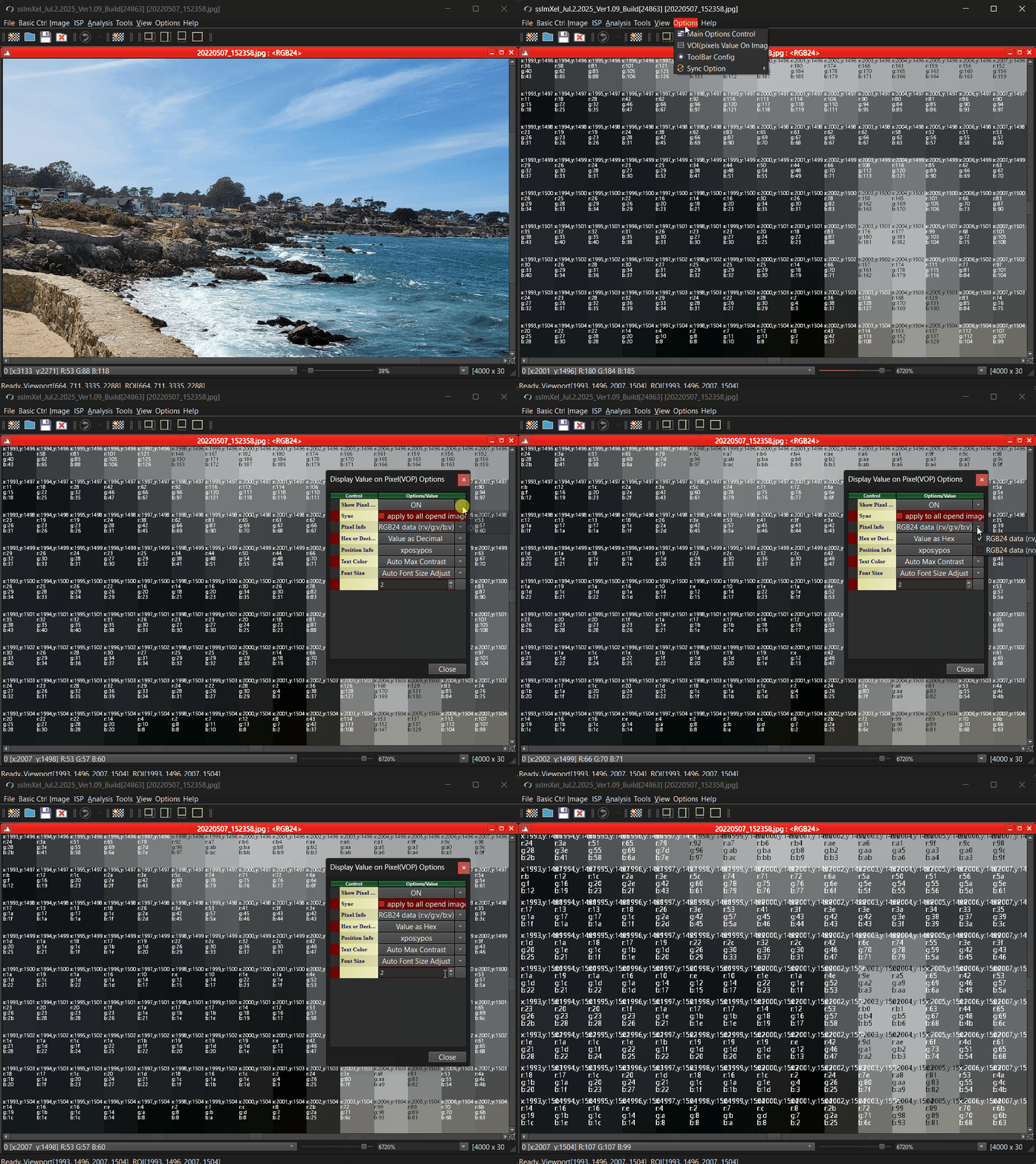
Step 1: Goto Menu-> Option -> Main Options Control, and then Select Main Options Control menu, then following Main Options dialog Box will be shown up
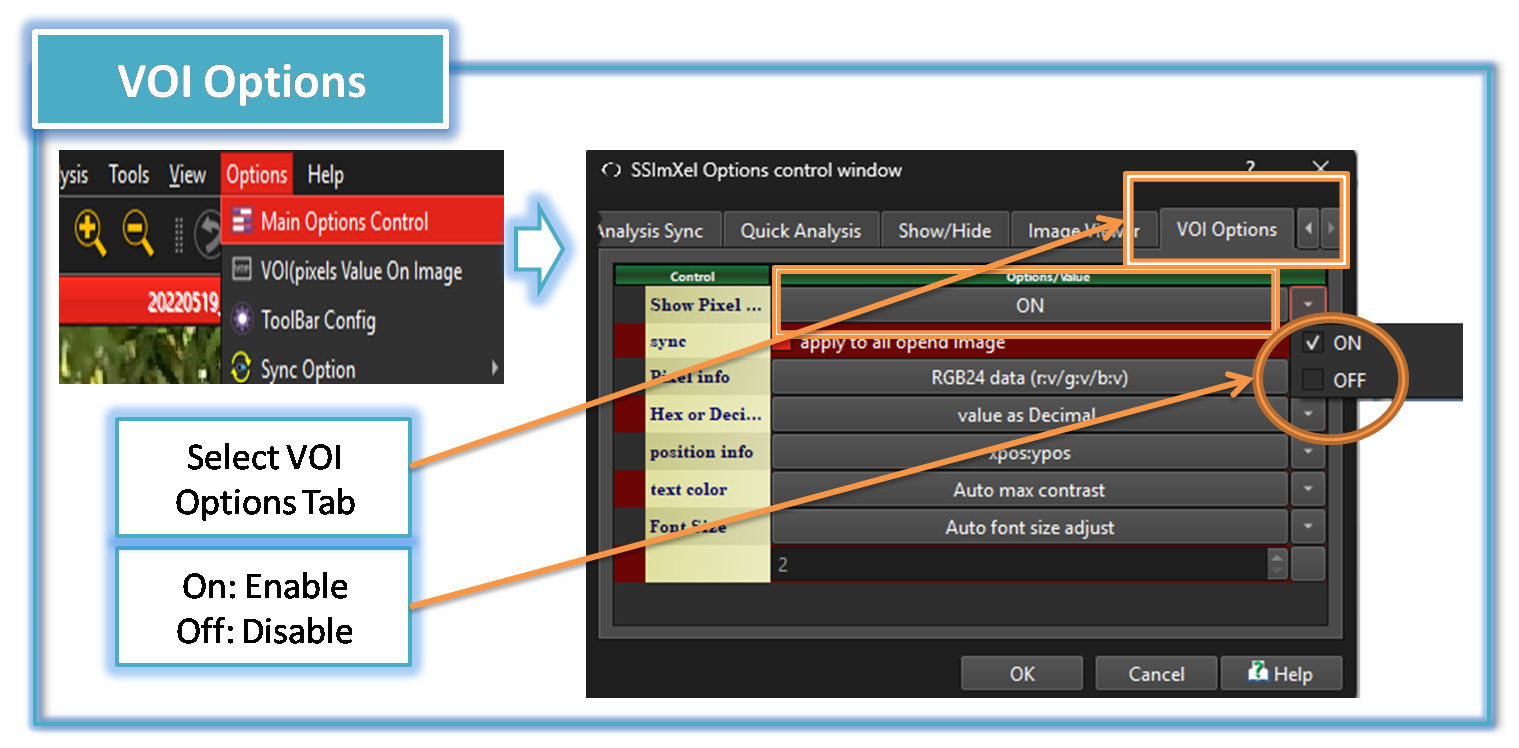
Step 2: Select "VOI Options" Tab
Step 3: Selet On/Off options for Enable/Disable
Another way for VOI Options Control Access
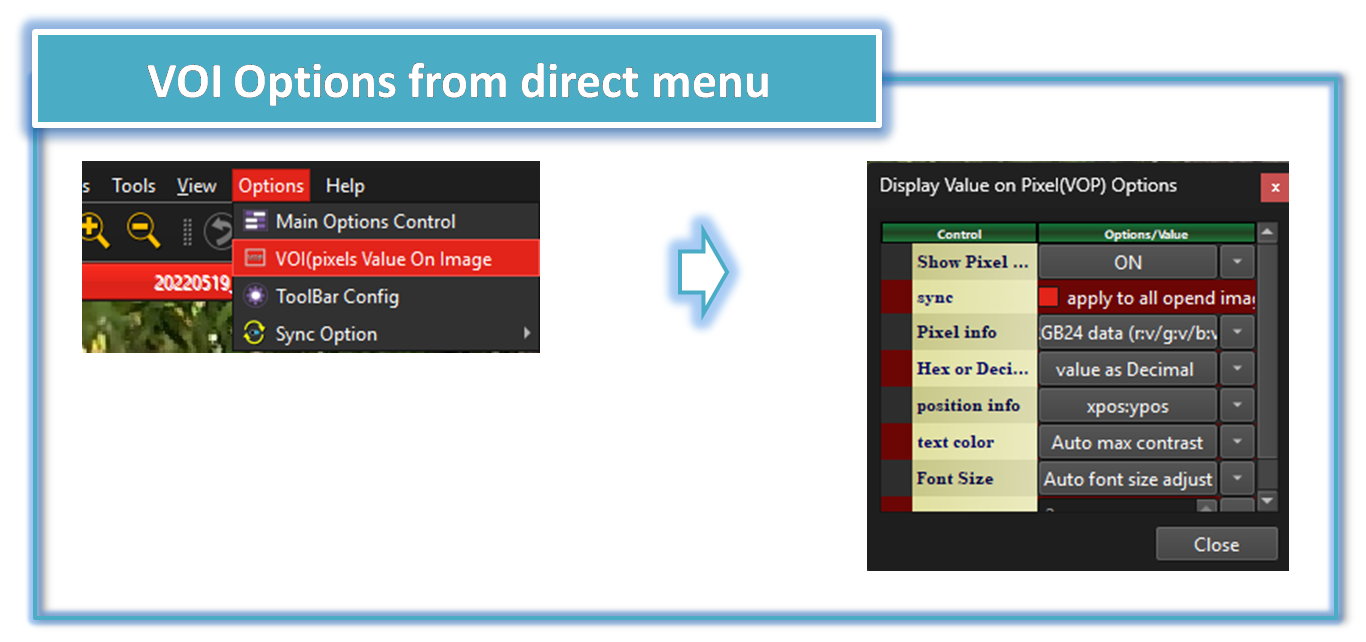
There is 2 more ways to directly access VOI Options control
Metho 1: Goto Menu-> Option -> VOI(pixels Value On Image), and then Select 'VOI(pixels Value On Image)' menu
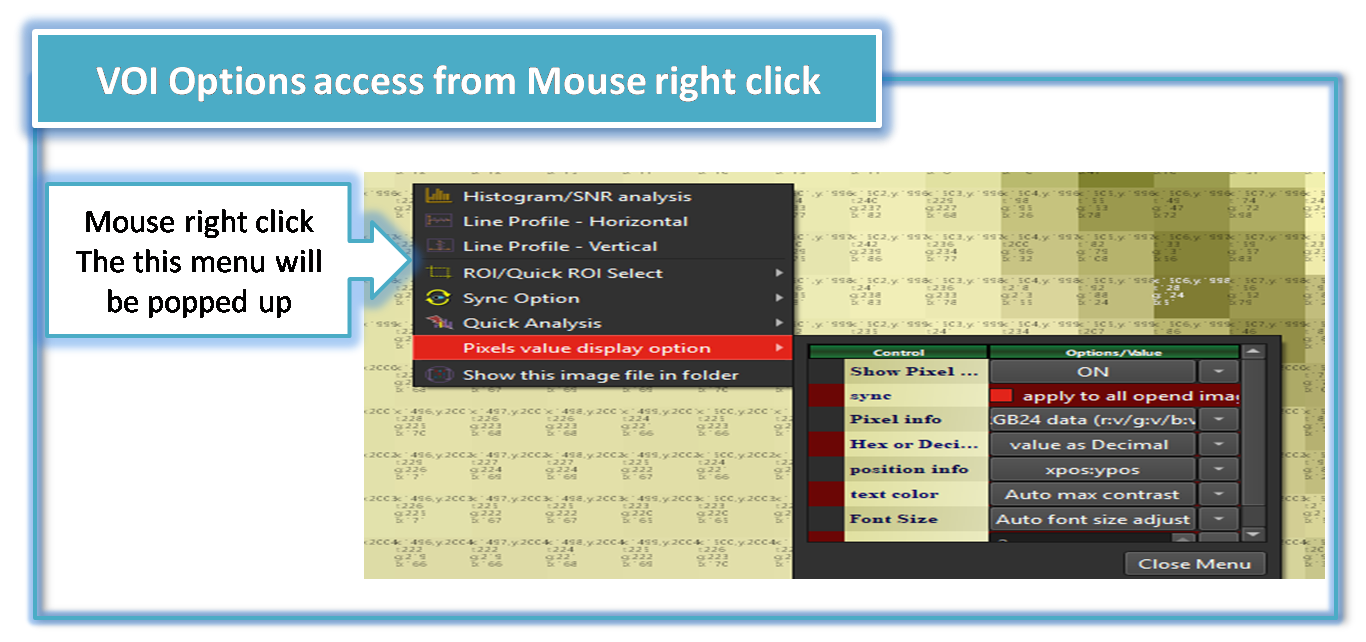
Metho 2: Click mouse right button on Image Viewer , and select 'VOI(pixels Value On Image)' menu
VOI Options
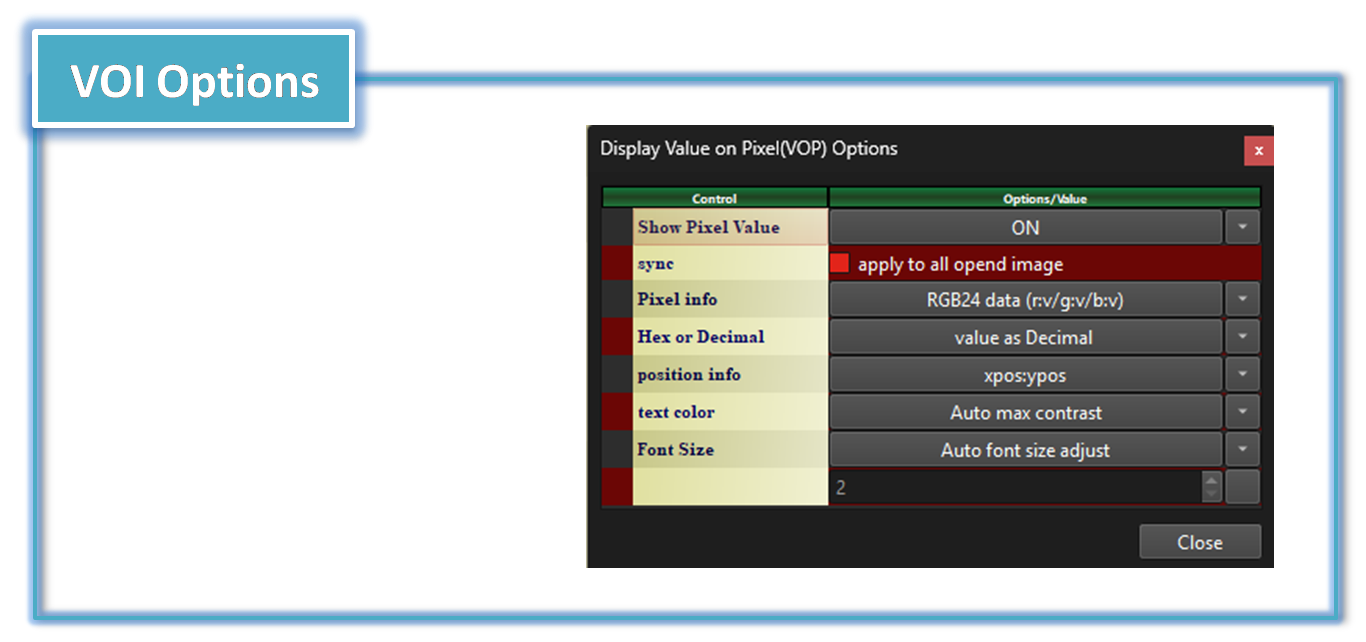
VOI On/Off:
On: VOI Enable Off: VOI Disable

Sync:
if user enable this option, VOI Control parameter will be applied to all multiple opened image
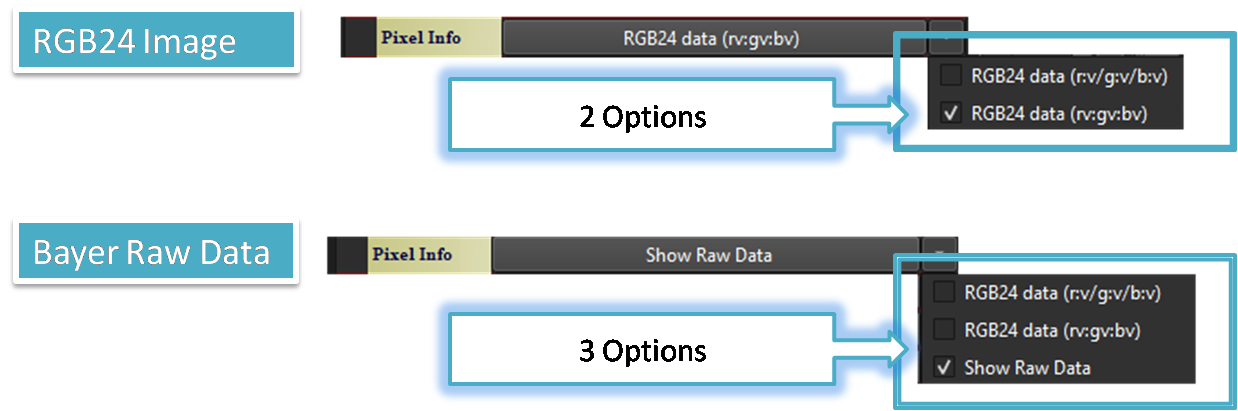
Pixel Info:
This option is to choose data type for Display In case of Bayer raw data , User can select Raw data pixel value or displayed(or processed) RGB24 data and in case displaying RGB 24 data
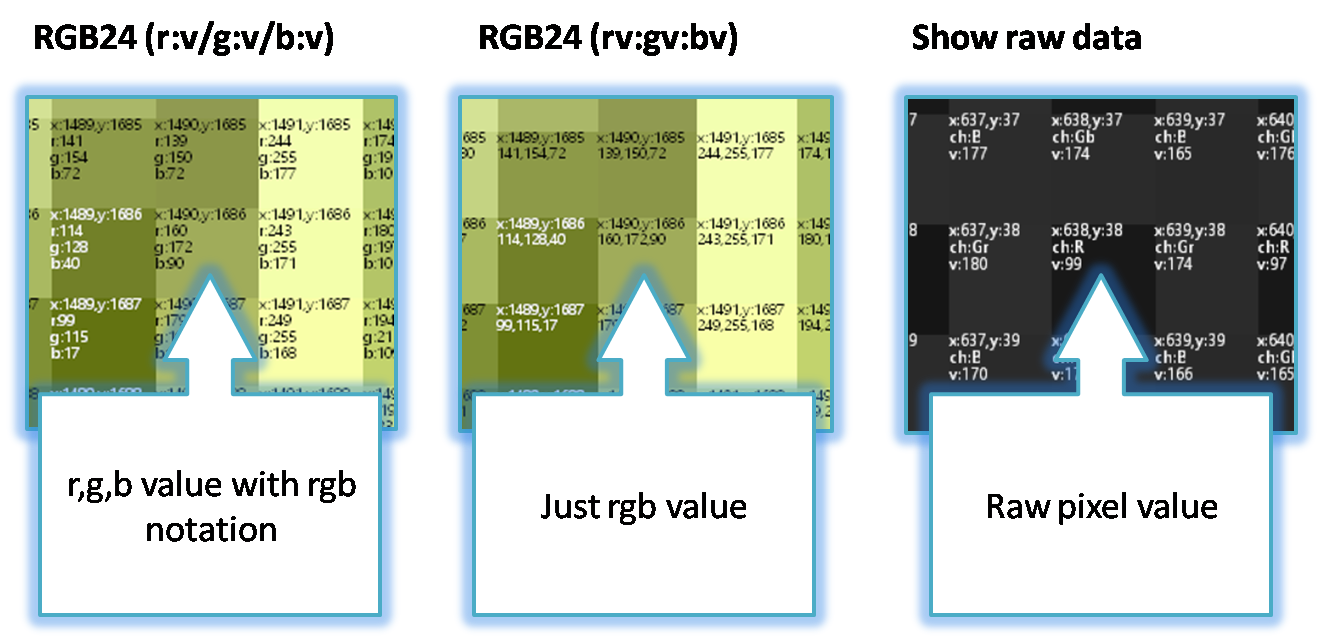
Below show how SSImXel display pixel values for each mode
Hex or Decimal
Pixel value can be displayed as Hexadecimal or Decimal value with this option
Position Info
it provide 2 way of horizontal or vertical position info and No display of position info options
Text Color
User can select Text color for VOI with this option , but if text color is similar or same with associated Pixel's color, it will be hard to distinguidsh . this options also provide 'Auto Max Contrast' option if user select this option, Tool use different text color for each pixel to make max contrast between Pixel and Text color
Text Size
User can select Text size for VOI with this option , if user select 'Auto size adjust' Tool will automatically adjust text size based on current Image display zoom ration and if user select 'Manual' option, user can adjust font size manually

Below demo demonstrates VOI(pixel Value On Image)
 .
.