SSImXel Analysis - Shared Control Module
-> go to [Analysis]

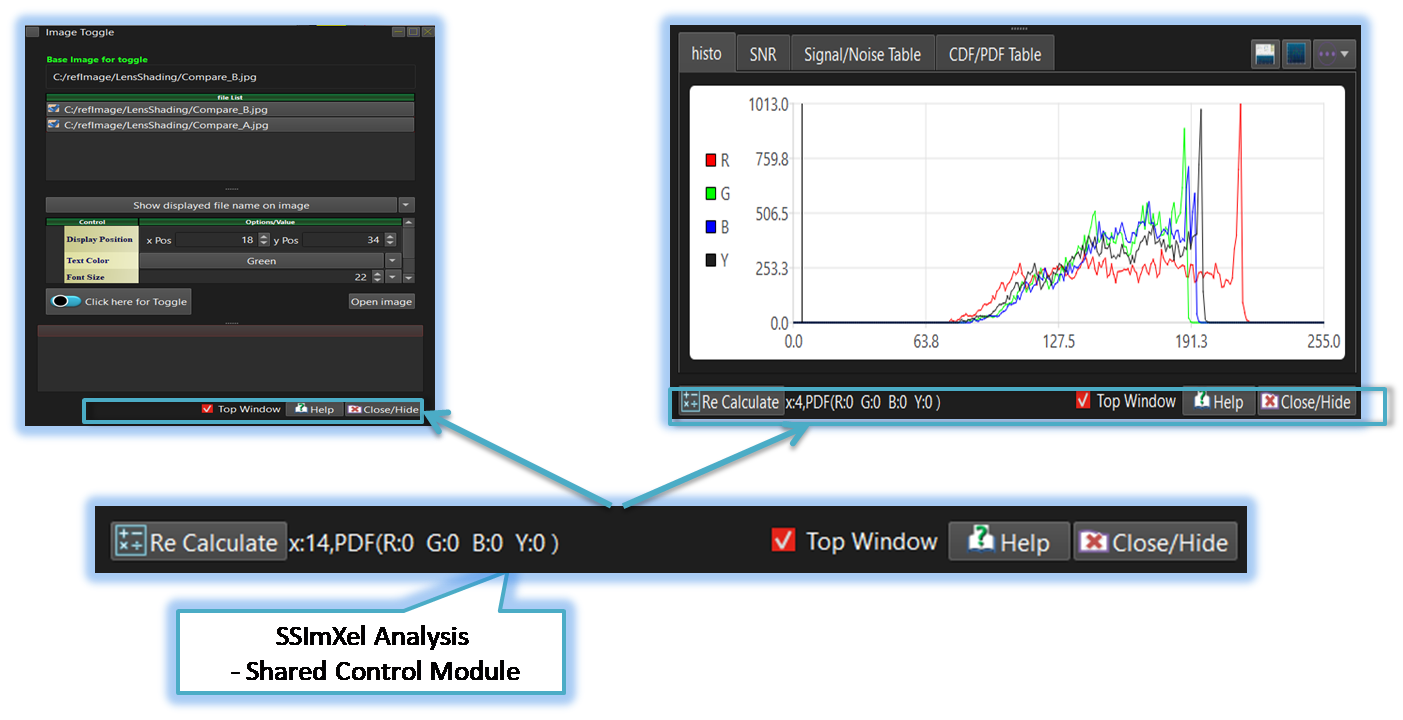
In SSImXel, most image analysis controls include a common control module, which is located at the bottom of the control.

- Analysis (Parent Menu)

-
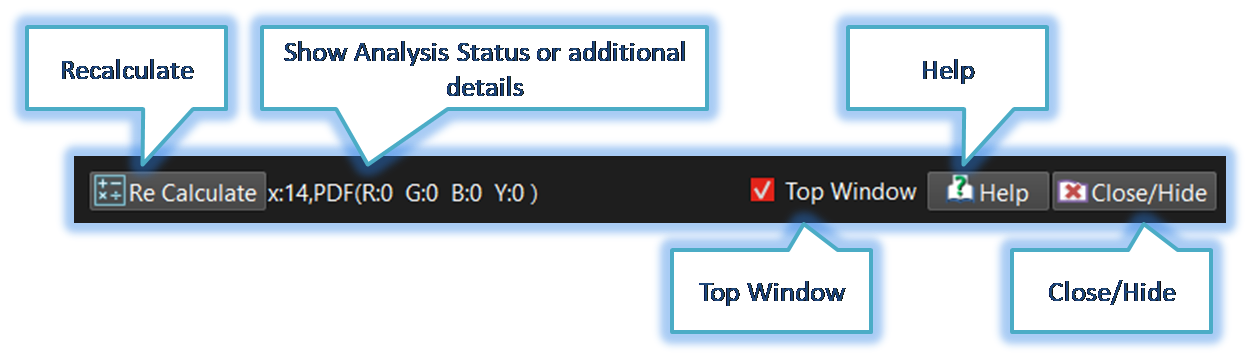
Re-Calculate
When dealing with large images or computations that require significant processing time, most image analysis modules do not automatically perform calculations every time a parameter changes. Instead, the user can use this button to manually trigger the calculation whenever needed. -
Show Analysis Status or additional details
In some analysis modules, this area is used to display information such as the calculation process, analysis progress status, or the results of the computation. -
Top Window
When multiple images and analysis modules are open, the analysis control window may sometimes be hidden behind other windows, making it inconvenient to use. By enabling this option, the active analysis control window can be set as a top-most window. This ensures it will not be obscured by other windows, providing greater convenience during analysis. -
Help
When the user clicks this button, the user guide or technical details for the analysis will open. -
Close/Hide
Closes or hides the active analysis module.