analysis Docking Window (aDock)
-> go to [Dock_Top]

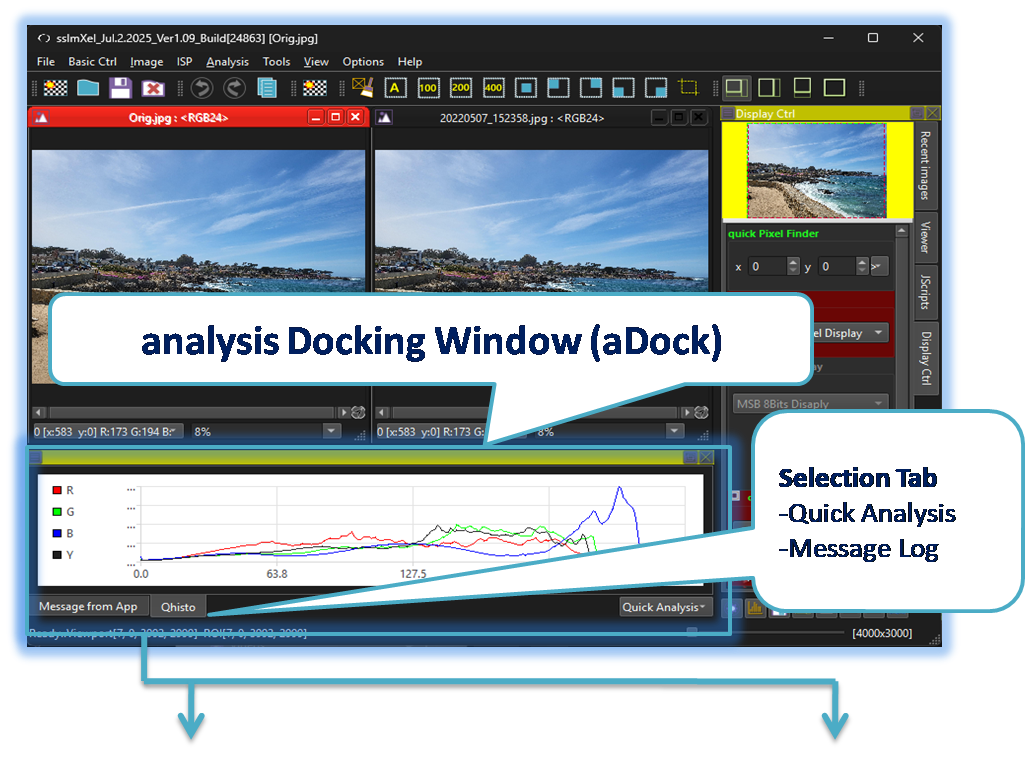
The analysis docking window includes the Quick Analysis and Message Log panes. Each pane is designed with a horizontally wide layout, making it suitable for attachment to the top, bottom, or right side of the tool's main frame.
-
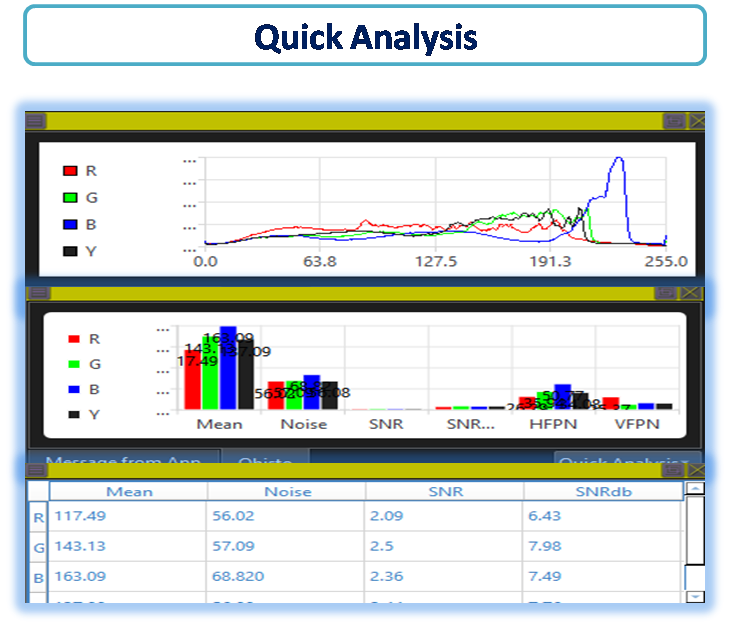
Quick Analysis
This window provides quick and convenient access to signal and noise information related to the currently processed image. -
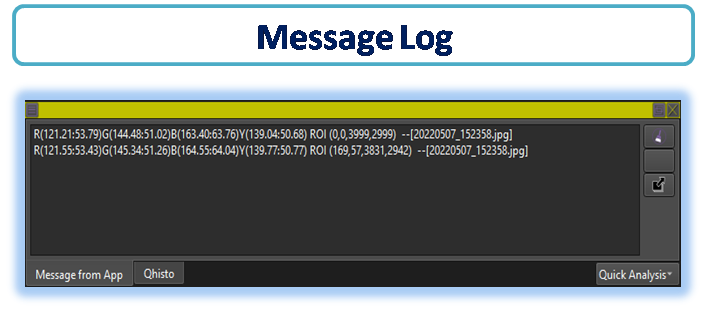
Message Log
This window displays information generated within the tool in the form of messages. It is particularly useful when analyzing signals or noise over the same region across multiple images. Moreover, when performing script-based controls, analysis, or processing, user-defined messages can be output here, providing enhanced convenience and flexibility..

- Docking window Show/Hide
- mDock: Display/Scripts/Log
- Docking Window (Parent Menu)
- UI (Parent Menu)