Save_Recent
-> go to [Save_Main]

"Save to Recent Working Folder" is a convenient feature that automatically saves your file to the last folder you used, eliminating the need to navigate through folders each time. This streamlines your workflow, reduces repetitive clicks, and helps you stay focused-especially when working on projects that involve multiple files saved in the same location. It's a simple yet powerful way to boost efficiency and keep your momentum going.
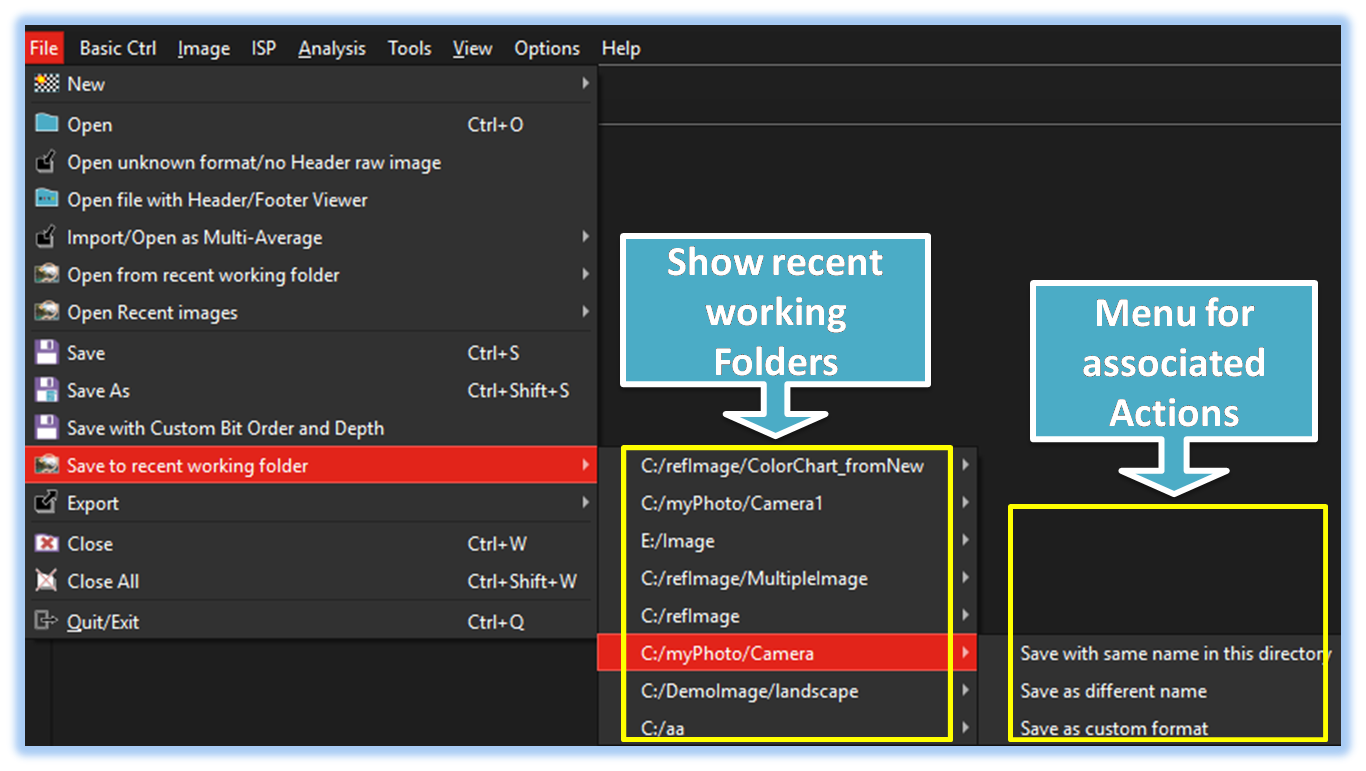

- Save_Main (Parent Menu)

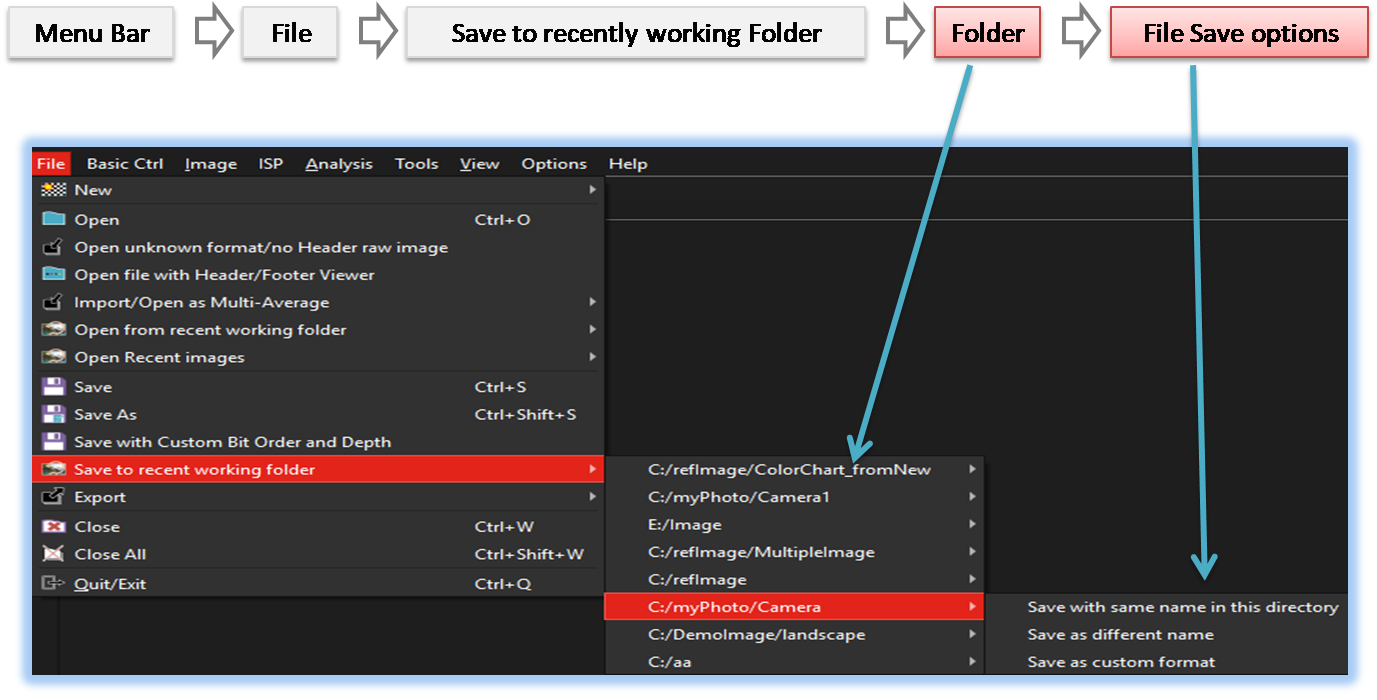
When the user selects 'File' -> 'Save to Recent Working Folder', a list of previously accessed folders is displayed, as shown in the image above. Upon selecting the desired folder, the Image File save Option menu appears
-
Folder
This tool displays up to 8 recently used folders, allowing users to quickly access previously worked-on directories.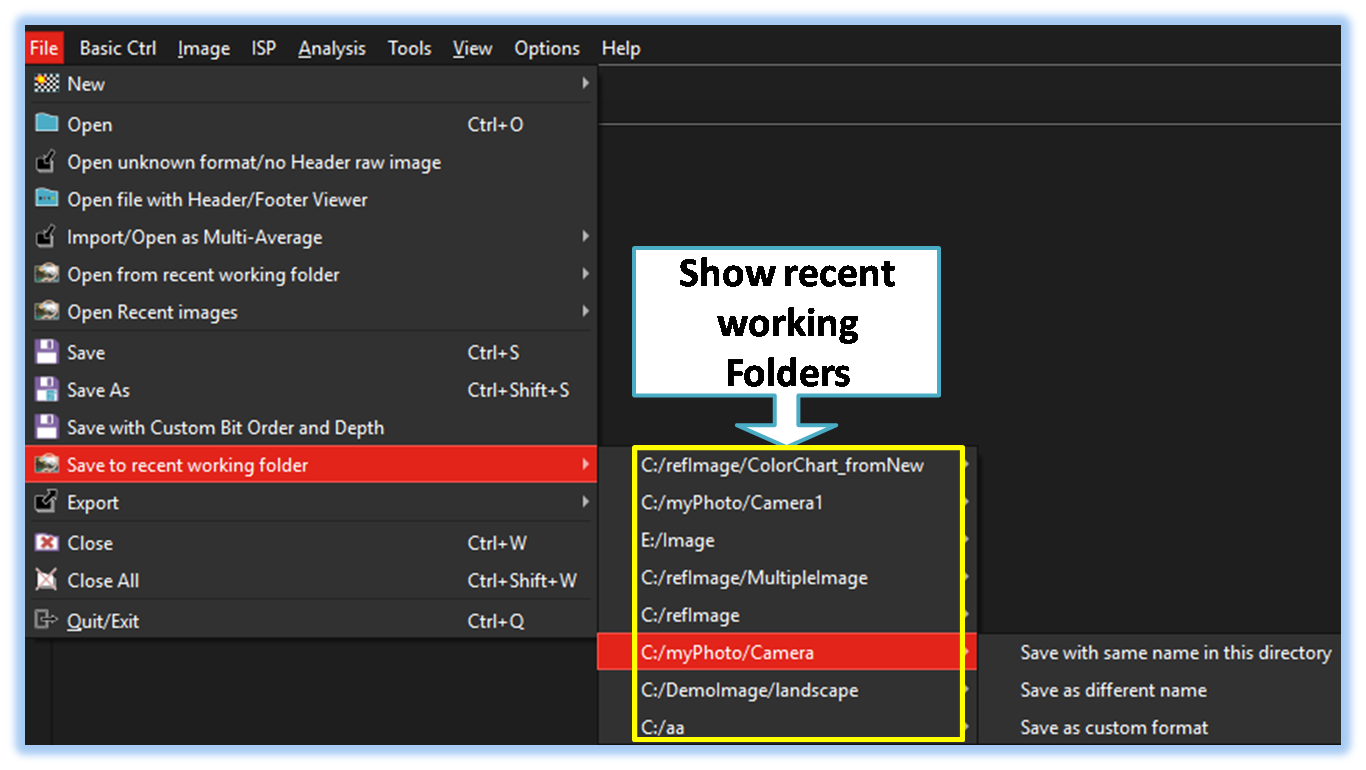
-
File Save Option
When a user selects a desired folder, multiple file save options appear, as shown in the image below. This allows for flexible file handling and efficient image file saving.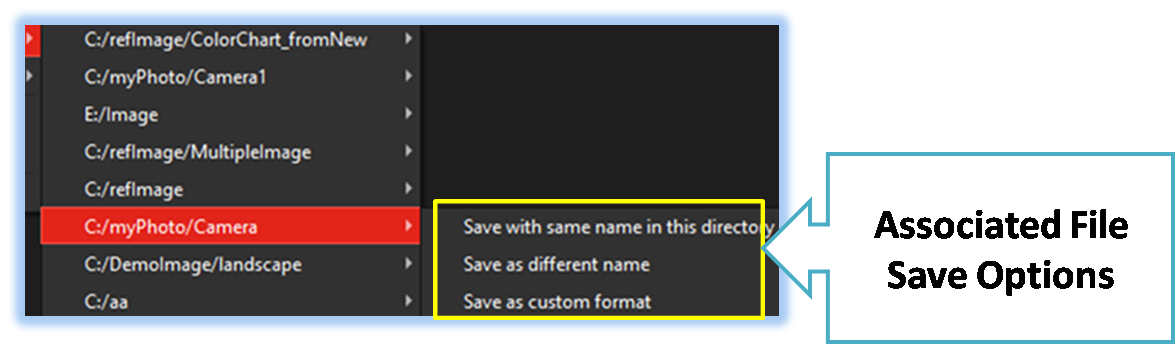
-
Save with same name in this directory
Allows user quickly save a file using its current name in the same folder it was previously saved or opened from.
-
Save as different name
Allows users to save currently open images under a different name or in a different format. -
Save as custom format bit-order/depth
Allows user can adjust the bit order and bit depth to save the data in the desired format.
-
Save with same name in this directory



Below demo demonstrates Save_Recent
 .
.