Local Area Zoom
-> go to
[KeyFeatures]
[Analysis]

In many cases of image analysis, users need to zoom in on specific areas. To address this need, SSImXel provides a powerful and convenient solution. With this feature, users can easily observe not only color and signal noise but also individual pixel values.
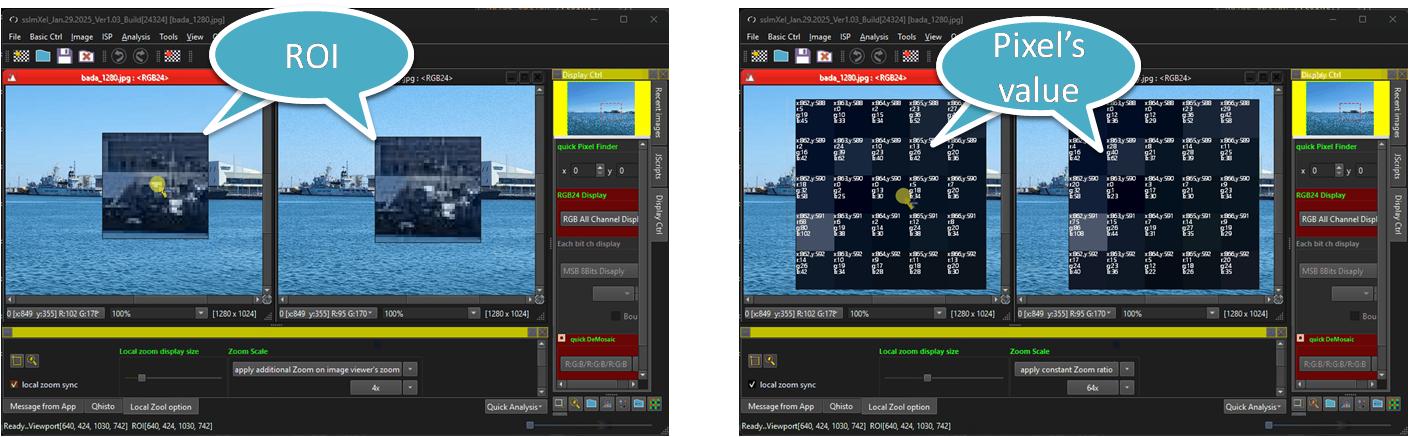

- Side by Side Image Comparison
- VOI(pixel Value on Image)
- KeyFeatures (Parent Menu)
- Analysis (Parent Menu)

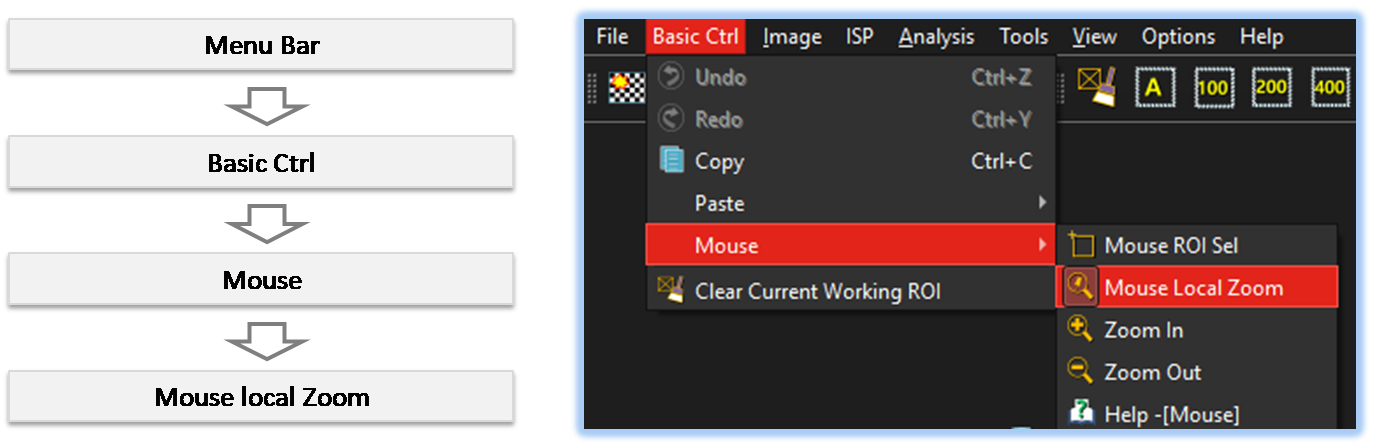
By selecting the menu options in the order shown in the image above or by choosing the toolbar icon
 , the LocalZoom dialog box will be showed up as shown in below picture.
For a more detailed explanation of the toolbar button or how to configure toolbar,please refer to configure toolbar
, the LocalZoom dialog box will be showed up as shown in below picture.
For a more detailed explanation of the toolbar button or how to configure toolbar,please refer to configure toolbar 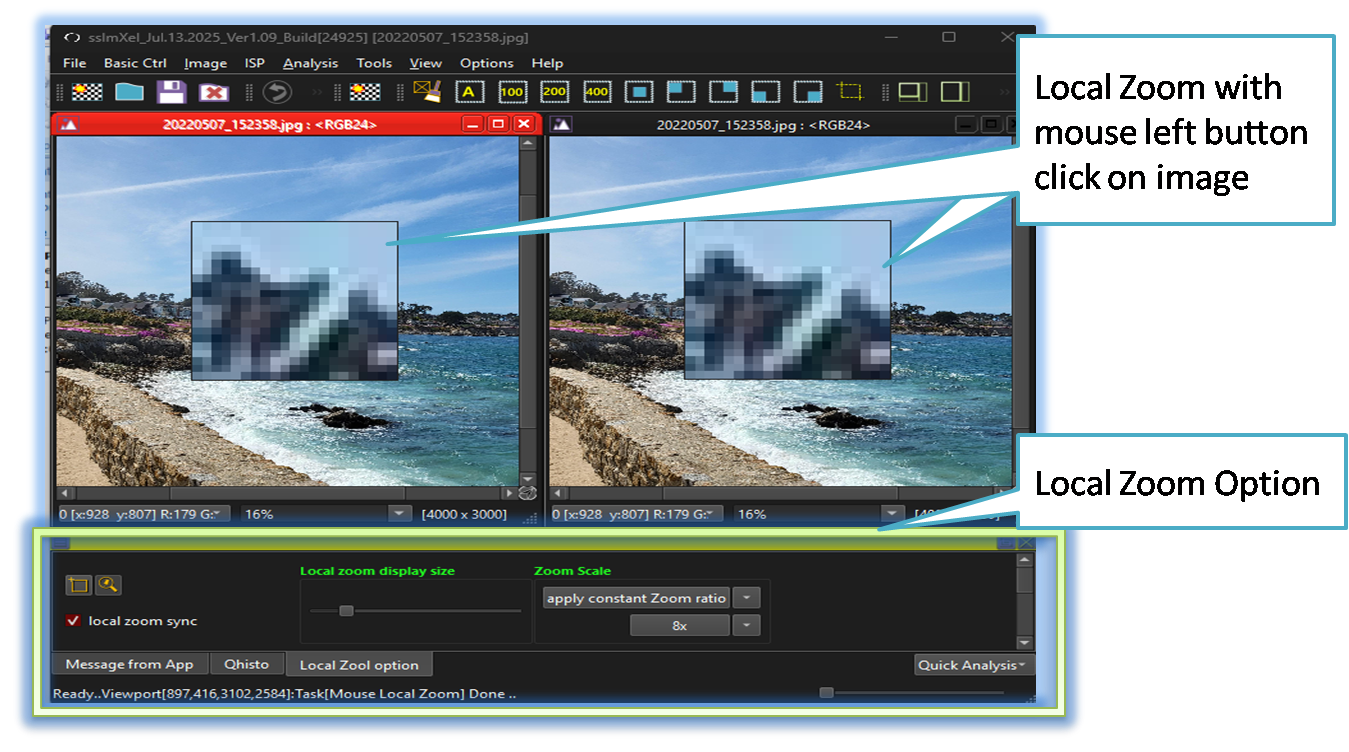

-
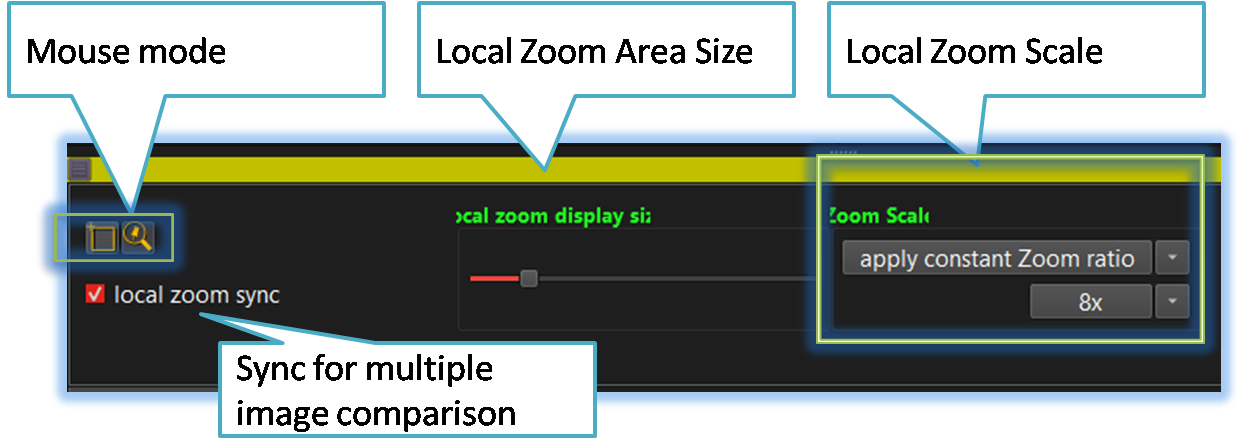
Mouse Mode
Users can easily switch the mouse interaction mode to ROI selection or local zoom using these buttons.
For more details about Mouse mode, please refer to this link[Mouse Mode] -
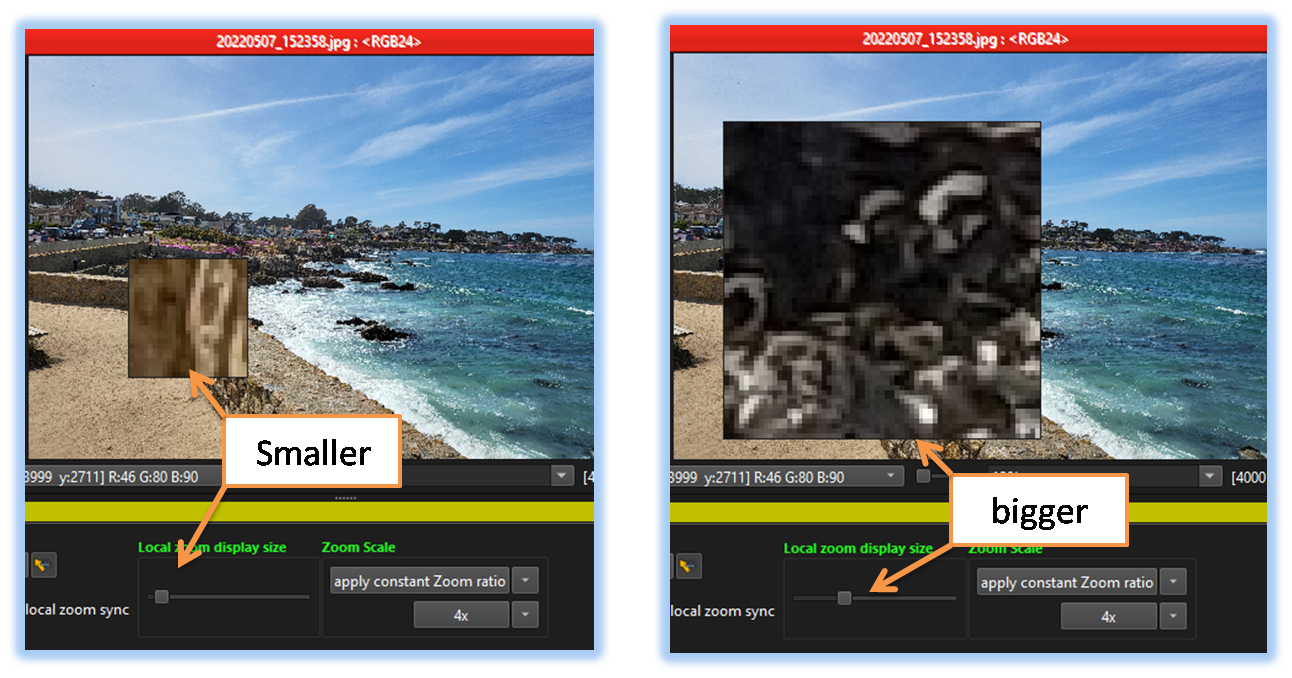
Local Zoom Area Size
Users can adjust the local zoom area size using this control.
-
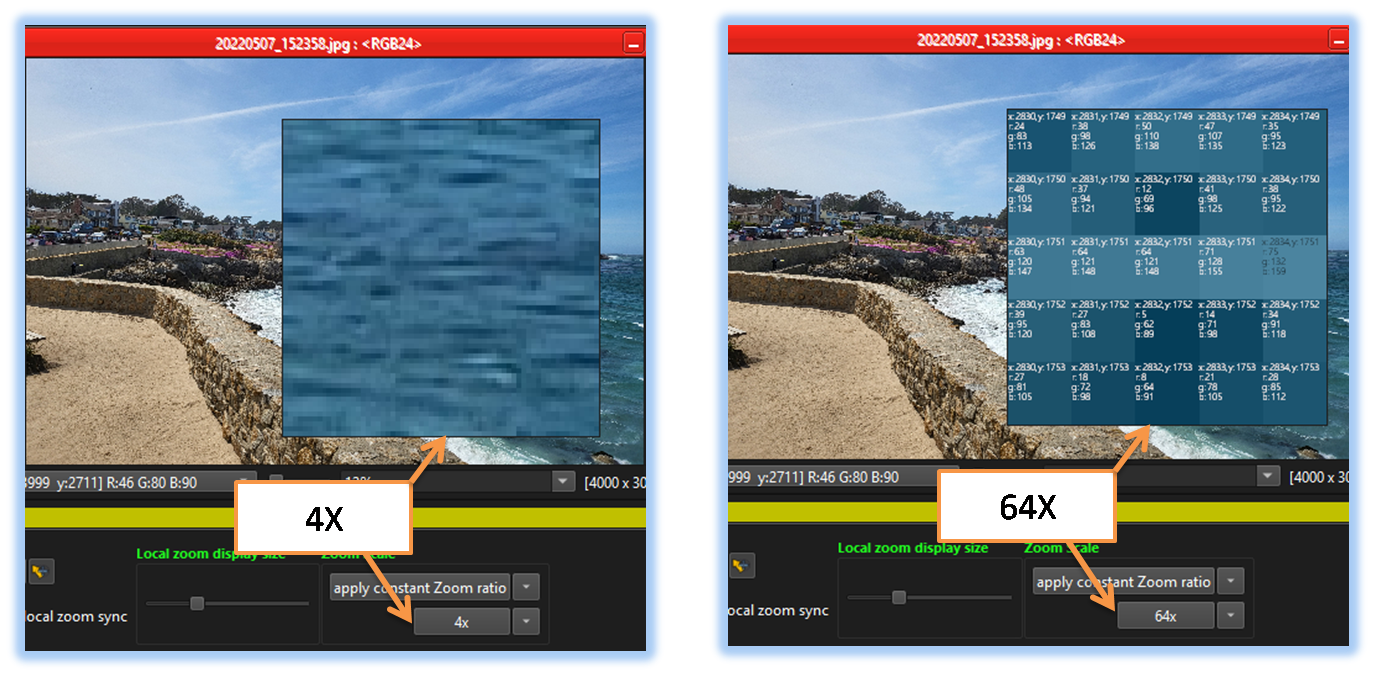
Local Zoom Scale
Users can adjust the local zoom ratio scal using this control.
-
Sync for multiple image comparison

When this option is selected, pointing to the local zoom area in one image displays the same region in another image. This makes image comparison much easier.
For more details about Side by Side Image comparision, please refer to this link[Side by Side Image Comparison]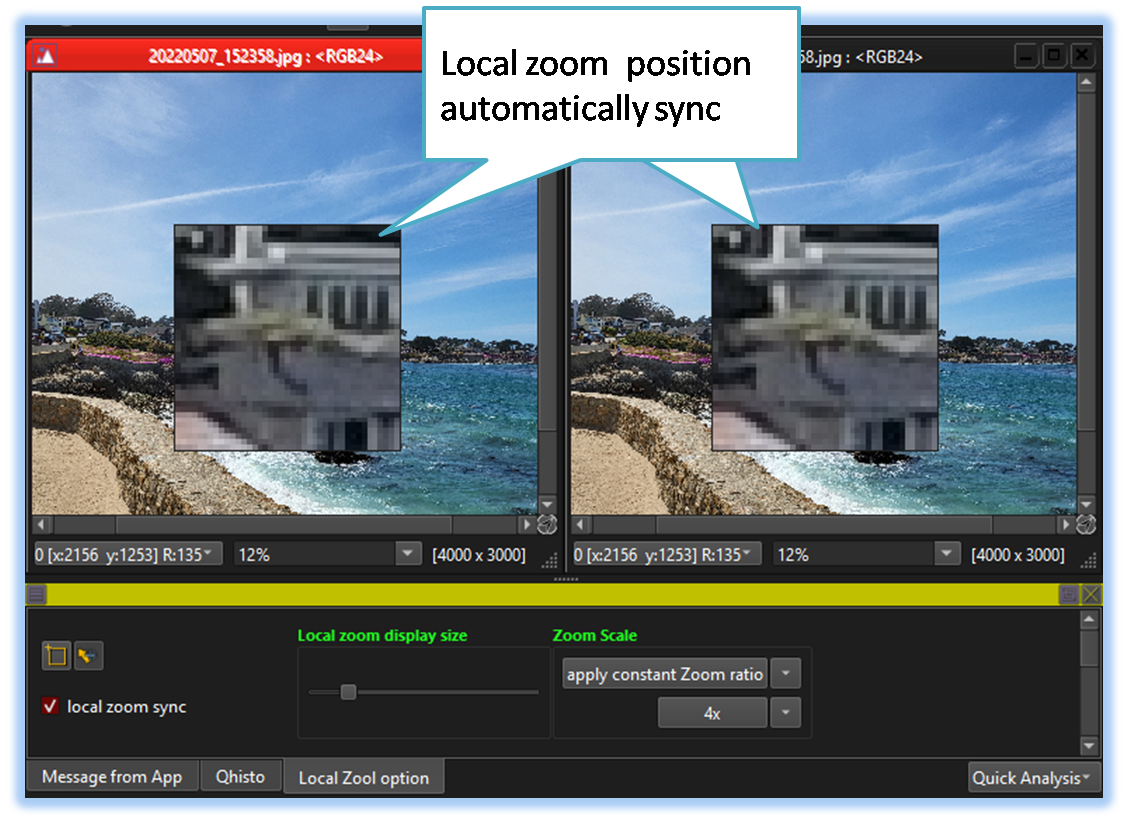

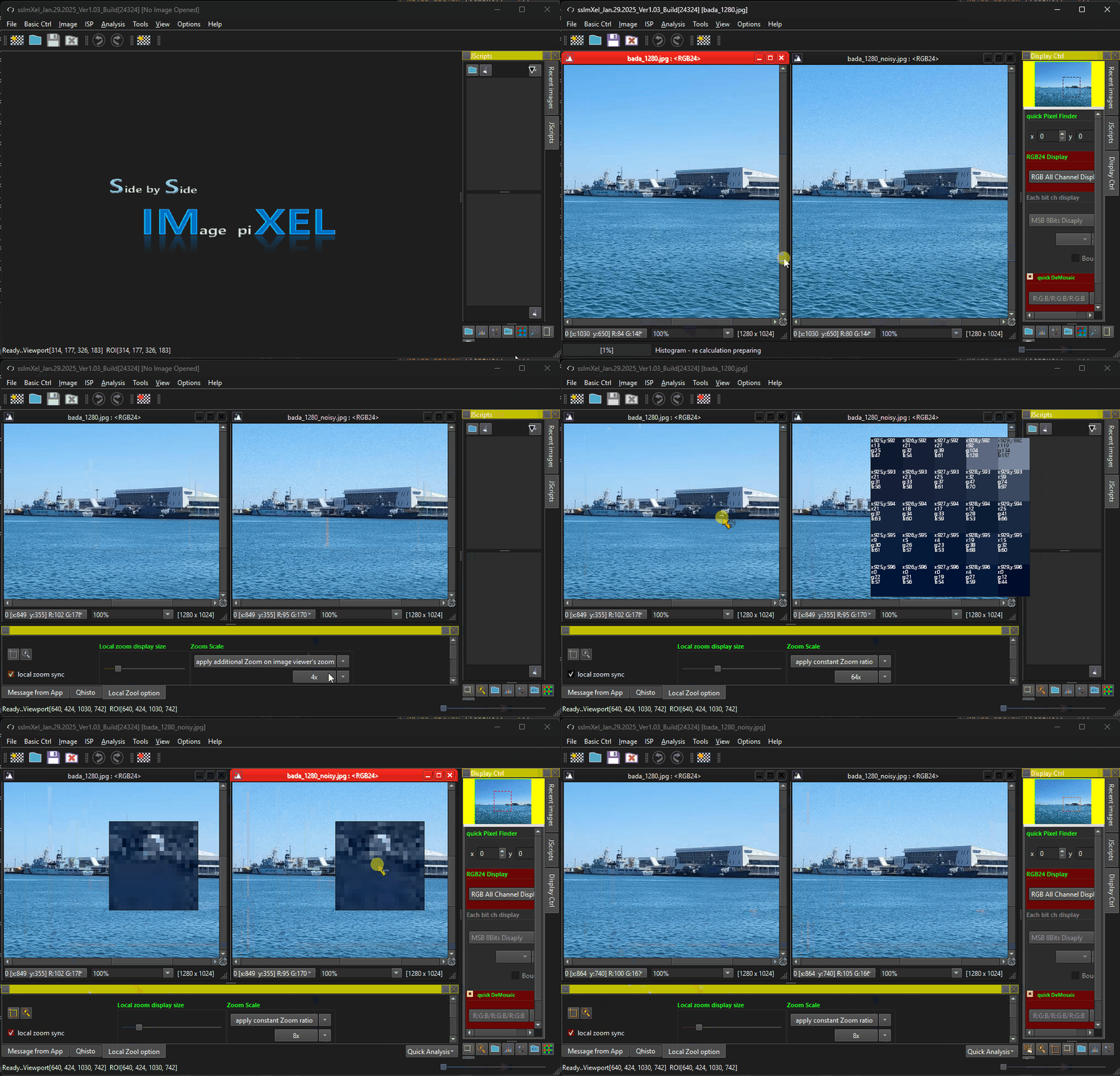
Below demo demonstrates Local Area Zoom
 .
.