Main Option Control
-> go to [Options]

This menu provides access to various configuration options for image analysis workflows, including data interpretation, processing parameters, and display adjustments

- Options (Parent Menu)

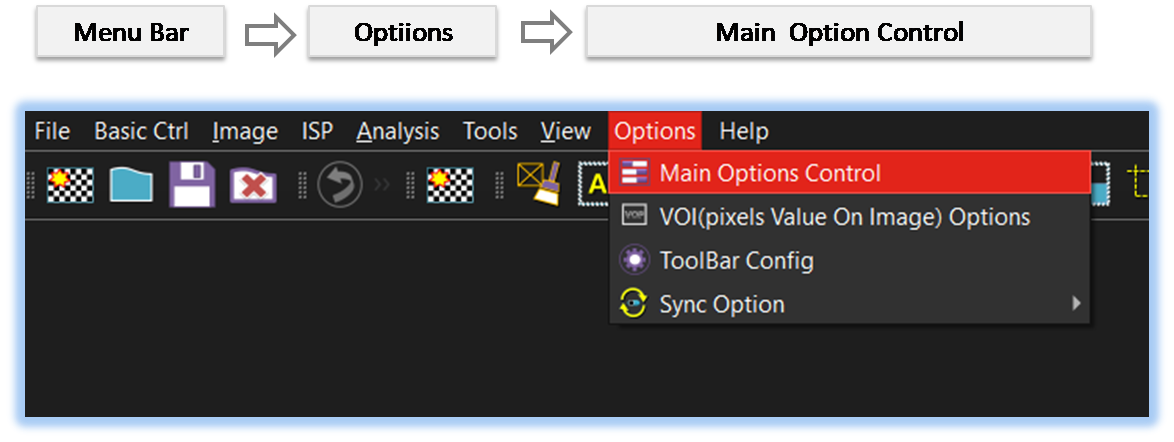
By selecting the menu options in the order shown in the image above or by choosing the toolbar icon
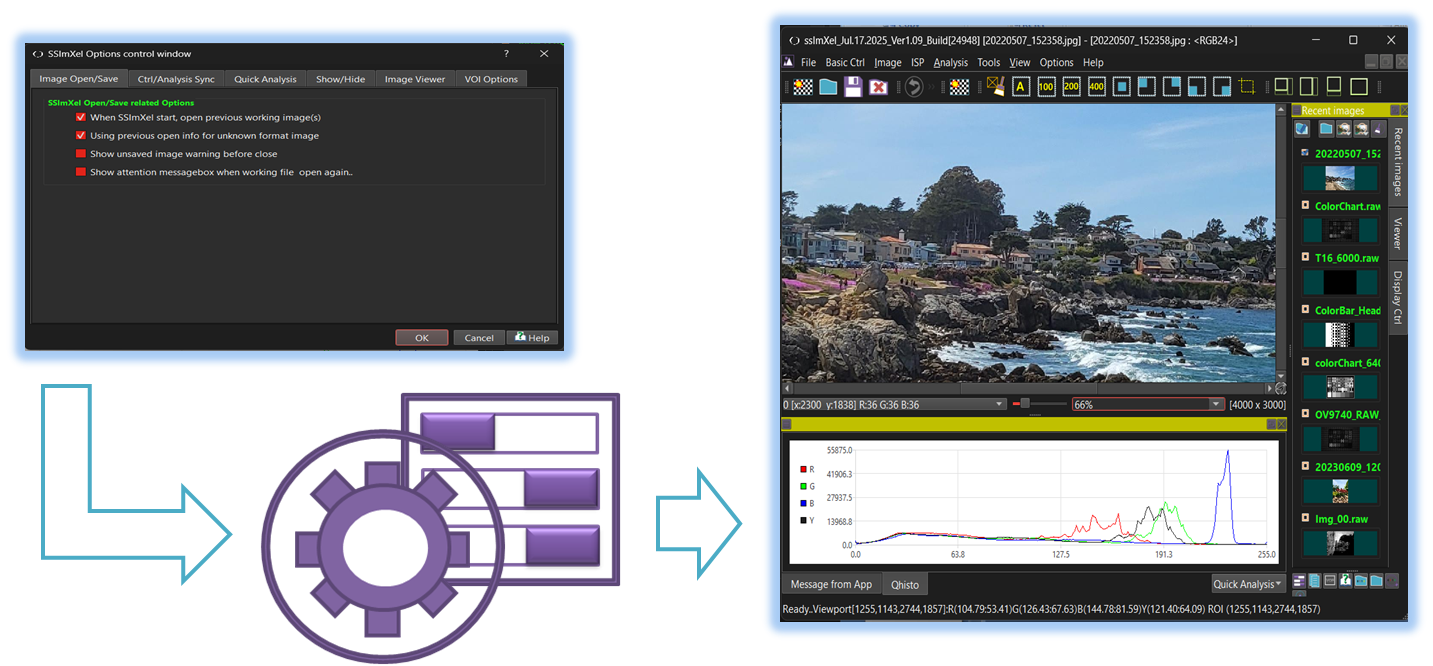
 , the Main_Option dialog box will be showed up as shown in below picture.
For a more detailed explanation of the toolbar button or how to configure toolbar,please refer to configure toolbar
, the Main_Option dialog box will be showed up as shown in below picture.
For a more detailed explanation of the toolbar button or how to configure toolbar,please refer to configure toolbar 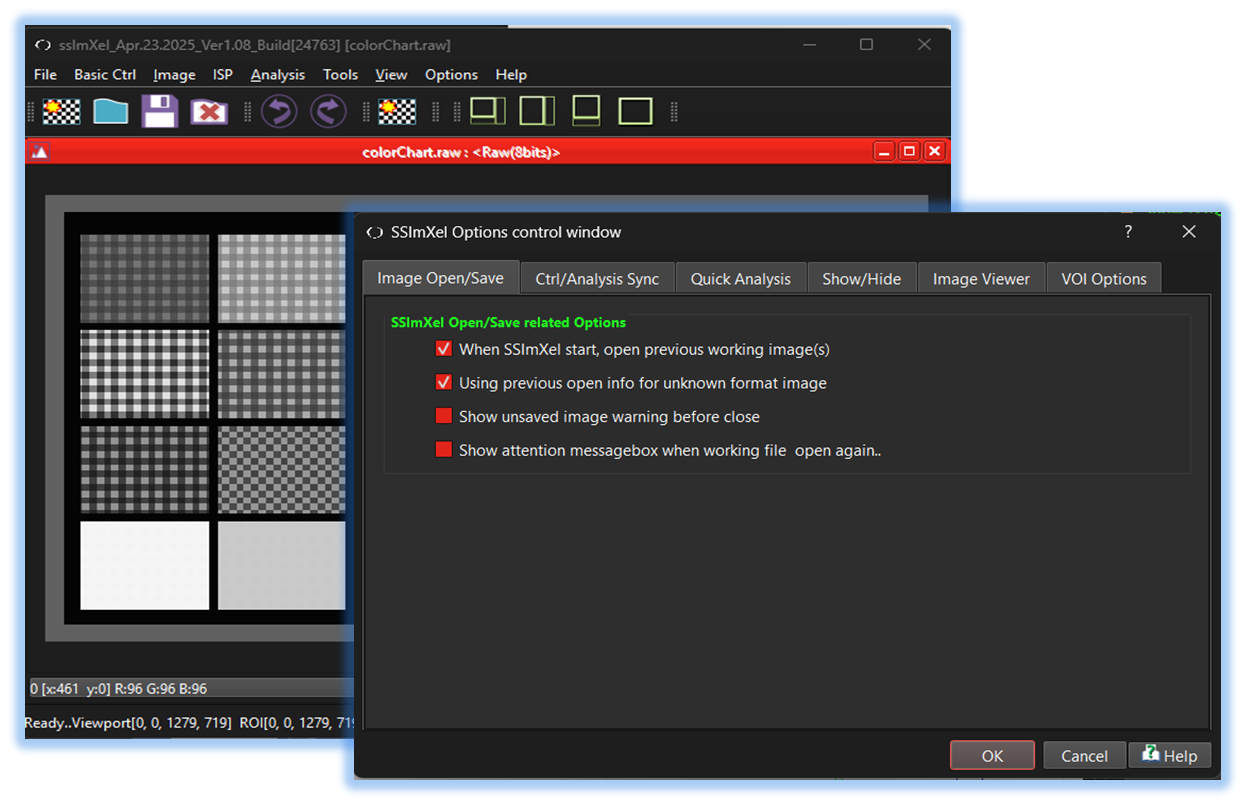

-
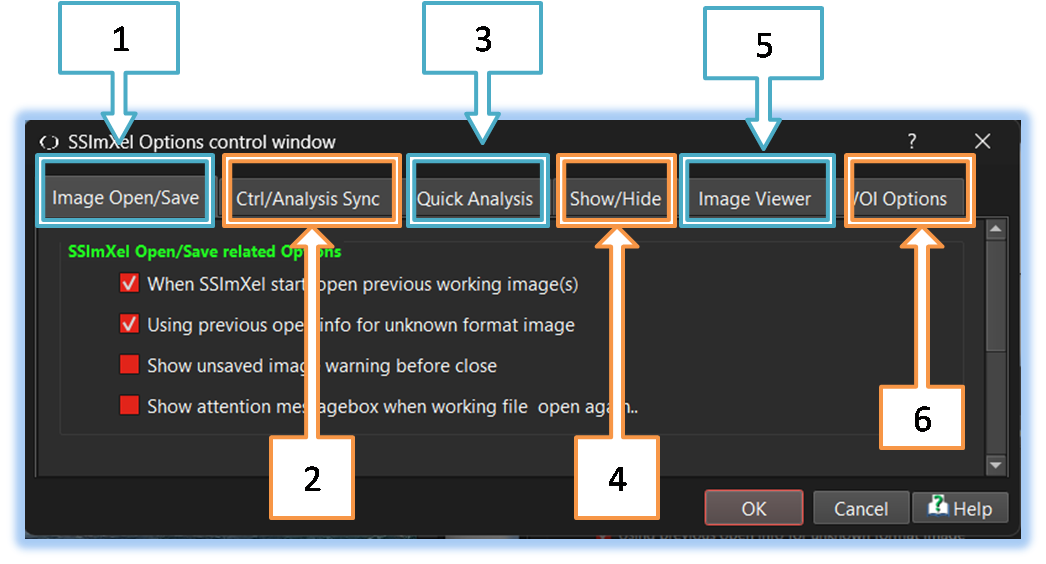
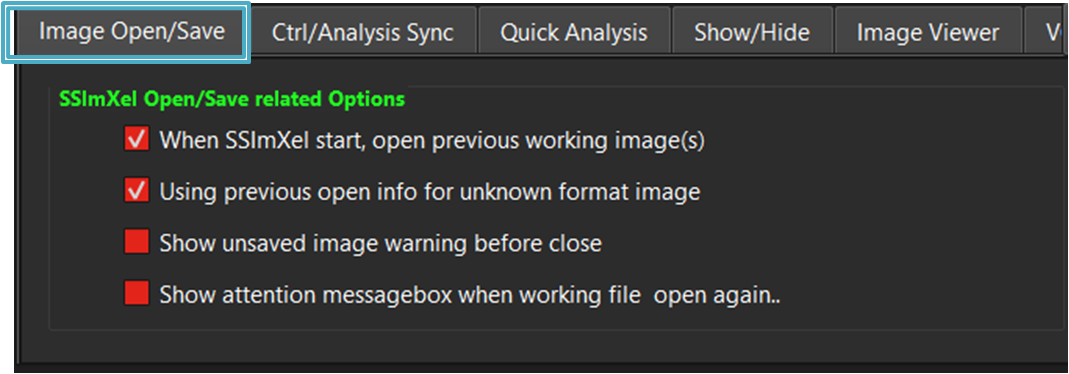
1. Imaage Open/Save
Options related to image loading and saving
-
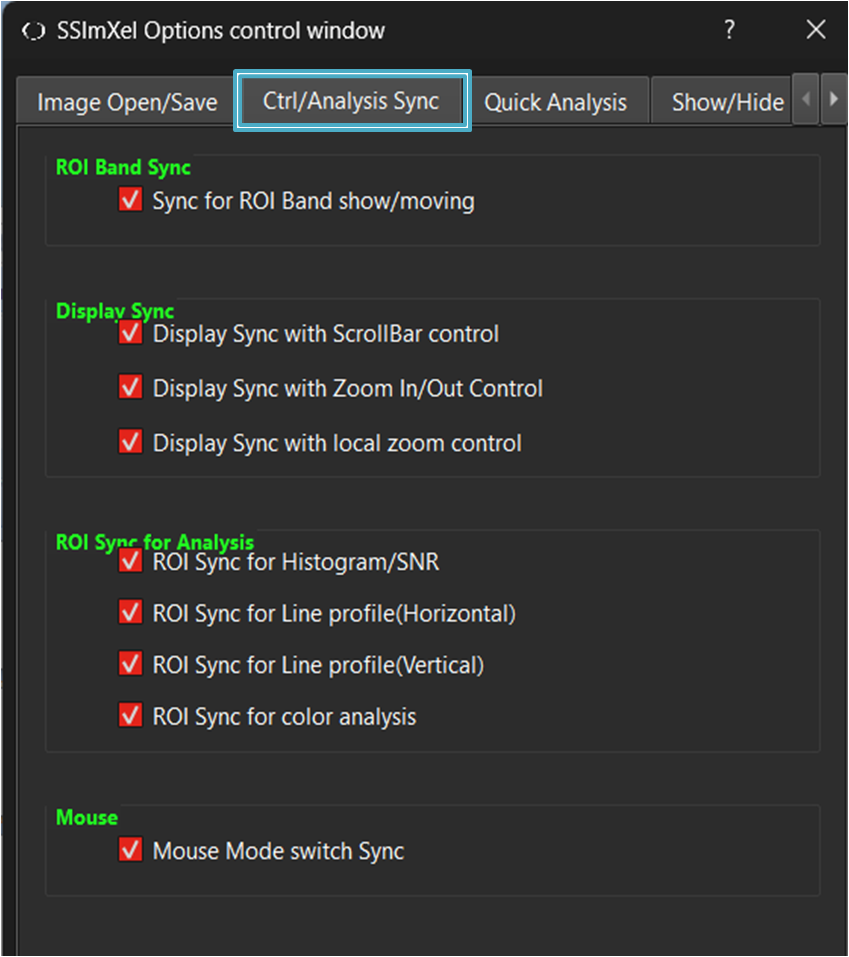
2. Ctrl/Analysis Sync
Sync Options for Image control or analysis
-
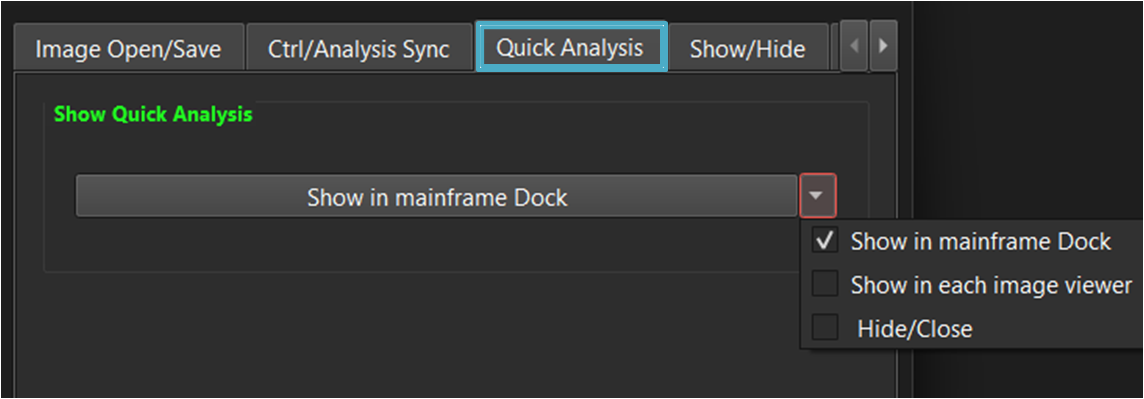
3. Quick Analysis
Options for Quick Analysis window location
-
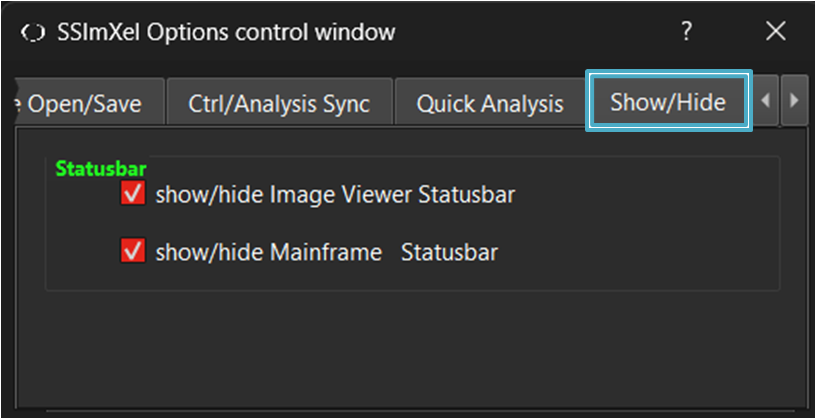
4. Show/Hide
Options for statusbar show/hide
-
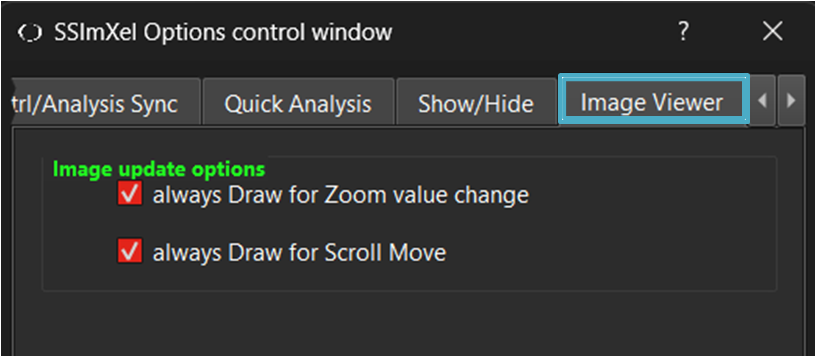
5. Image Viewer
Image update Options
-
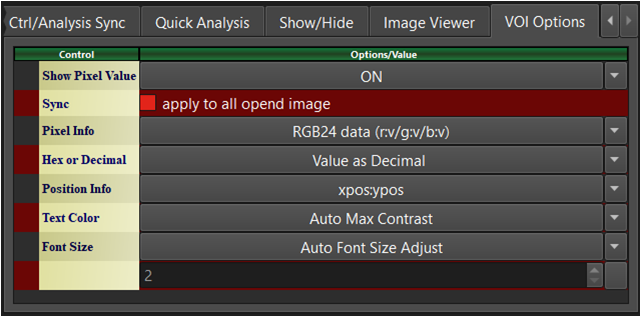
6. VOI Option
VOI(pixel Value on Image) display options