Quick_Analysis
-> go to [Main_Option]

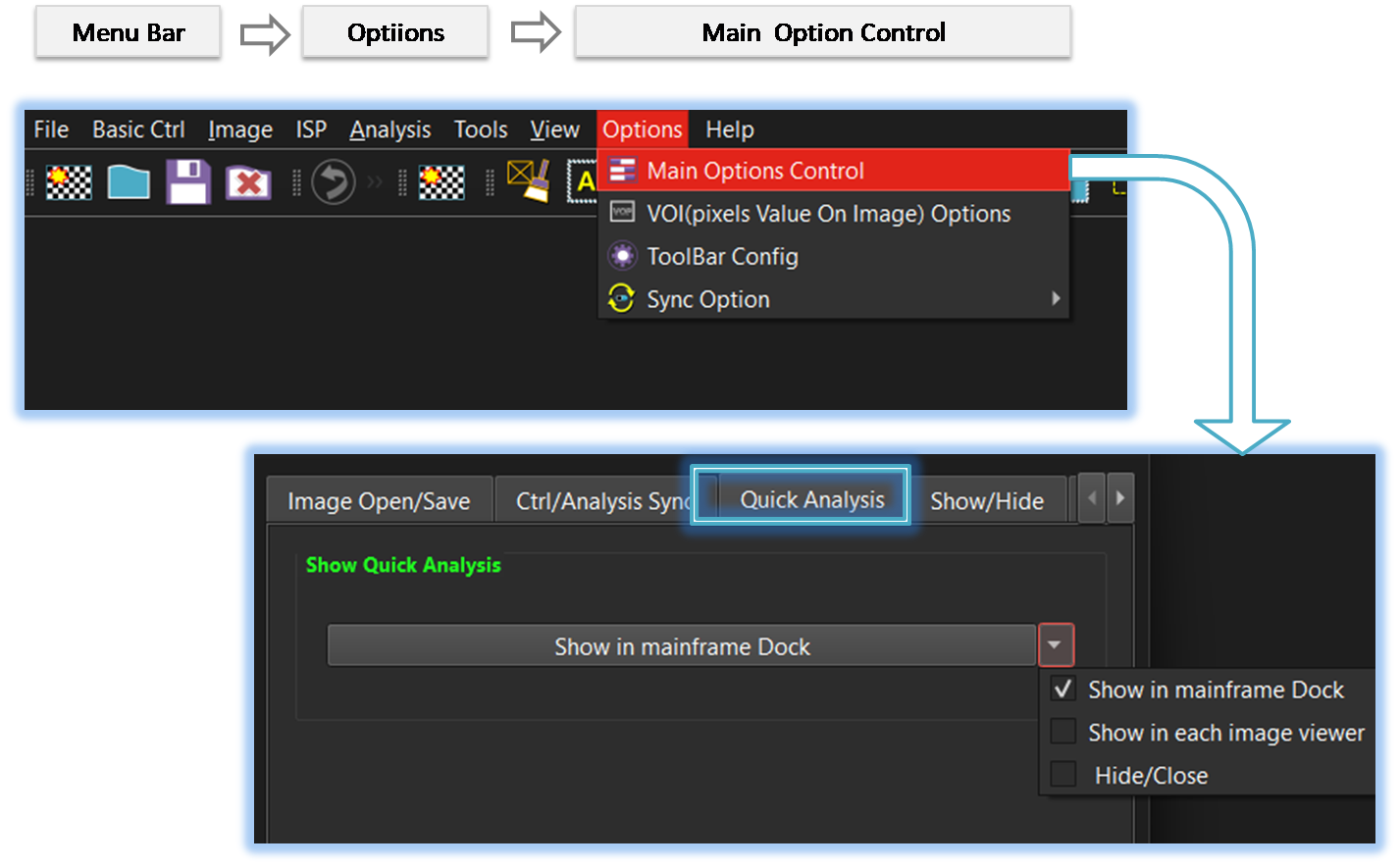
The Quick Analysis window can be docked either in the mainframe docking area or in the image viewer docking area. Users can configure its location or choose to hide or close it as needed.
-
Show in the mainframe docking area.
When SSImXel starts, it automatically opens the image or images that were last used in the previous session. This feature allows users to quickly resume their work without needing to manually reload previously opened files.
-
Show in the image viewer docking area.
The format of the image is not recognized, so the tool will attempt to open it using the previously saved open settings. This may help in cases where similar images were successfully opened before using specific configurations. -
Hide/Close.
Display a confirmation dialog if there are any unsaved images before closing the application, to prevent accidental data loss.

- Quick Analysis
- Main_Option (Parent Menu)