Context Menu
-> go to [UI]

A pop-up menu that appears when the user right-clicks on something in an image editing tool. It shows quick options related to what was clicked-such as editing, resizing, copying, or applying effects. This helps the user work faster by providing shortcuts to useful commands without searching through menus.
SSImXel displays different context menu options depending on whether an ROI (Region of Interest) is selected or not. When no ROI is selected, the menu shows functions that are unrelated to ROI.
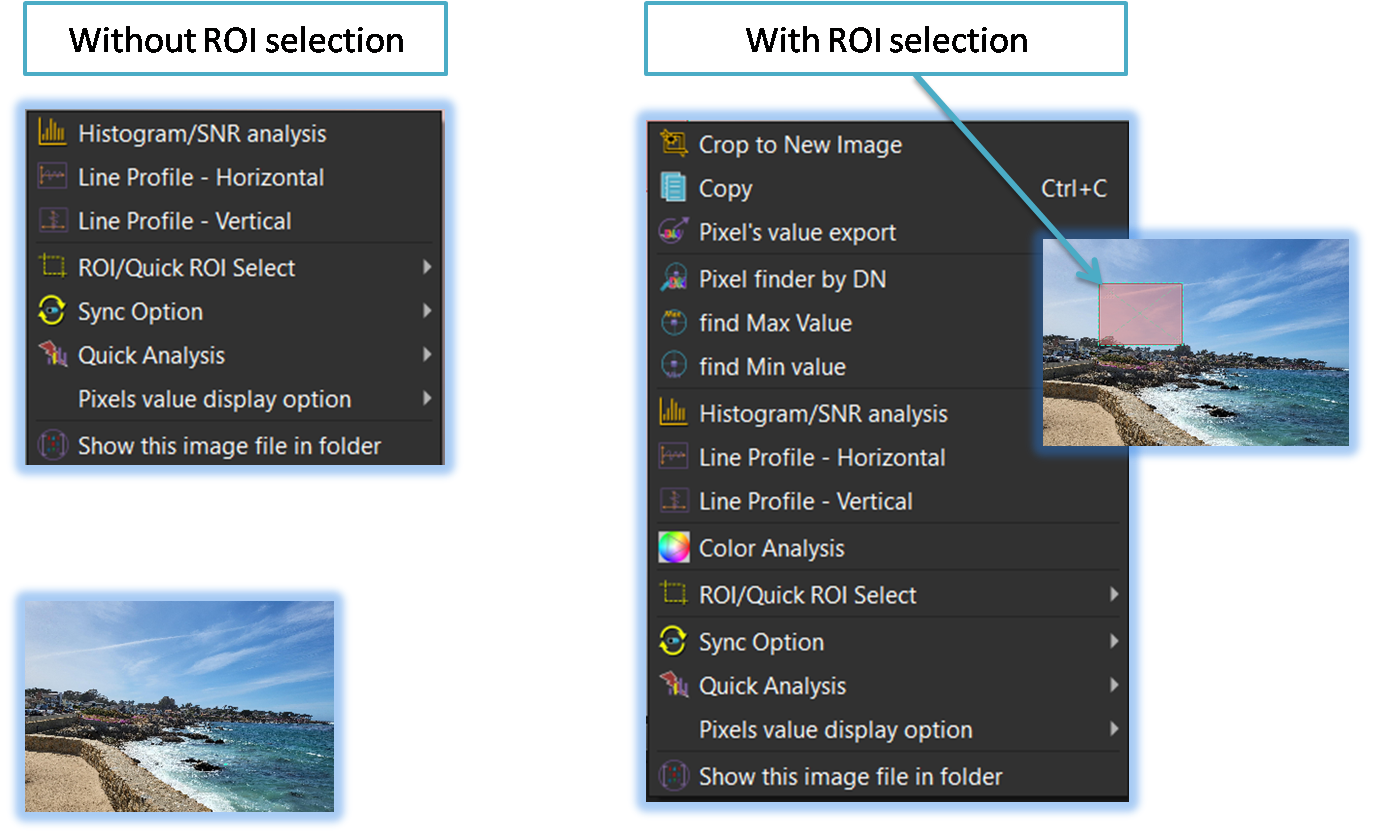
-
Crop to New Image
This menu crops the selected area and opens it as a new image. -
Copy
This menu allows the user to quickly copy the image to the clipboard. -
Pixel's value export
Pixel Values Export enables users to extract raw pixel intensity values from either the entire image or user-defined regions. -
Pixel Finder by Value(DN)
In defect or hot pixel analysis, users need precise and efficient ways to navigate and switch between pixel locations, as relying only on zoom and scroll is cumbersome for high-resolution images. -
find Max Value /find Min Value
When this menu is selected within a given ROI (Region of Interest), the tool finds the pixel with the maximum or minumum value inside the ROI and briefly displays its location and value.
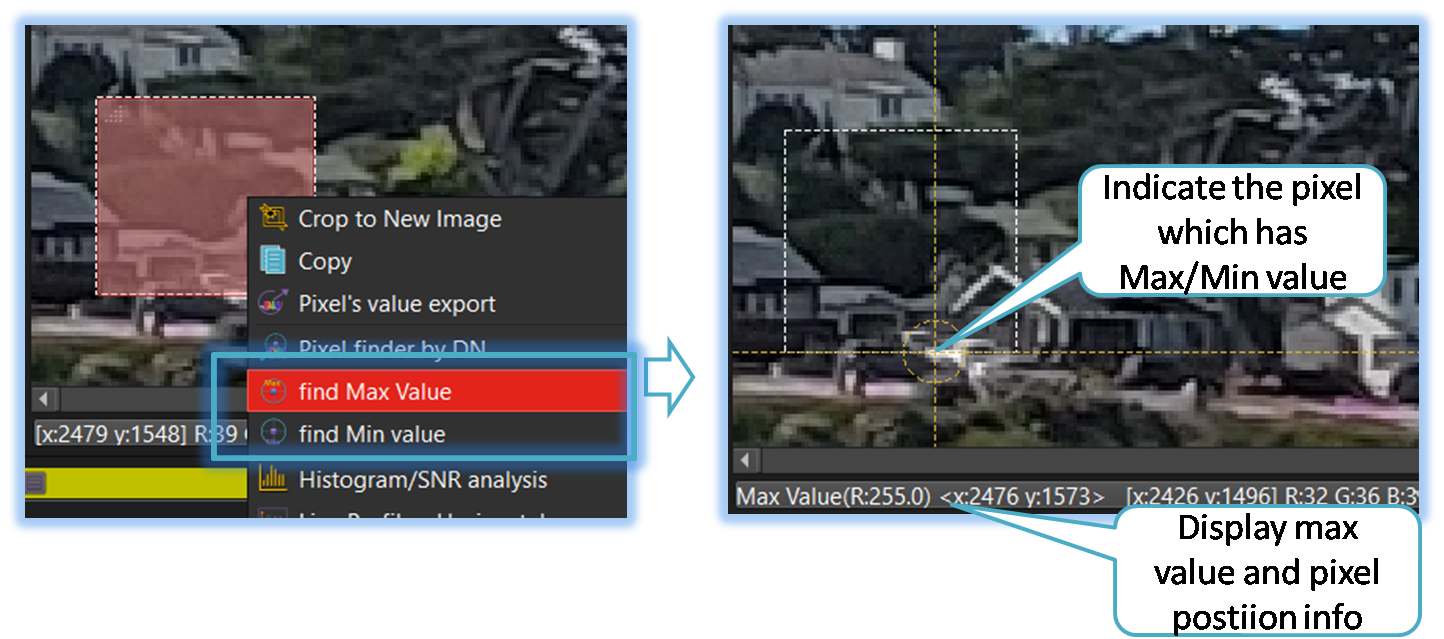
-
Histogram/SNR Analysis
Histograms visualize pixel intensity distribution, helping users assess contrast, brightness, and exposure to evaluate image quality and guide processing.
-
Line profile
Line Profile Analysis examines image rows or columns to detect fixed pattern noise and pixel-level anomalies with precision.
-
Color Analysis
When you select this menu, powerful features for in-depth color analysis are activated, making it a crucial resource for achieving accurate color correction and consistency in image processing.
-
ROI/Quick ROI Section
This menu is used for quick ROI control and selection.
-
Sync Option
This menu allows you to configure various sync options related to display and analysis.
-
Quick Analysis
This menu is for quick analysis of signal and noise.
-
Pixel value display Option
This menu allows you to configure various options for VOI (Value on Image) .
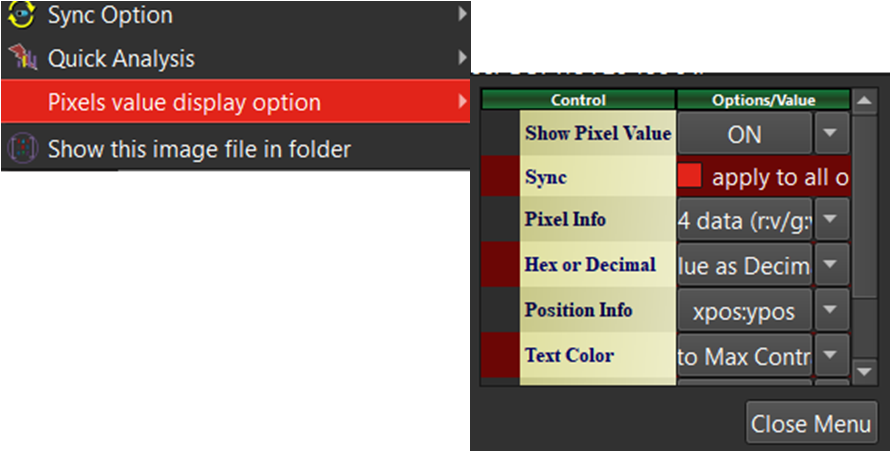
-
Show this image in folder
Opens the folder location where the selected image is stored.

- UI (Parent Menu)