Pattern(Color Channel) Split
-> go to [Split Overview]

Separating Bayer raw image data into individual color channels such as red, green, and blue provides multiple advantages for image analysis. It helps evaluate color balance, identify sensor-specific artifacts, and detect issues like color misalignment or chromatic aberration. This method also helps understand the behavior of each color filter in the CFA (Color Filter Array), making it useful for debugging image processing pipelines or tuning demosaicing algorithms.
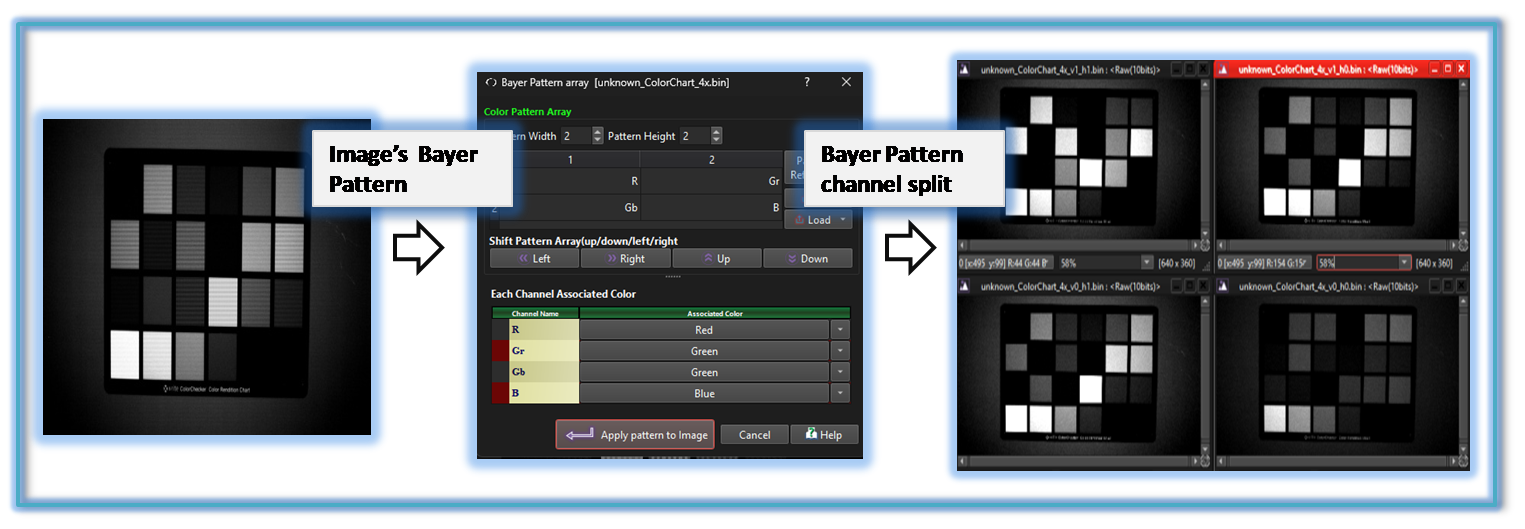

-
Configurable Patten array based channel seperation
Because SSimXel uses configurable pattern array based channel separation, it can isolate any specific pattern channel such as PD(Phase Detection) channels defined within the Bayer pattern.
For more details regrding Pattern Array configuration please refer to here
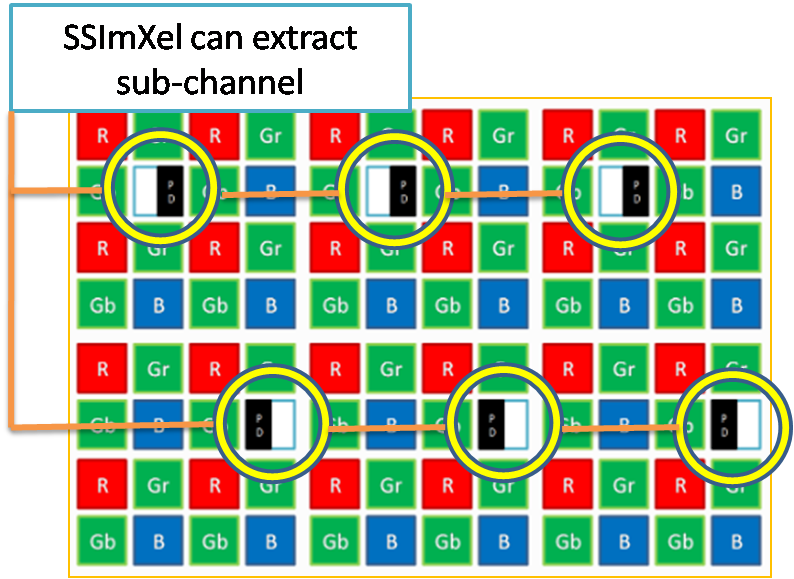

- Pattern array configuration
- Split Overview (Parent Menu)
- Image Control (Parent Menu)

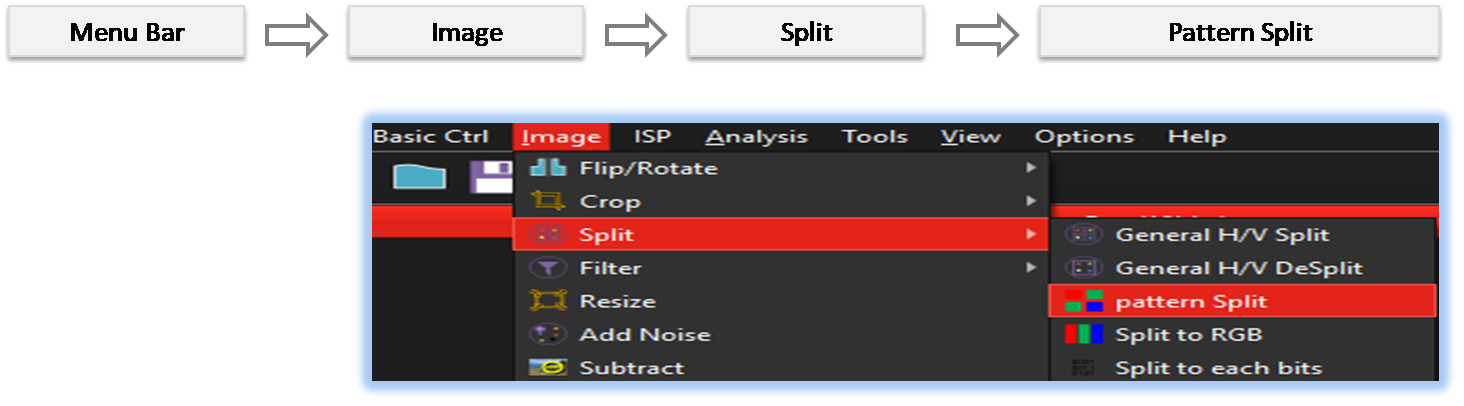
By selecting the menu options in the order shown in the image above or by choosing the toolbar icon
 , the Pattern_Split dialog box will be showed up as shown in below picture.
For a more detailed explanation of the toolbar button or how to
configure toolbar
please refer to configure toolbar
, the Pattern_Split dialog box will be showed up as shown in below picture.
For a more detailed explanation of the toolbar button or how to
configure toolbar
please refer to configure toolbar 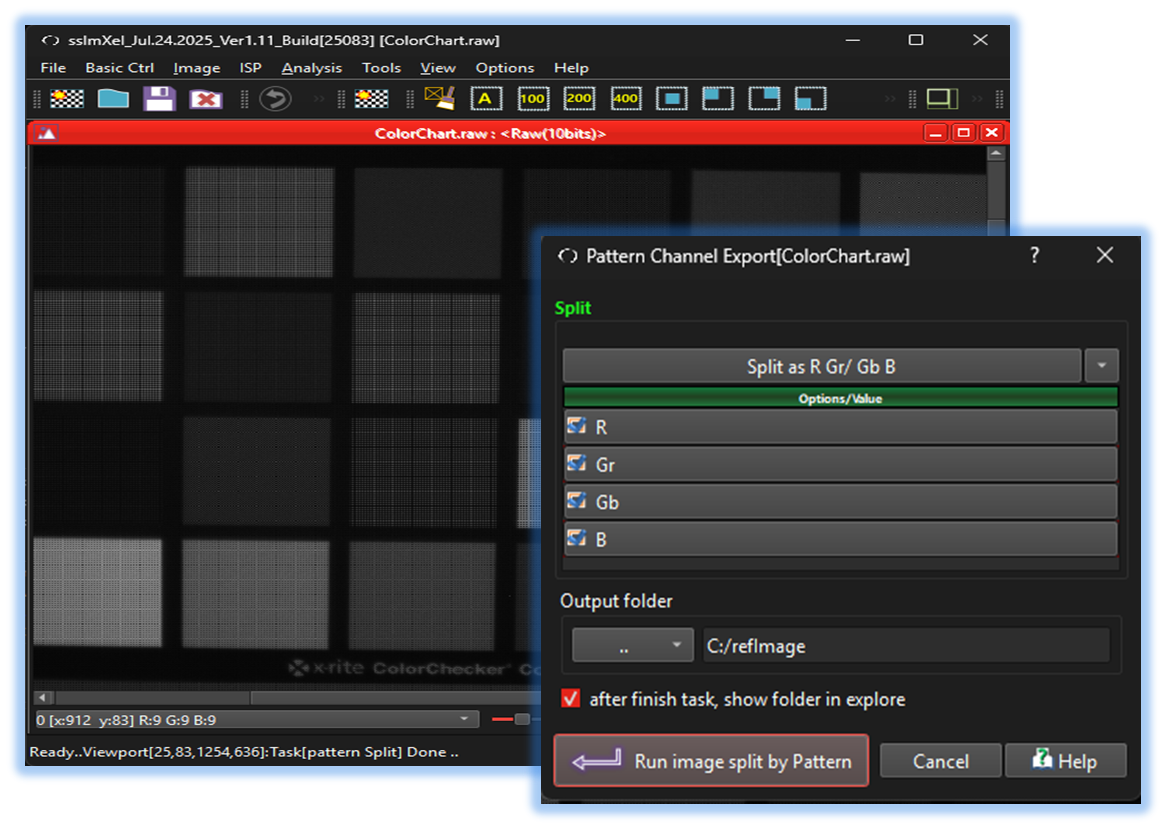

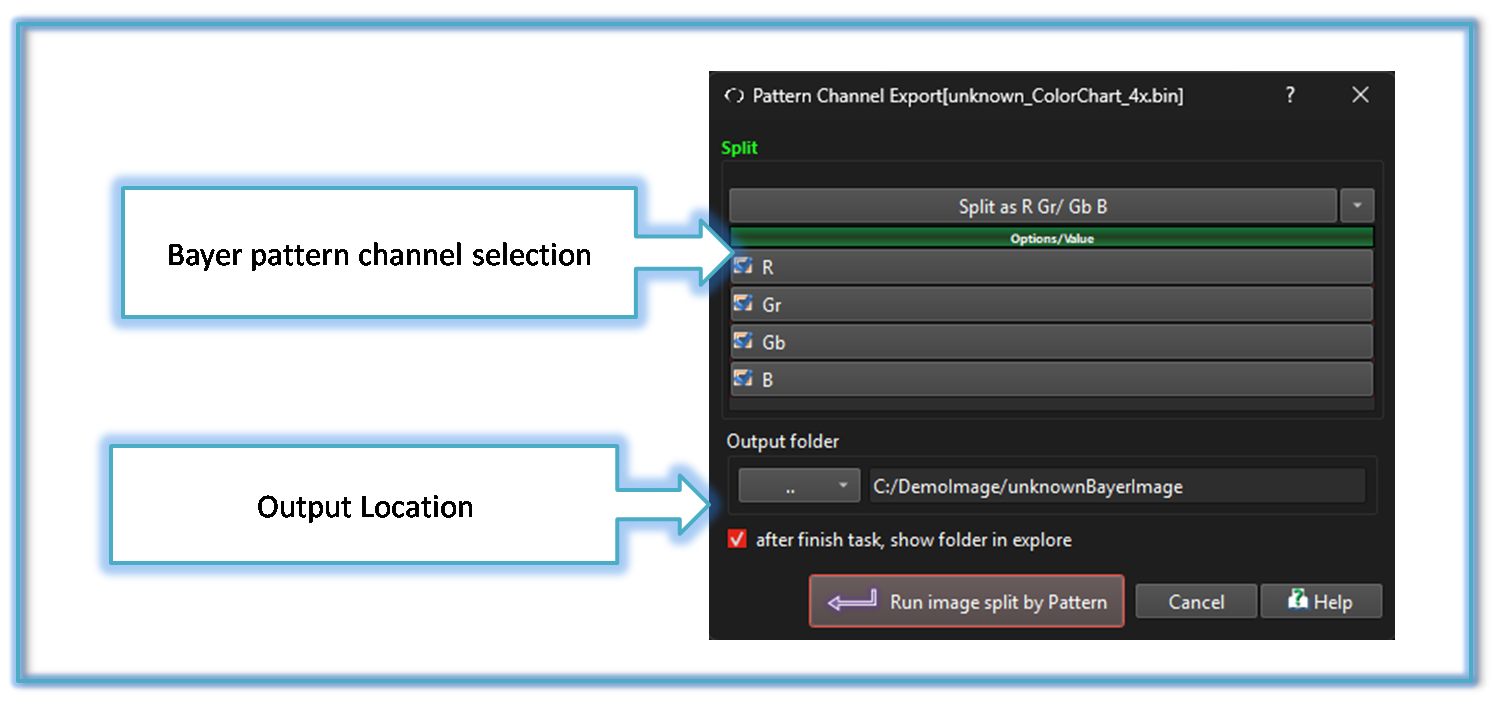

Below demo demonstrates Pattern_Split
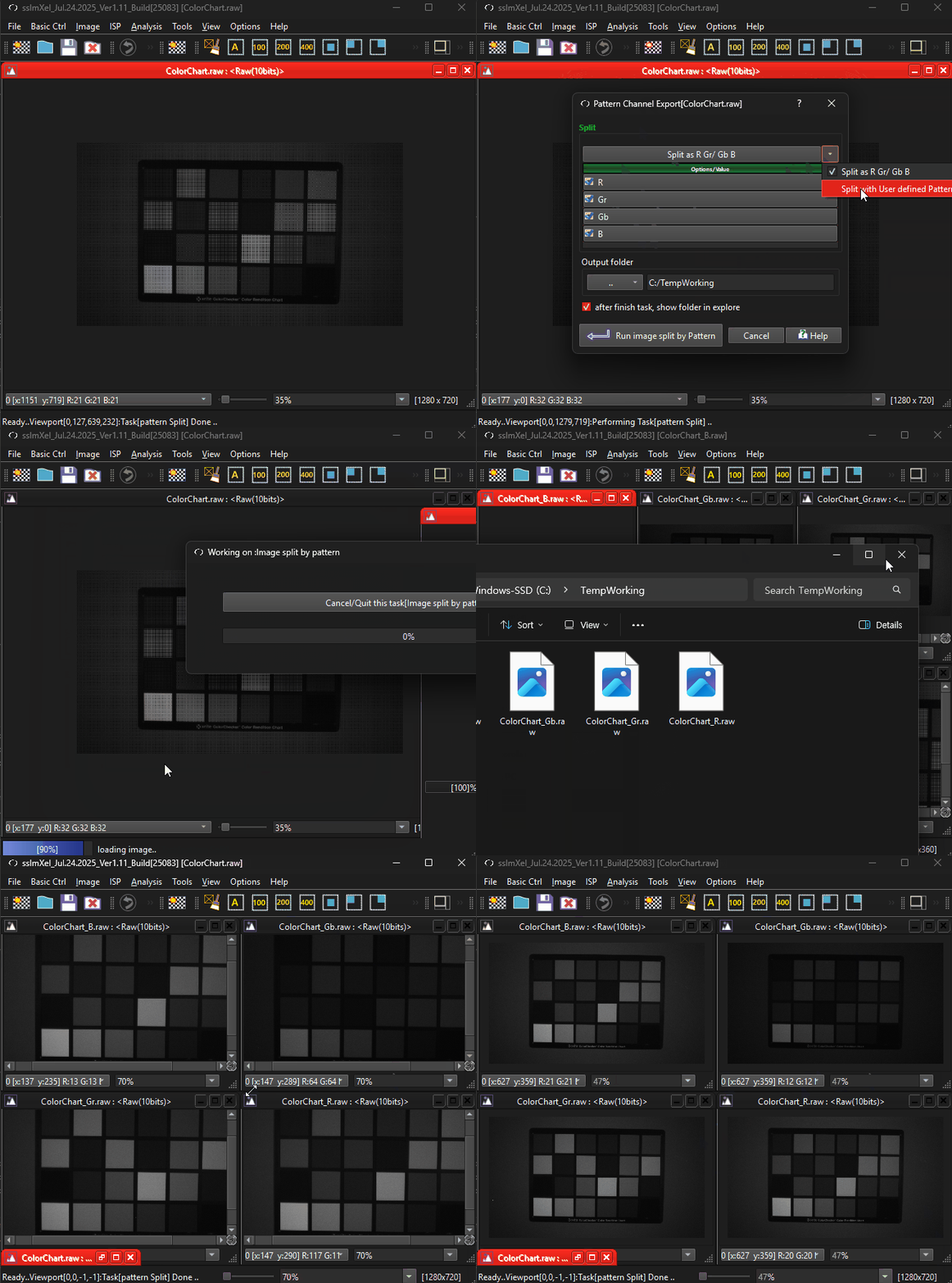 .
.