H/V(Horizonatl/Vertical) Split
-> go to [Split Overview]

Users can split image any horizontal and vertical size
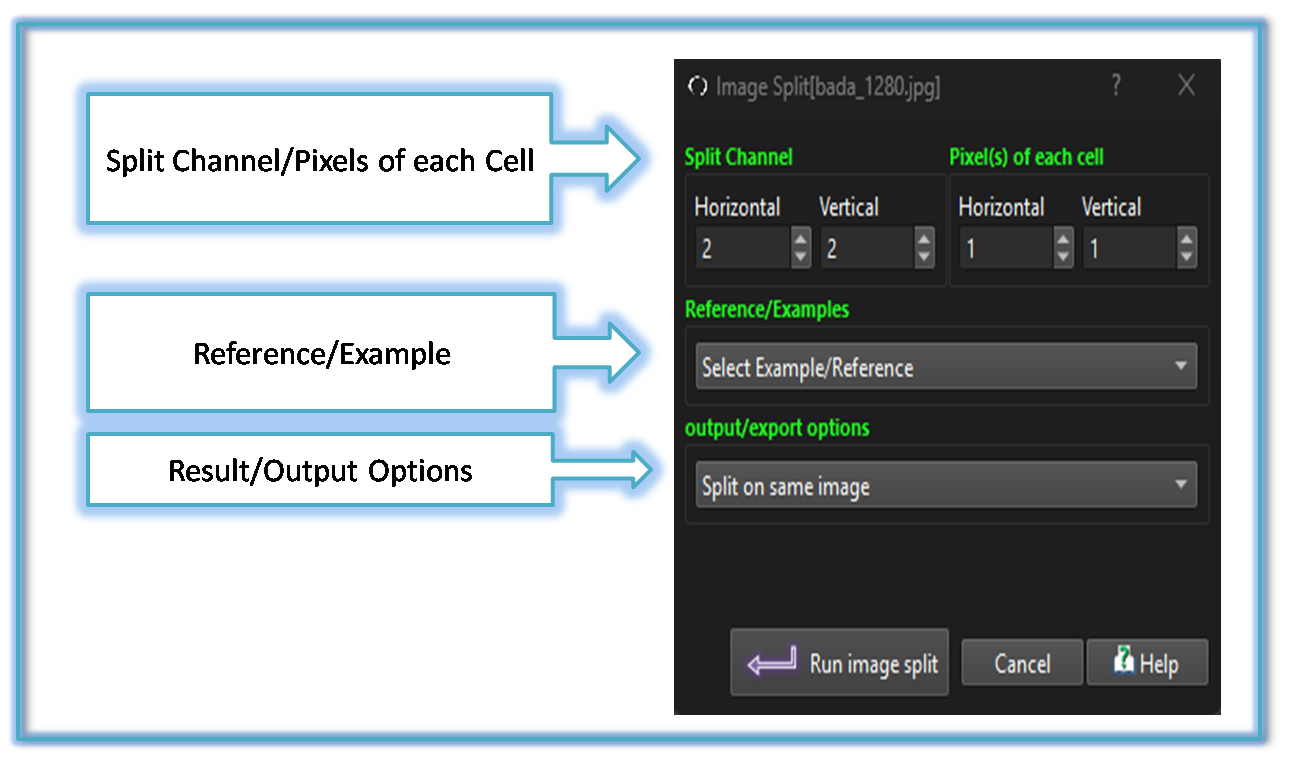
Split Channel/Pixels of each Cell
Users can duplicate and split images into a grid using this function Users can input desired number of columns (Horizontal) and rows (Vertical) for the grid
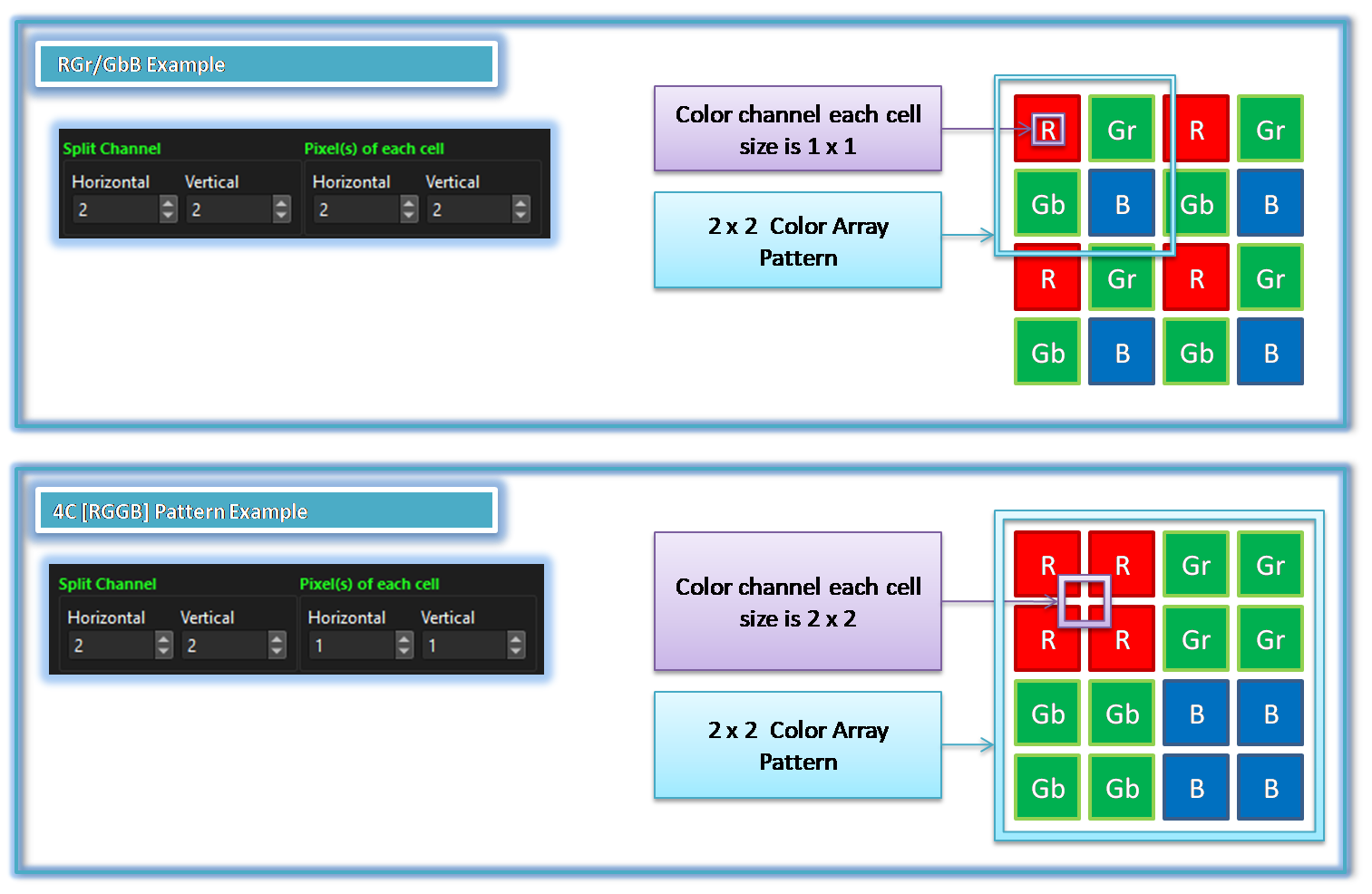
Below show example for easy understanging to input Split Channel and Pixels of each Cell
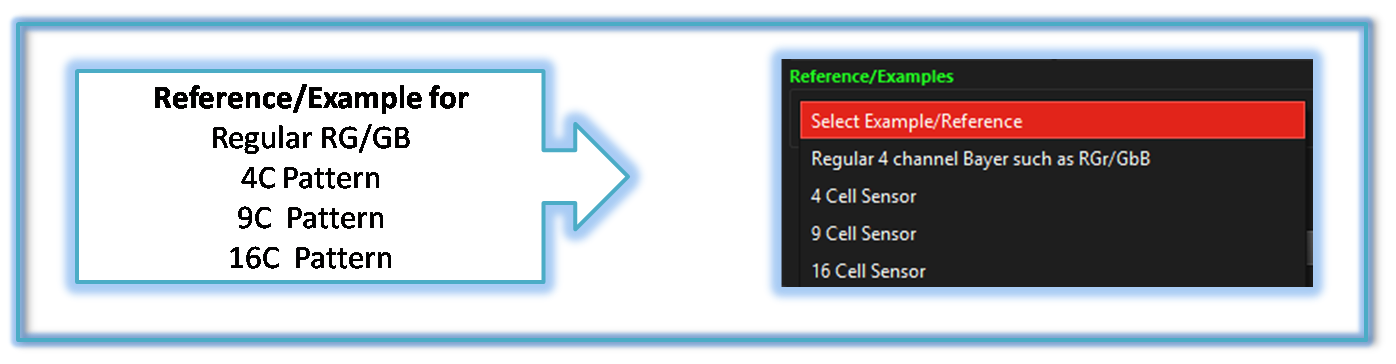
Select Example/Reference
Users can choose from a list of templates to split images for commonly used Bayer pattern image
Output/Input
Users can choose to either: - Split images on the same window by selecting Split on same image - Save split images into separate files by selecting Split and save to separate files

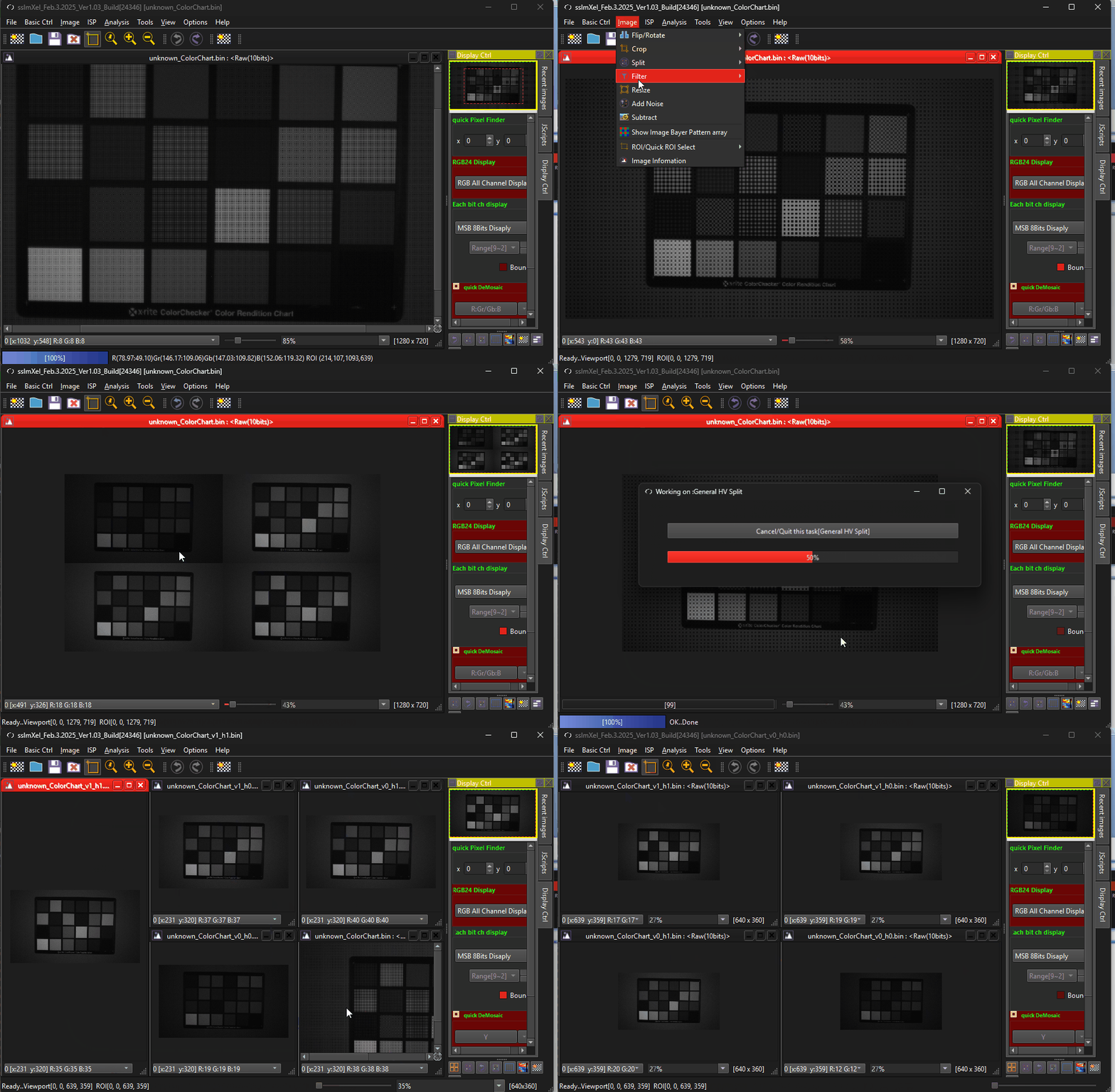
The GIF demo below demonstrates for HV Split
 .
.