Crop Full Control

explain explain explain explain explain

-
item 1 item 1
item 1 item 1
explain explain explain explain exlain
LinkExample
SSImXel also provide Lens Shading Analysis function.
-
item 1 item 1
item 1 item 1
explain explain explain explain exlain
LinkExample

ul style="padding-left: 36px;">

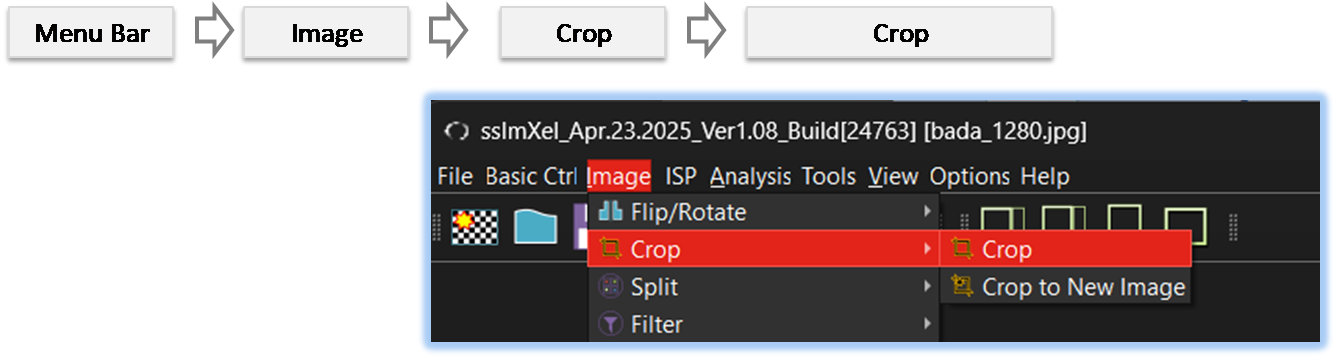
By selecting the menu options in the order shown in the image above or by choosing the toolbar icon
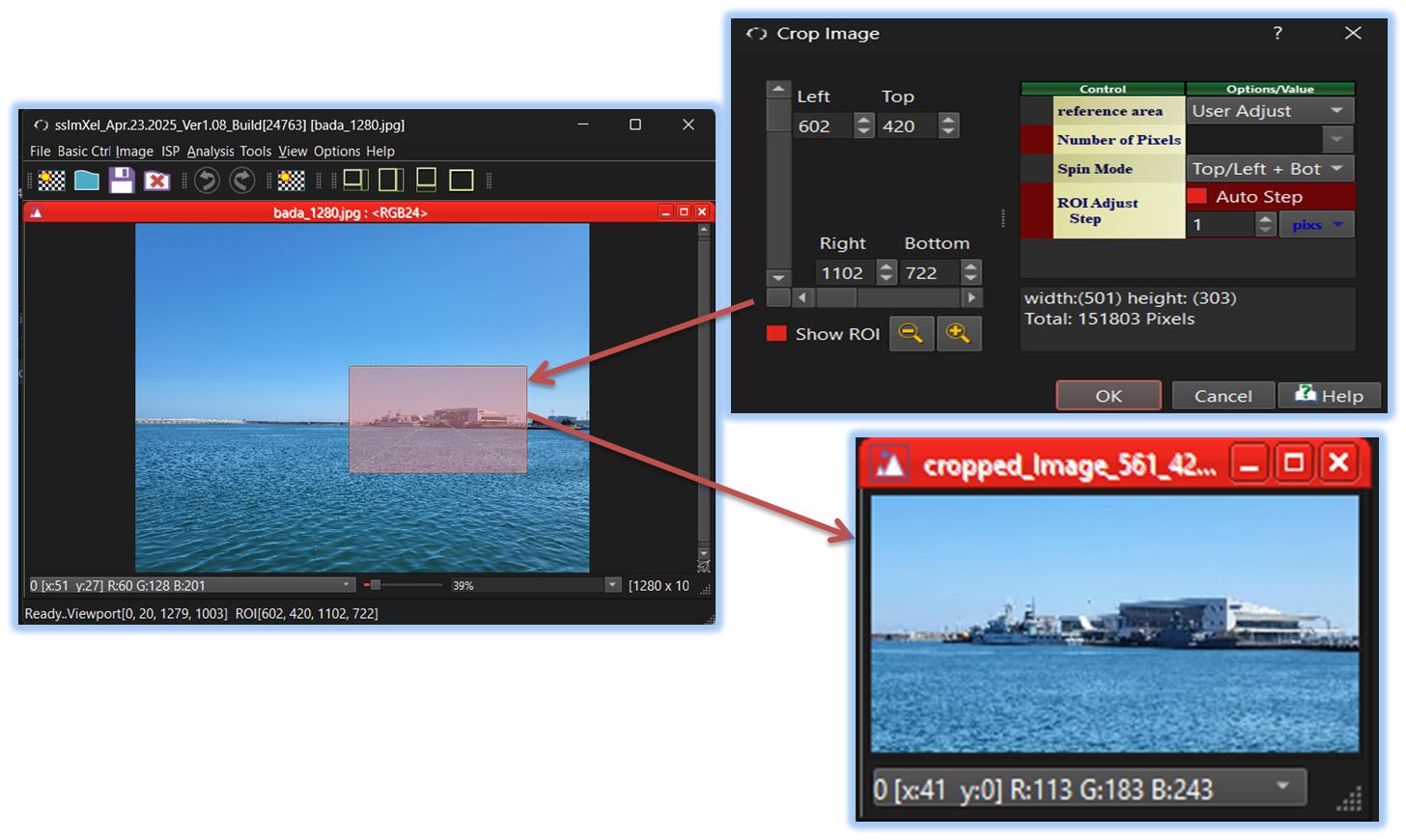
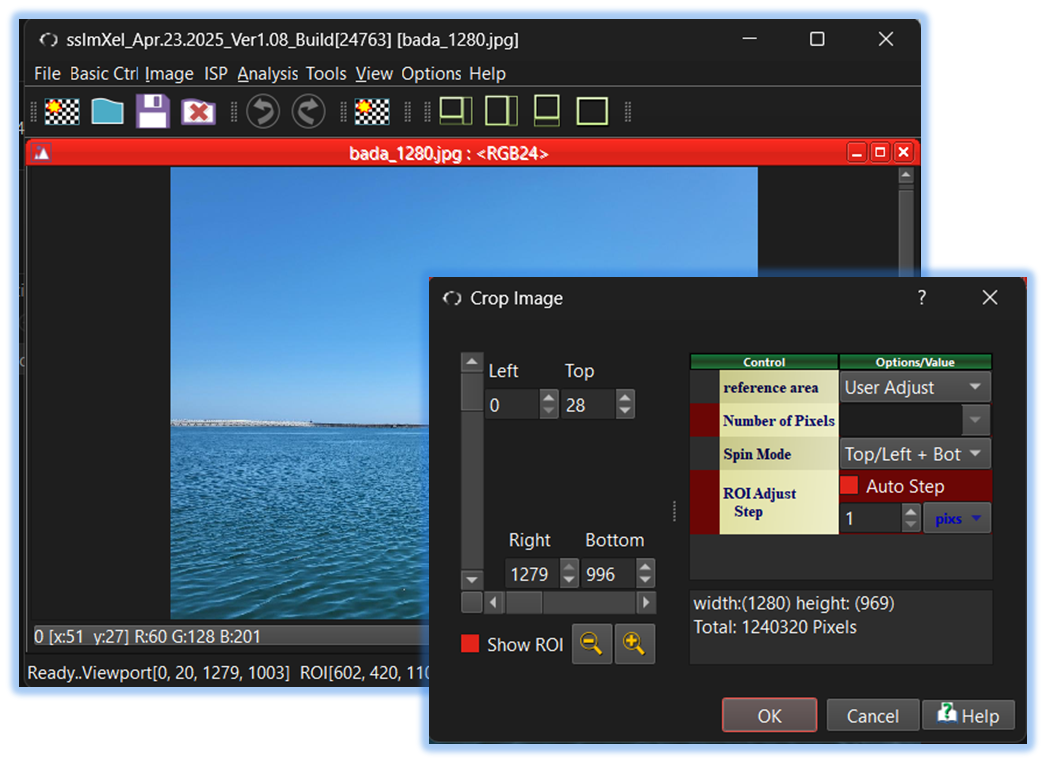
 , the Crop_Full dialog box will be showed up as shown in below picture.
For a more detailed explanation of the toolbar button or how to configure toolbar,please refer to configure toolbar
, the Crop_Full dialog box will be showed up as shown in below picture.
For a more detailed explanation of the toolbar button or how to configure toolbar,please refer to configure toolbar
n

-
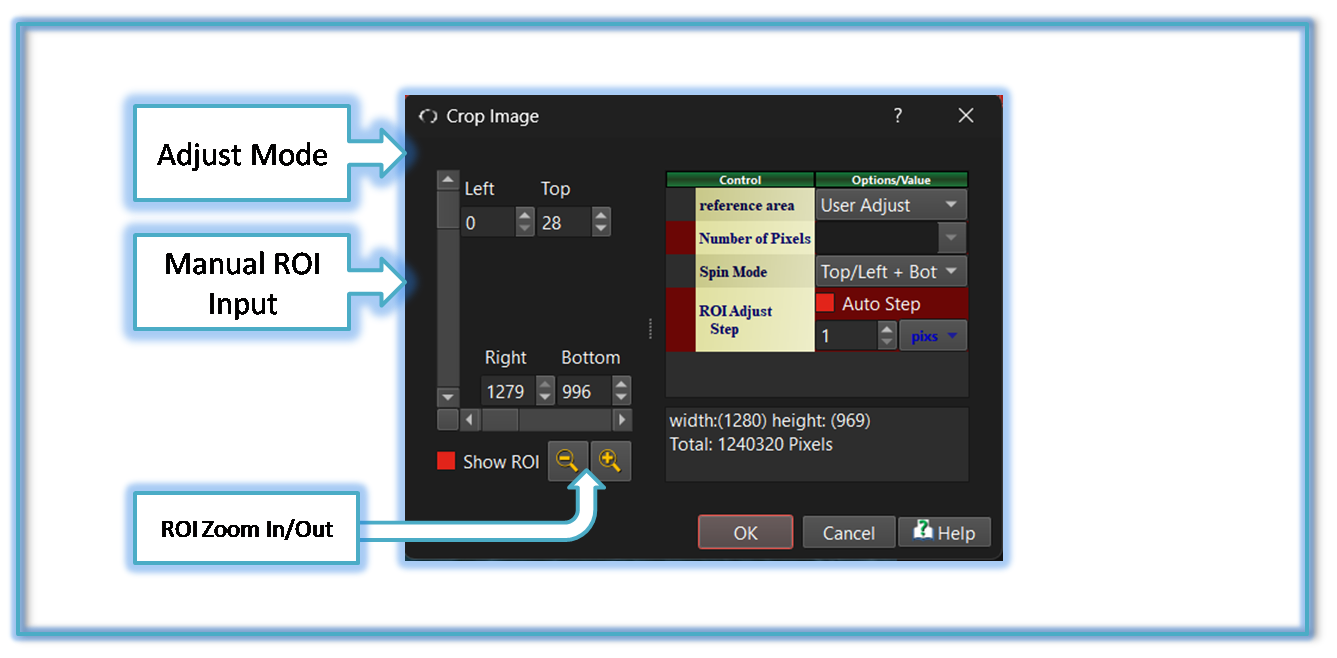
Adjust Mode
SSImXel provide several options for ROI Value adjust

-
Manual Adjust
Users can manually define and modify the ROI by adjusting it using direct input.
-
ROI Update with Viewport Change
The ROI dynamically updates as the viewport changes, ensuring that the selected region aligns with the user's current view..
-
ROI Update with ROI Band
Users can define and modify the ROI by selecting or adjusting it using ROI Band with mouse control,This provides precise control over the selected region..
-
ROI Update with Viewport Change + ROI Band
Combines both viewport-based updates and ROI band adjustments, ensuring that the selected region adapts to both user view changes and predefined constraints. This provides a balance between dynamic adjustment and structured selection.
-
Manual Adjust
-
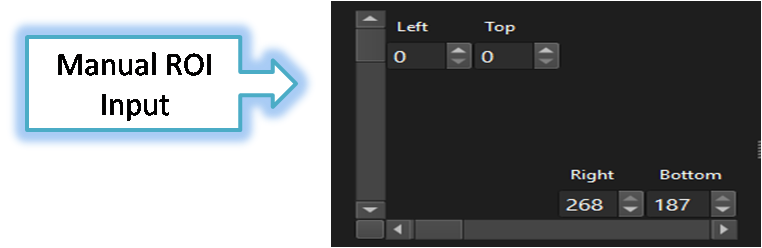
Manual ROI Input
Users can manually input the ROI value using the control options below.
-
ROI Zoom In/Out
Users can easily increase or decrease the ROI size using this control.

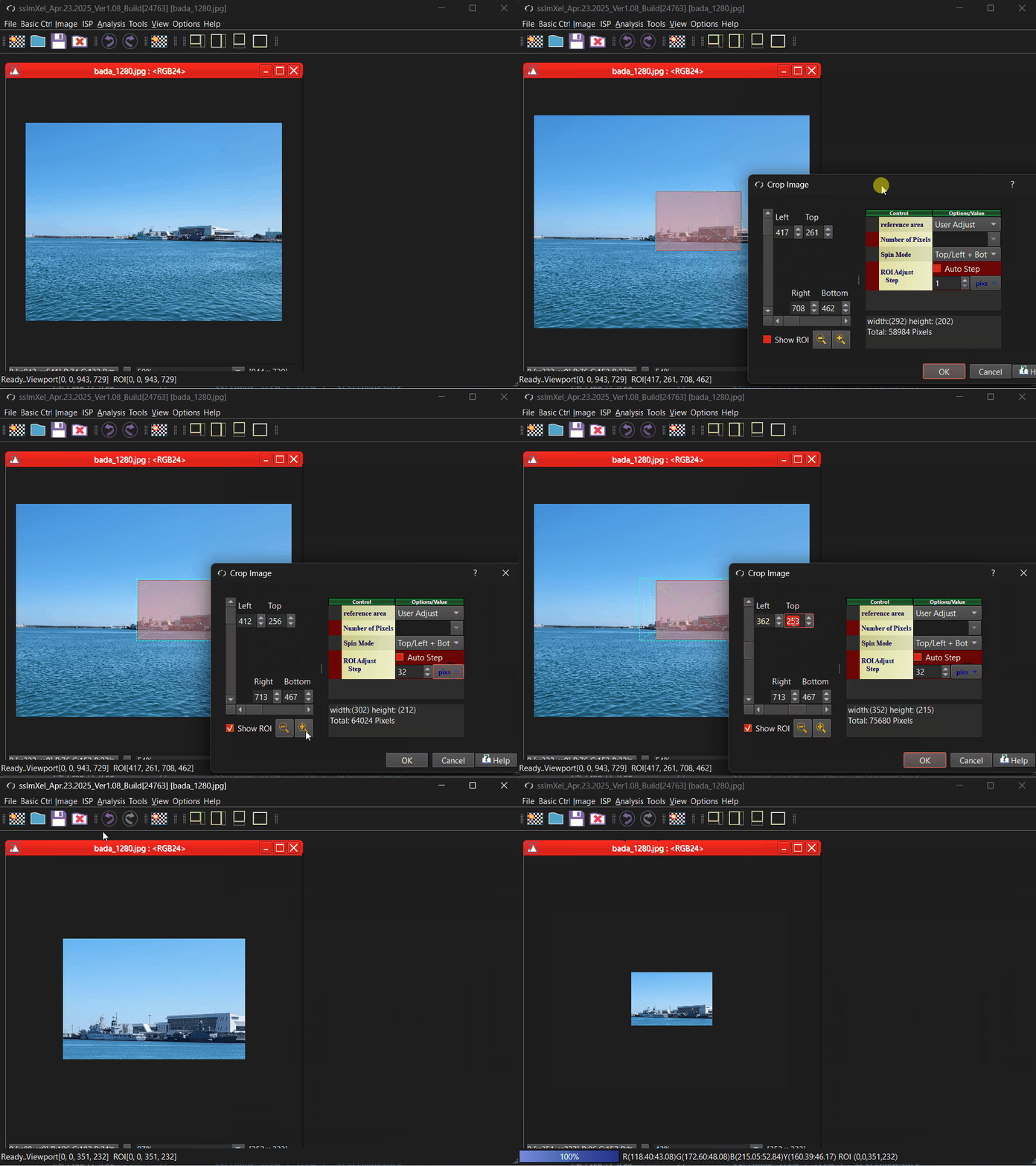
Below demo demonstrates Crop_Full
 .
.