
SSImXel provides the capability to create new images at any resolution using built-in template patterns such as ramp, zone plate, black-and-white checker, color bar, and color chart.
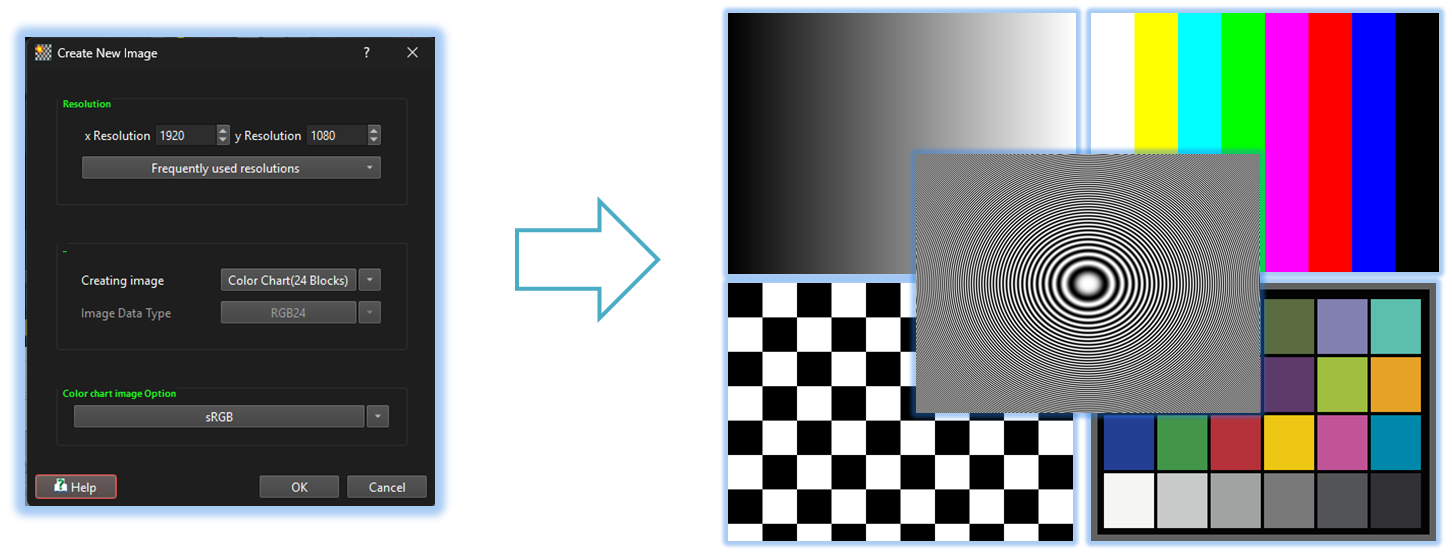

- [New Top Menu] (Parent Menu)

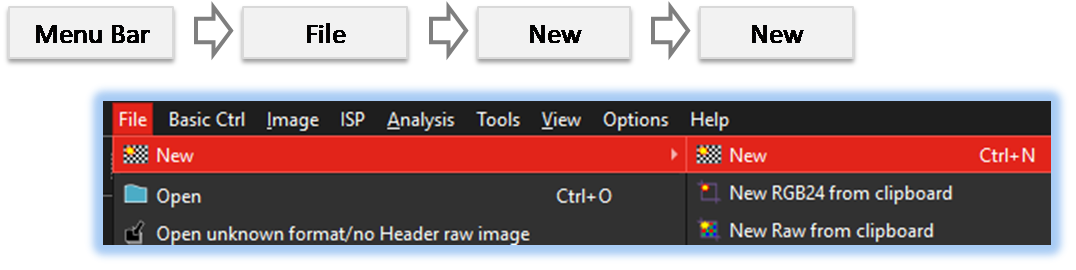
By selecting the menu options in the order shown in the image above or by choosing the toolbar icon
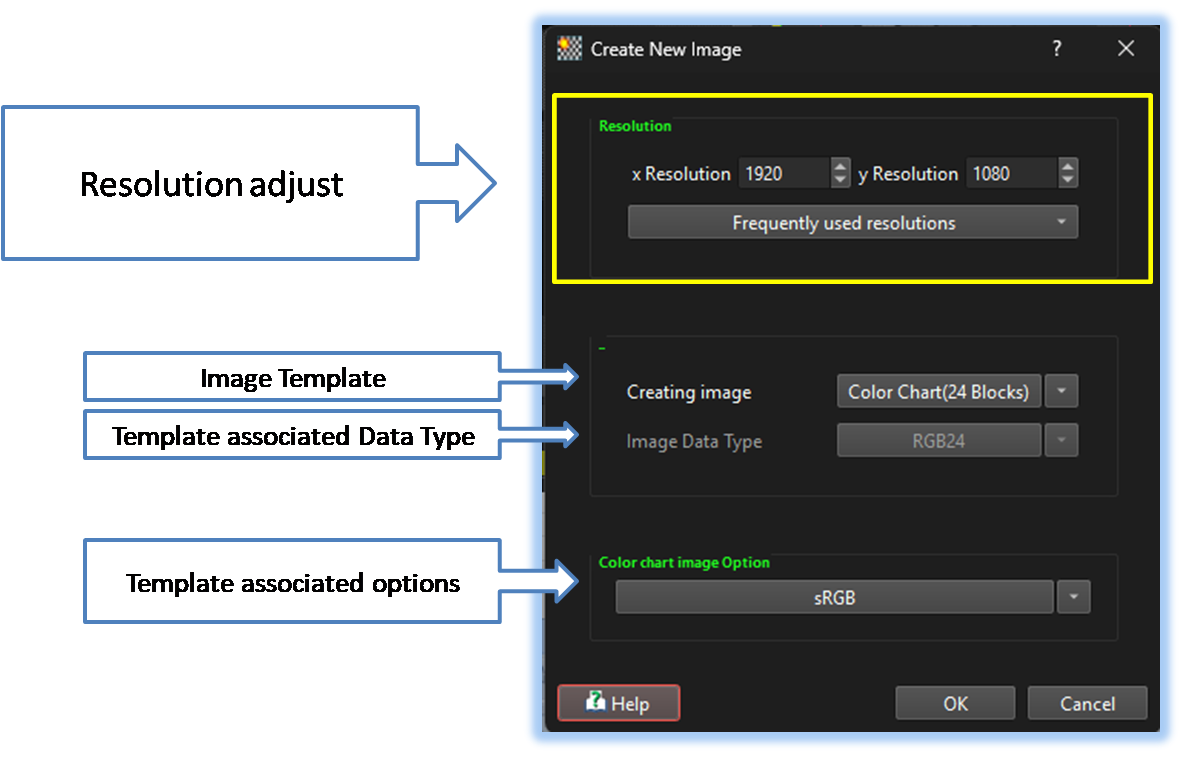
 , the New dialog box will be showed up as shown in below picture.
For a more detailed explanation of the toolbar button or how to configure toolbar,please refer to configure toolbar
, the New dialog box will be showed up as shown in below picture.
For a more detailed explanation of the toolbar button or how to configure toolbar,please refer to configure toolbar 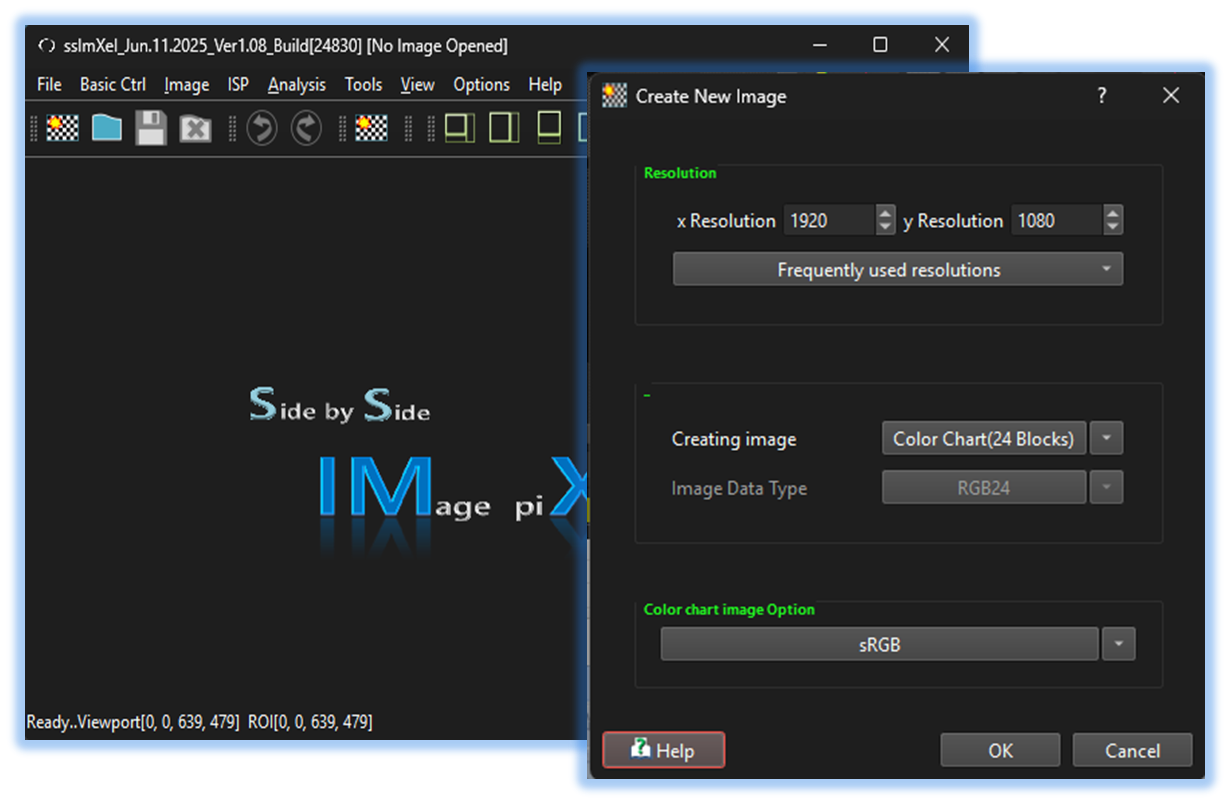

-
Resolution
Sets pixel resolution for the created image, either from user-inputted values or frequently used resolutions -
Image Template
List of built-in templates for image generation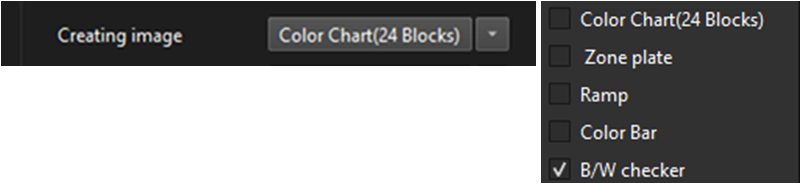
-
Image Data Type
Allows the user to select a Data Type (RGB24, Y, or Bayer raw) when creating an image. -
Template associated options
Additional options are available for individual image types
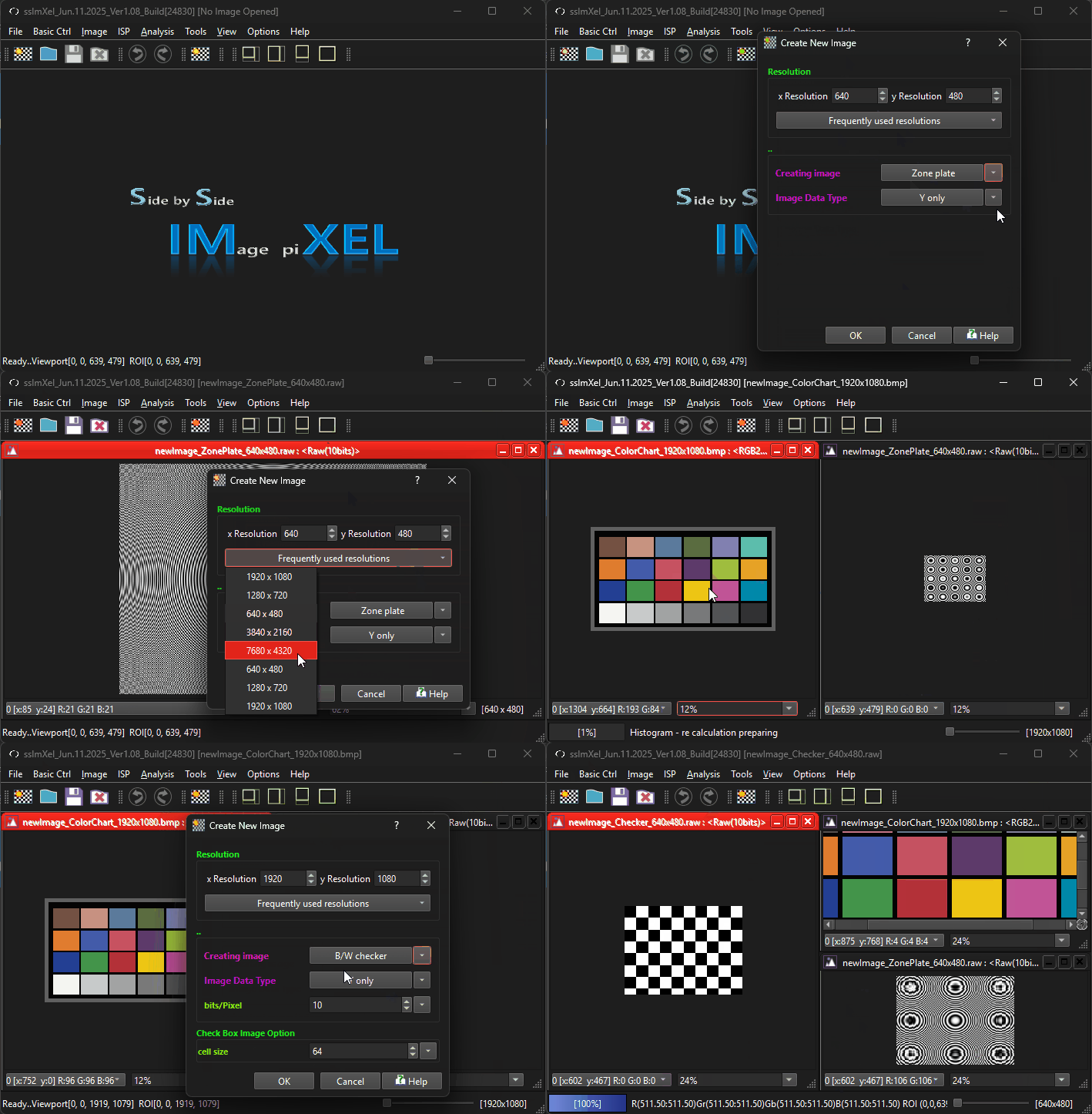
After creation, images will be automatically placed into the worktable

Below demo demonstrates New
 .
.