Multi_Sum
-> go to [Import_Main]

This function generates a single composite image by summing the corresponding pixel values across multiple input images. For each pixel position, the values from all images are added together, resulting in an output image where each pixel reflects the total accumulated intensity from the entire set.
This is particularly useful when working in conjunction with other image tools that do not support floating-point pixel values.
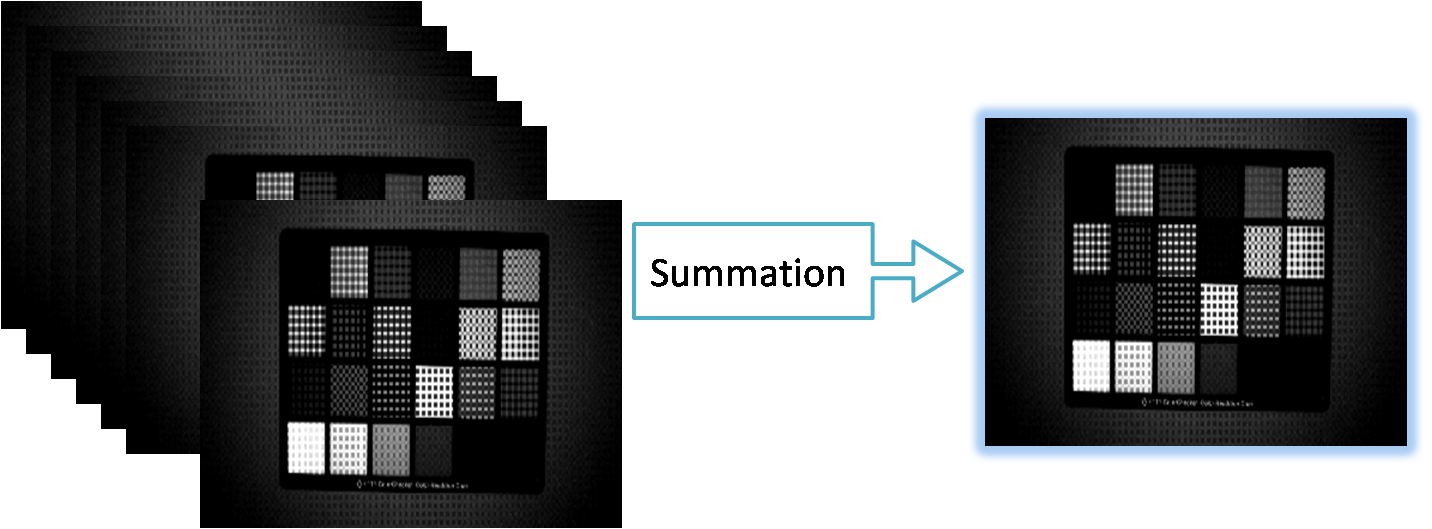

- xxxxxx
- Import Multiple Image as Average
- Import_Main (Parent Menu)

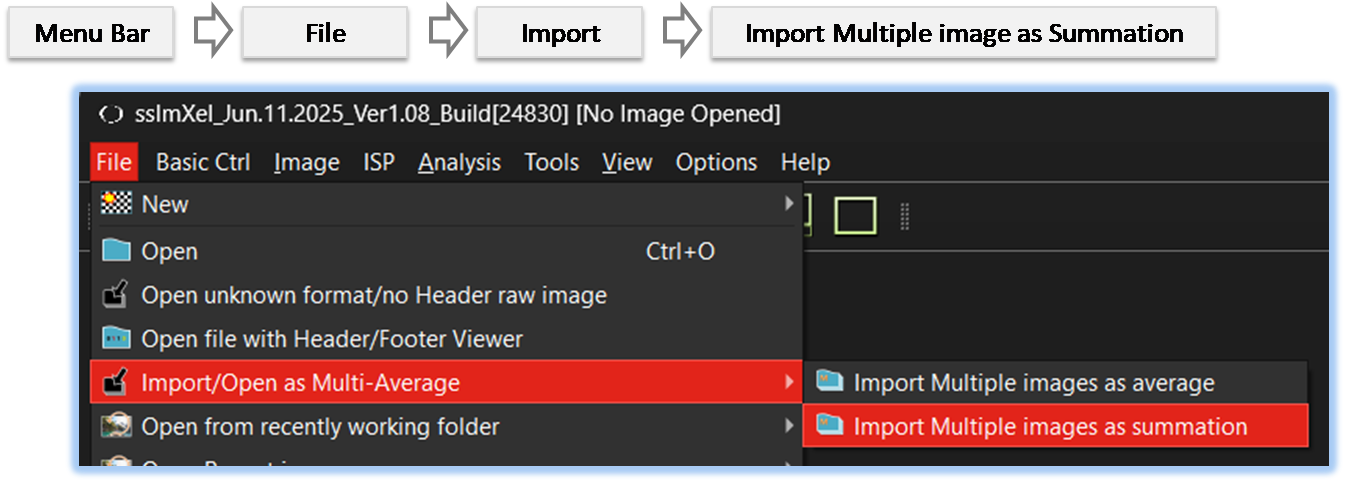
By selecting the menu options in the order shown in the image above or by choosing the toolbar icon
 , the Multi_Sum dialog box will be showed up as shown in below picture.
For a more detailed explanation of the toolbar button or how to configure toolbar,please refer to configure toolbar
, the Multi_Sum dialog box will be showed up as shown in below picture.
For a more detailed explanation of the toolbar button or how to configure toolbar,please refer to configure toolbar 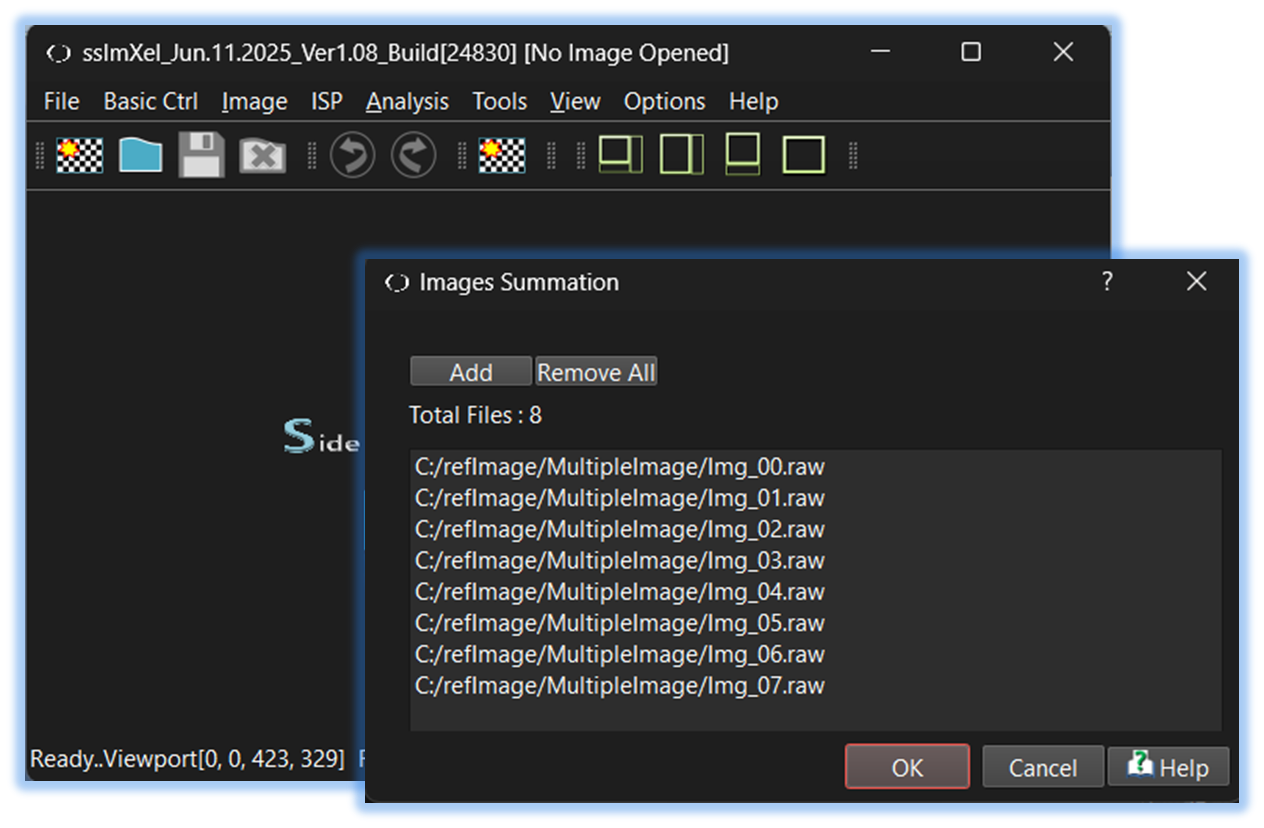

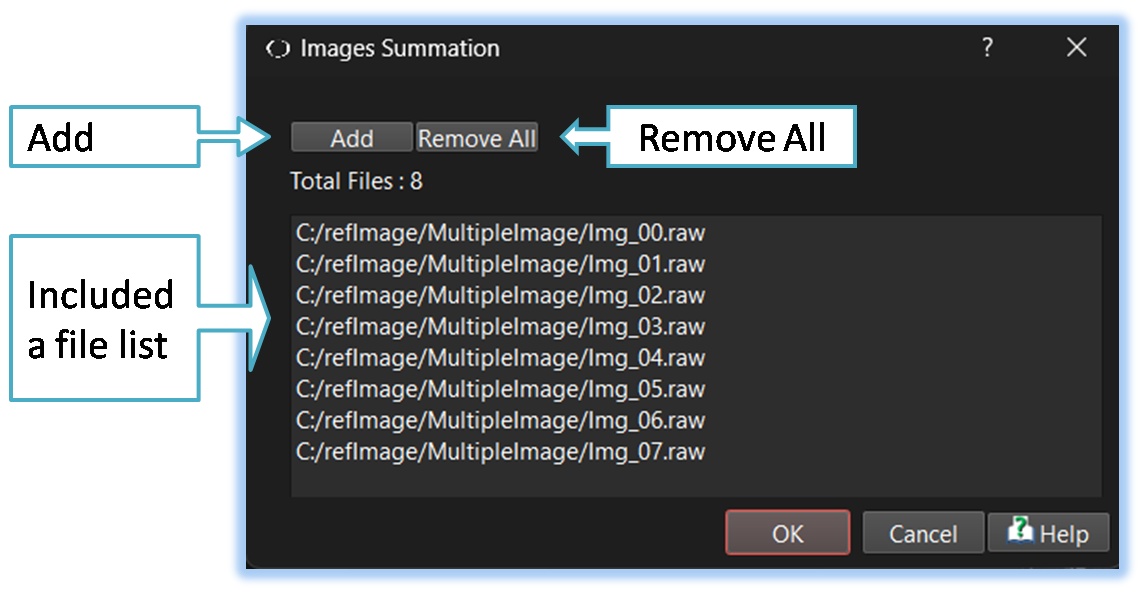

Below demo demonstrates Multi_Sum
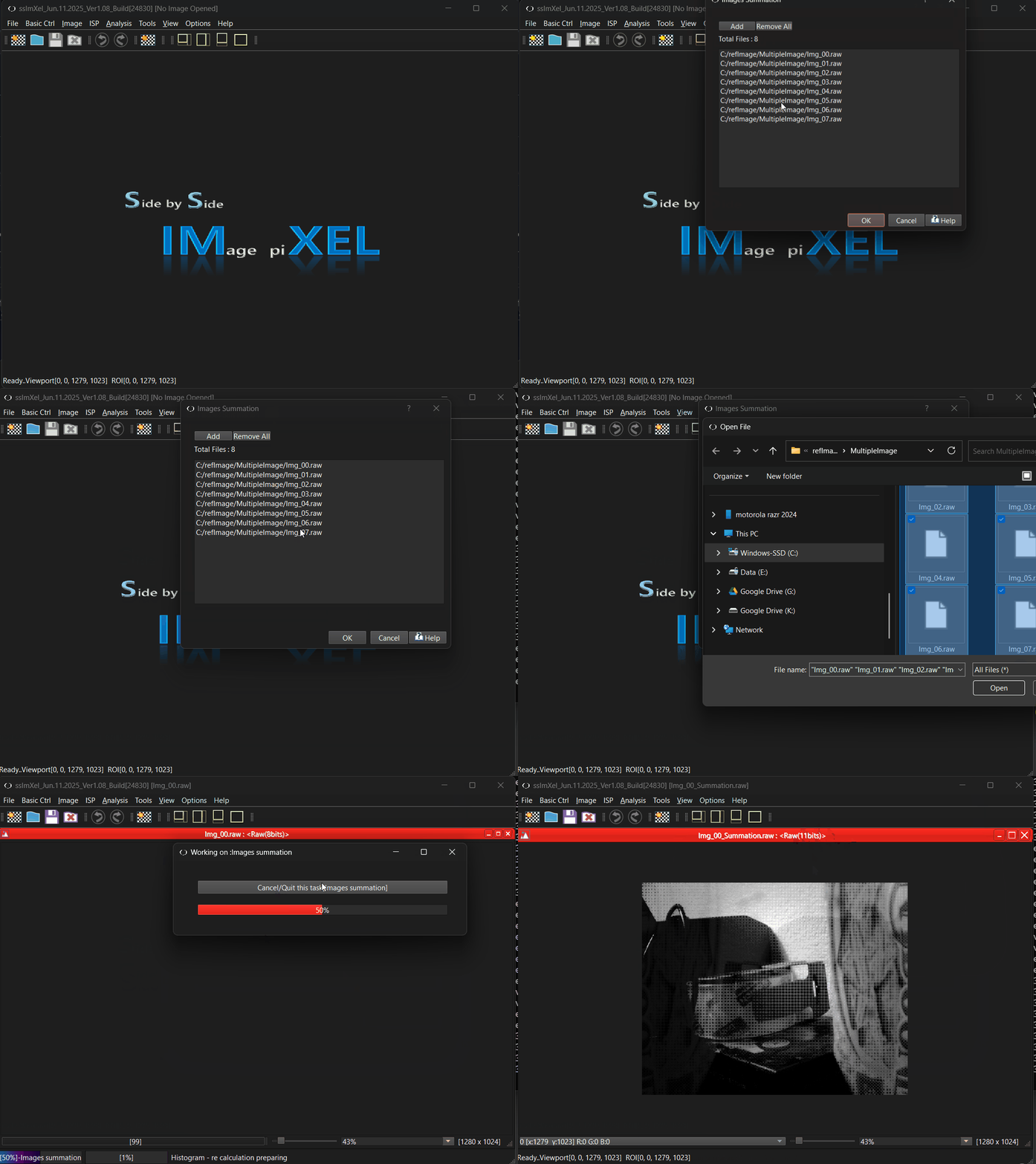 .
.