Multi_Avr
-> go to [Import_Main]

This function combines multiple images by calculating the average value of each corresponding pixel across all input images, resulting in a single composite image that represents the mean pixel intensity at every location.
In particular, this tool supports processing, analyzing, saving, and loading individual pixel values as floating-point data.
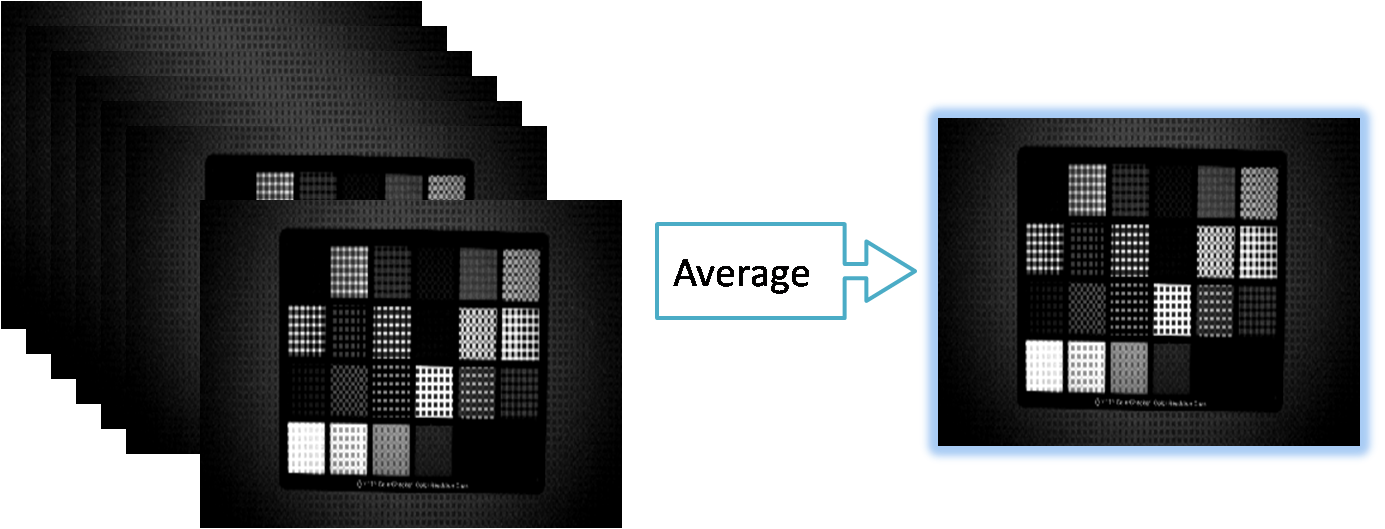

- xxxxxx
- Import Multiple Image as Summation
- Import_Main (Parent Menu)

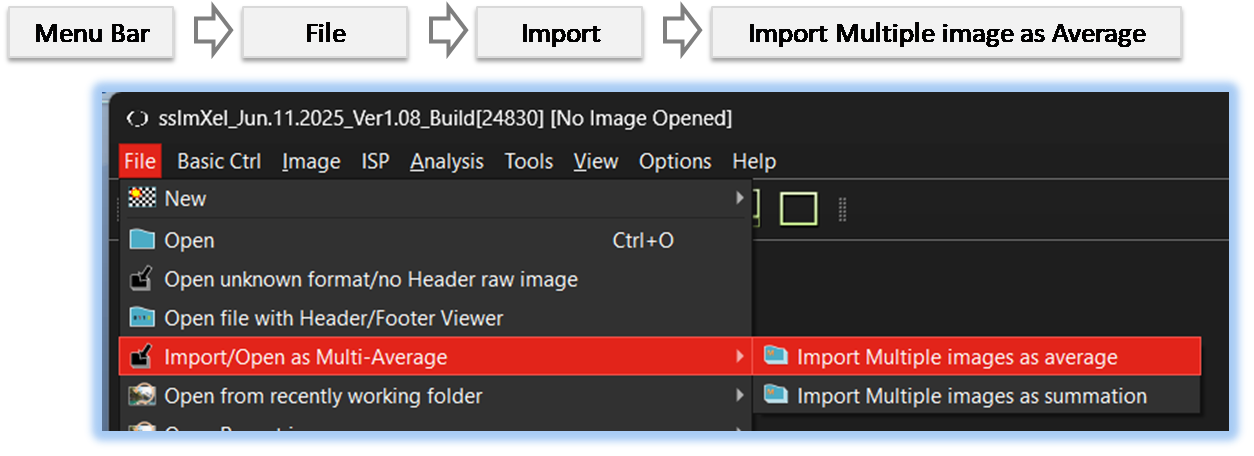
By selecting the menu options in the order shown in the image above or by choosing the toolbar icon
 , the Multi_Avr dialog box will be showed up as shown in below picture.
For a more detailed explanation of the toolbar button or how to configure toolbar,please refer to configure toolbar
, the Multi_Avr dialog box will be showed up as shown in below picture.
For a more detailed explanation of the toolbar button or how to configure toolbar,please refer to configure toolbar 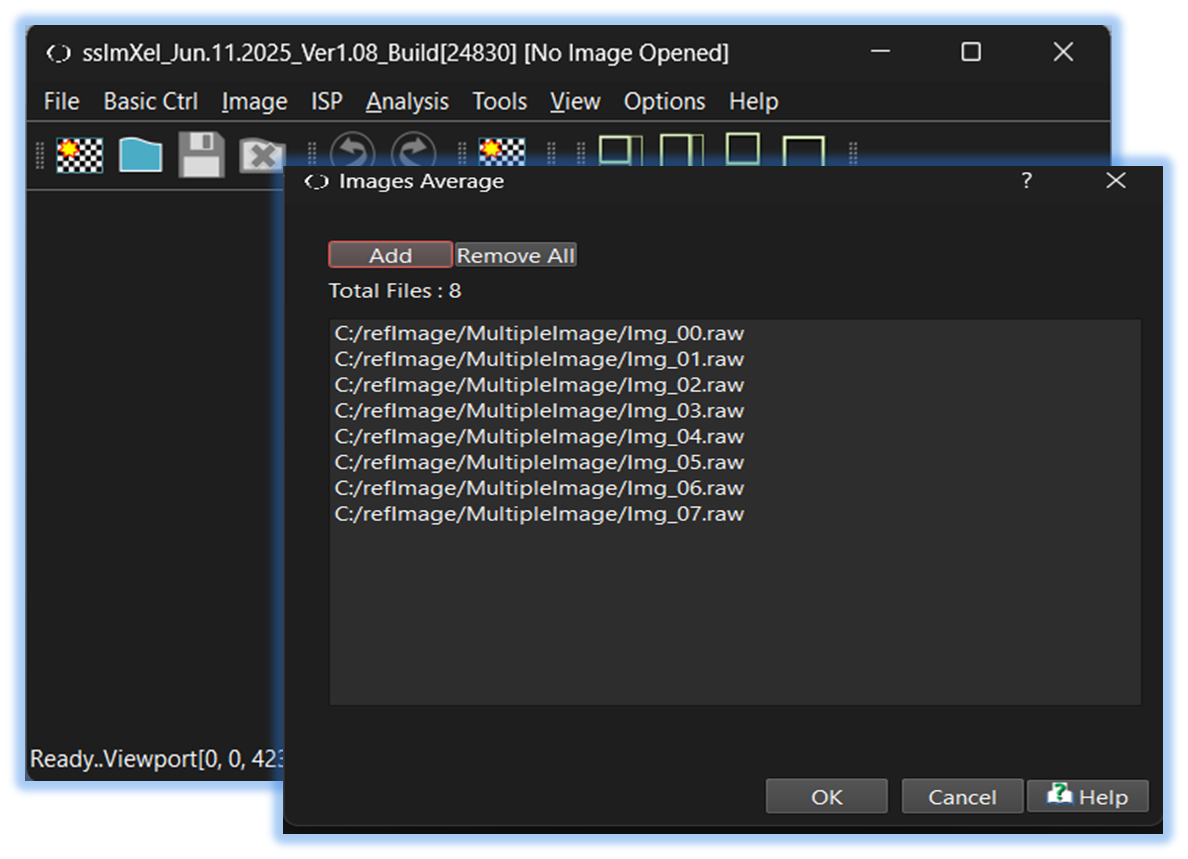

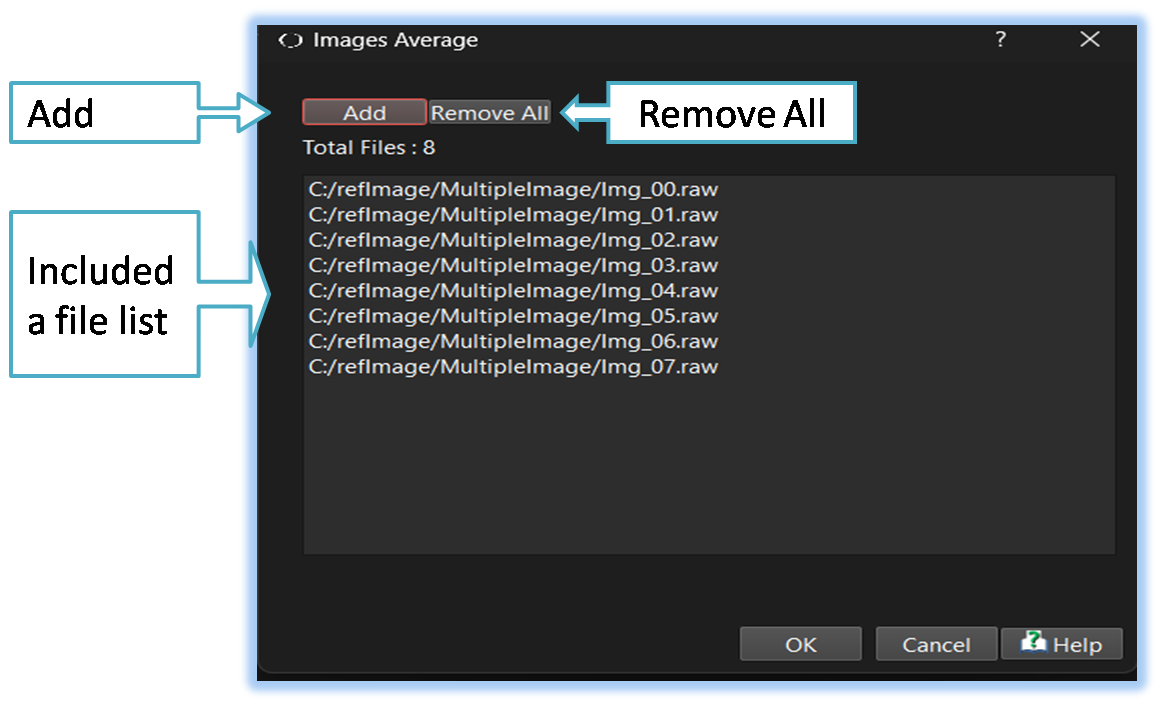

Below demo demonstrates Multi_Avr
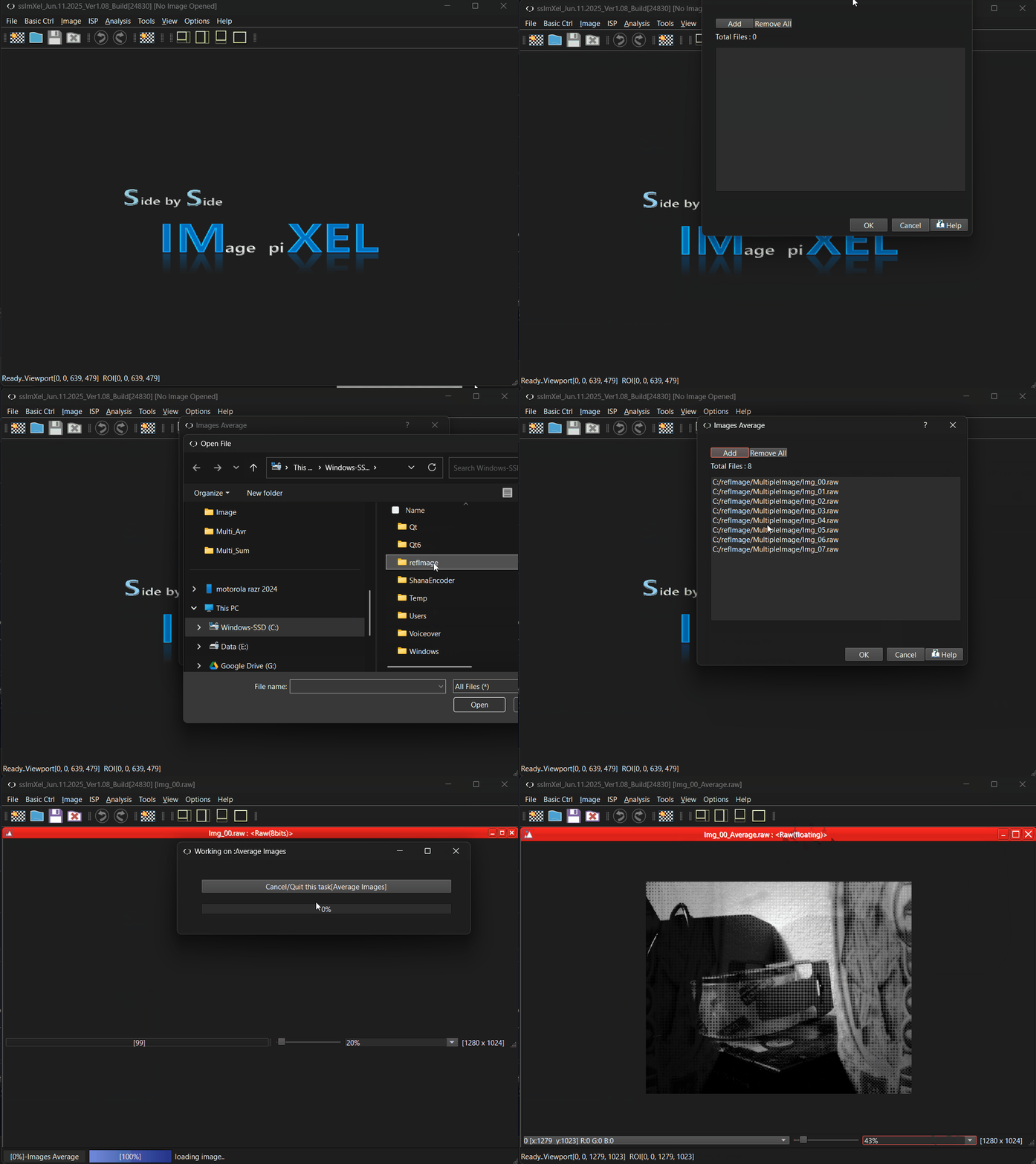 .
.