Line Profile - Docking on Image Viewer
-> go to [LineProfile_Top]

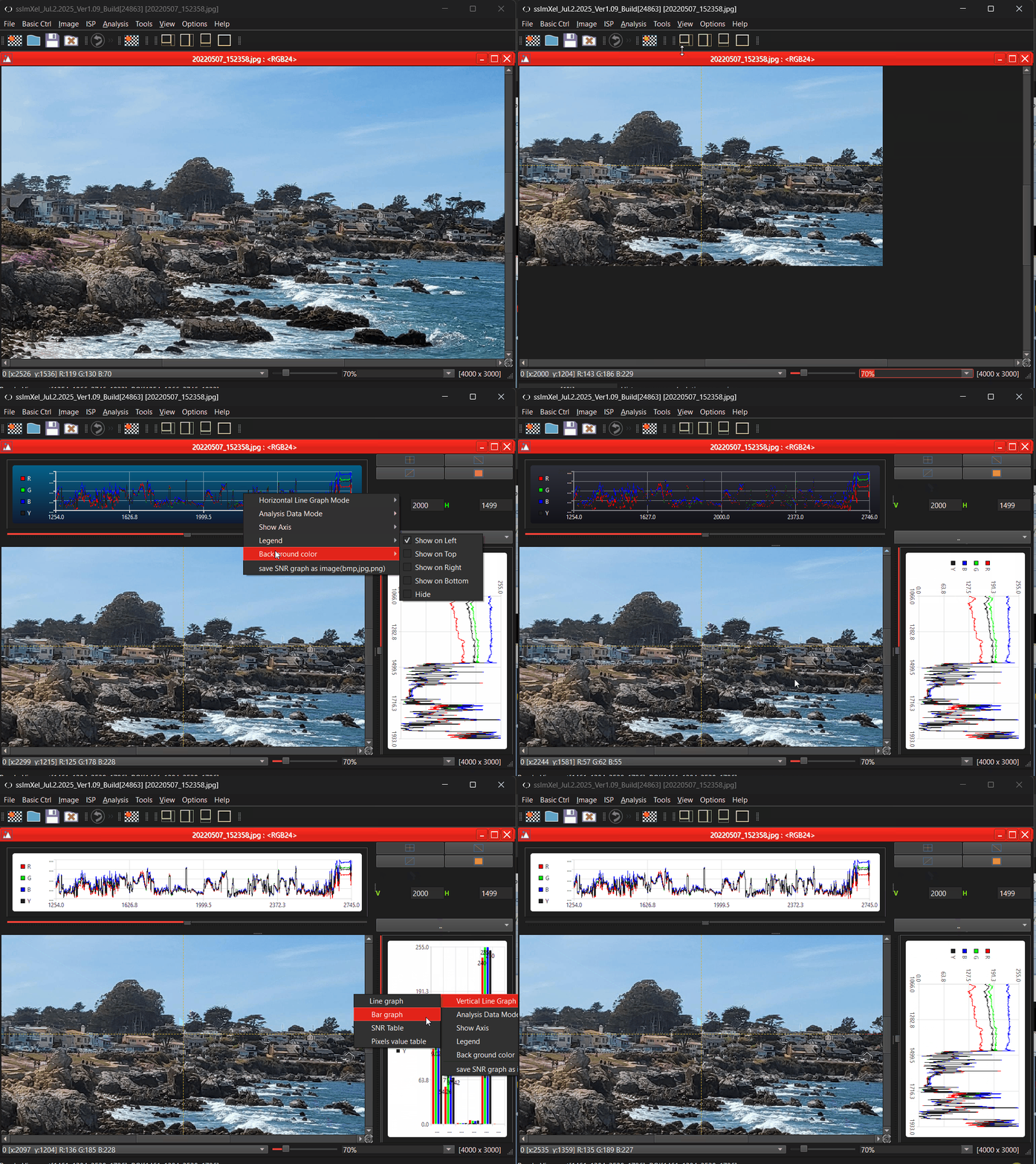
SSImXel provides simultaneous horizontal and vertical line profile visualizations directly attached to an image. As the image viewport changes-through panning, zooming, or scrolling-the tool dynamically updates the profile information based on the current viewport content.
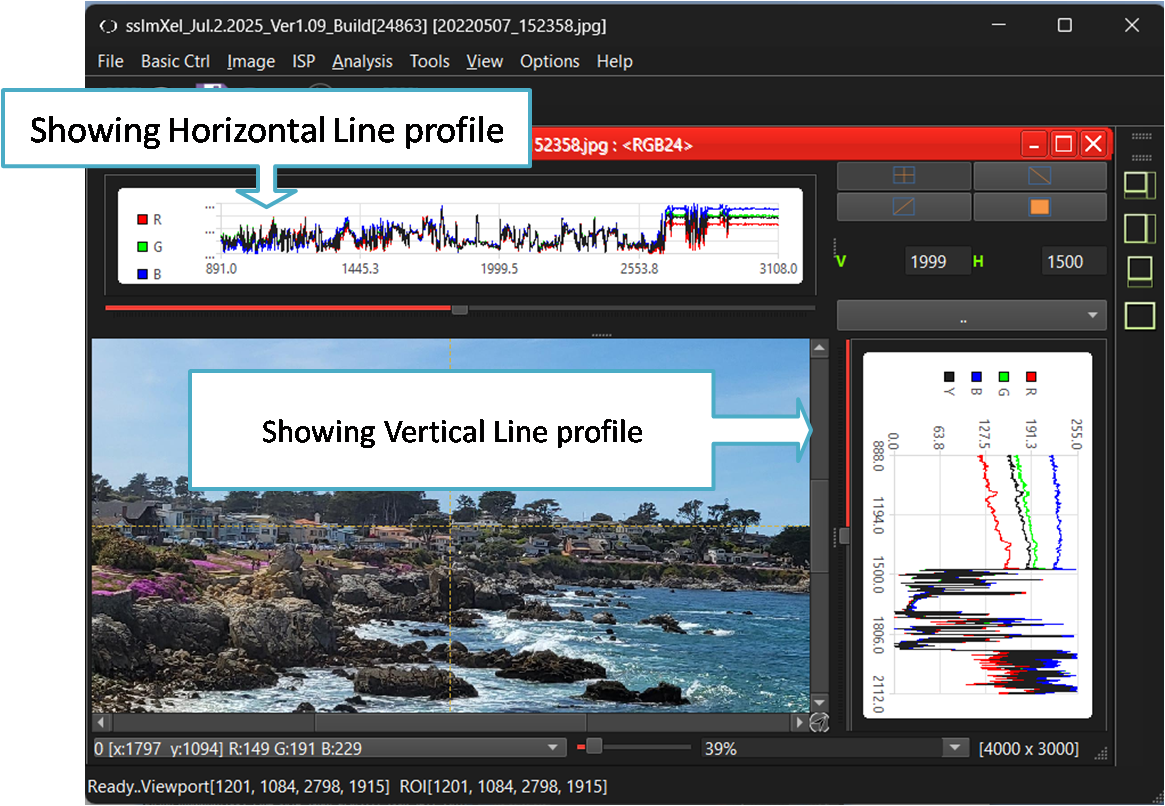

- LineProfile (Parent Menu)
- LineProfile - Horizontal
- LineProfile - Vertical

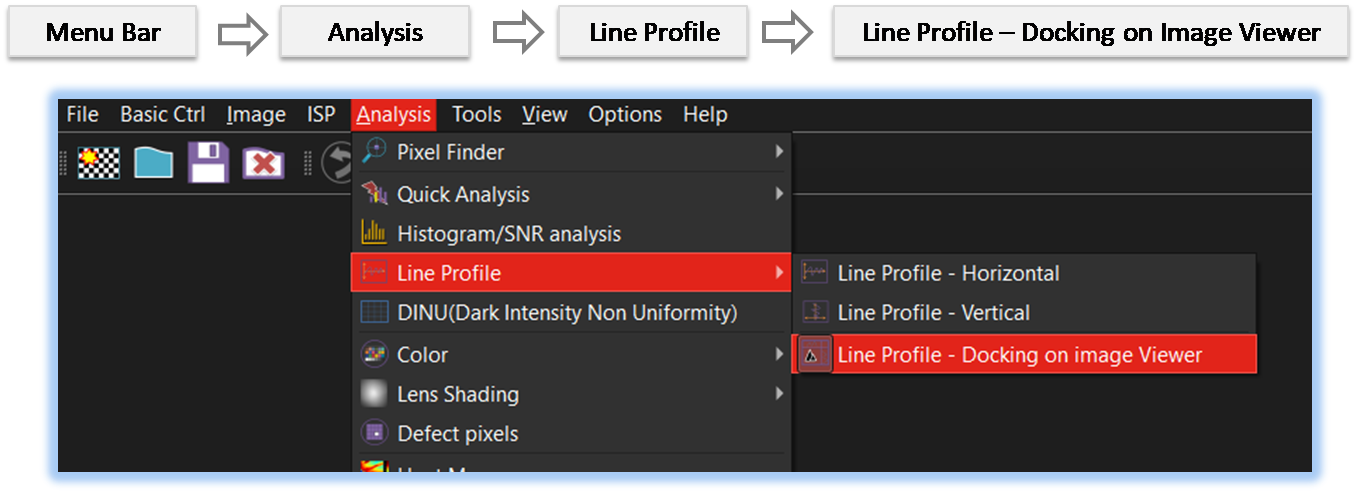
By selecting the menu options in the order shown in the image above or by choosing the toolbar icon
 , the LineProfile_Dock dialog box will be showed up as shown in below picture.
For a more detailed explanation of the toolbar button or how to configure toolbar,please refer to configure toolbar
, the LineProfile_Dock dialog box will be showed up as shown in below picture.
For a more detailed explanation of the toolbar button or how to configure toolbar,please refer to configure toolbar 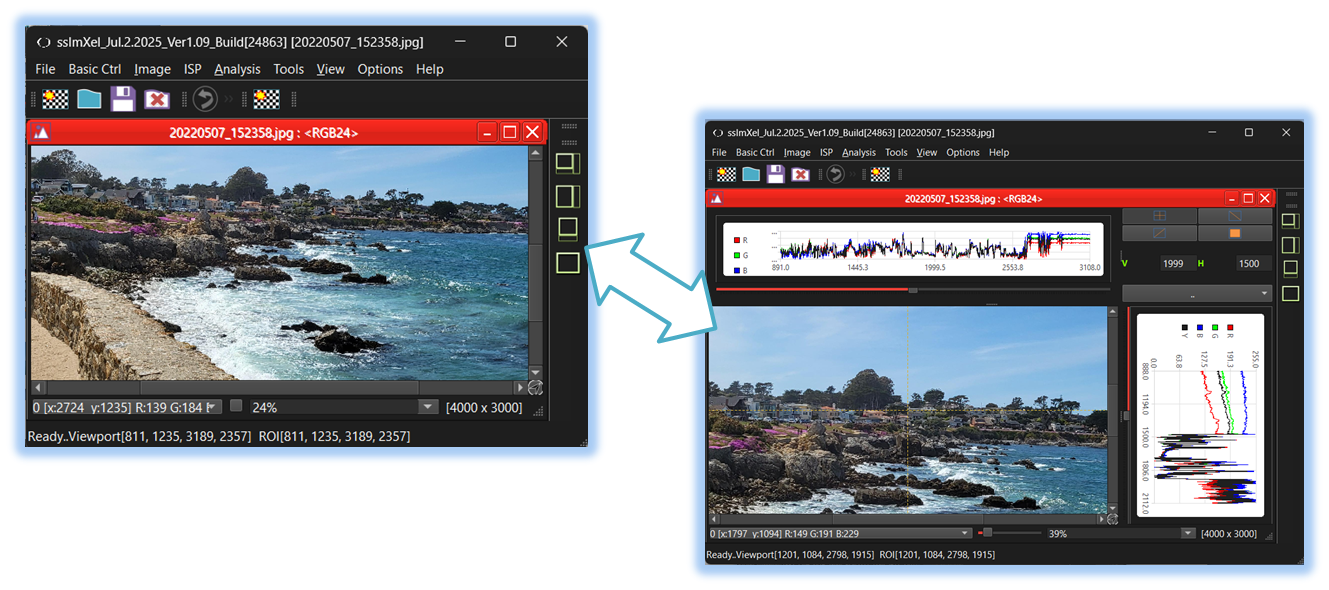


Below demo demonstrates LineProfile_Dock
 .
.