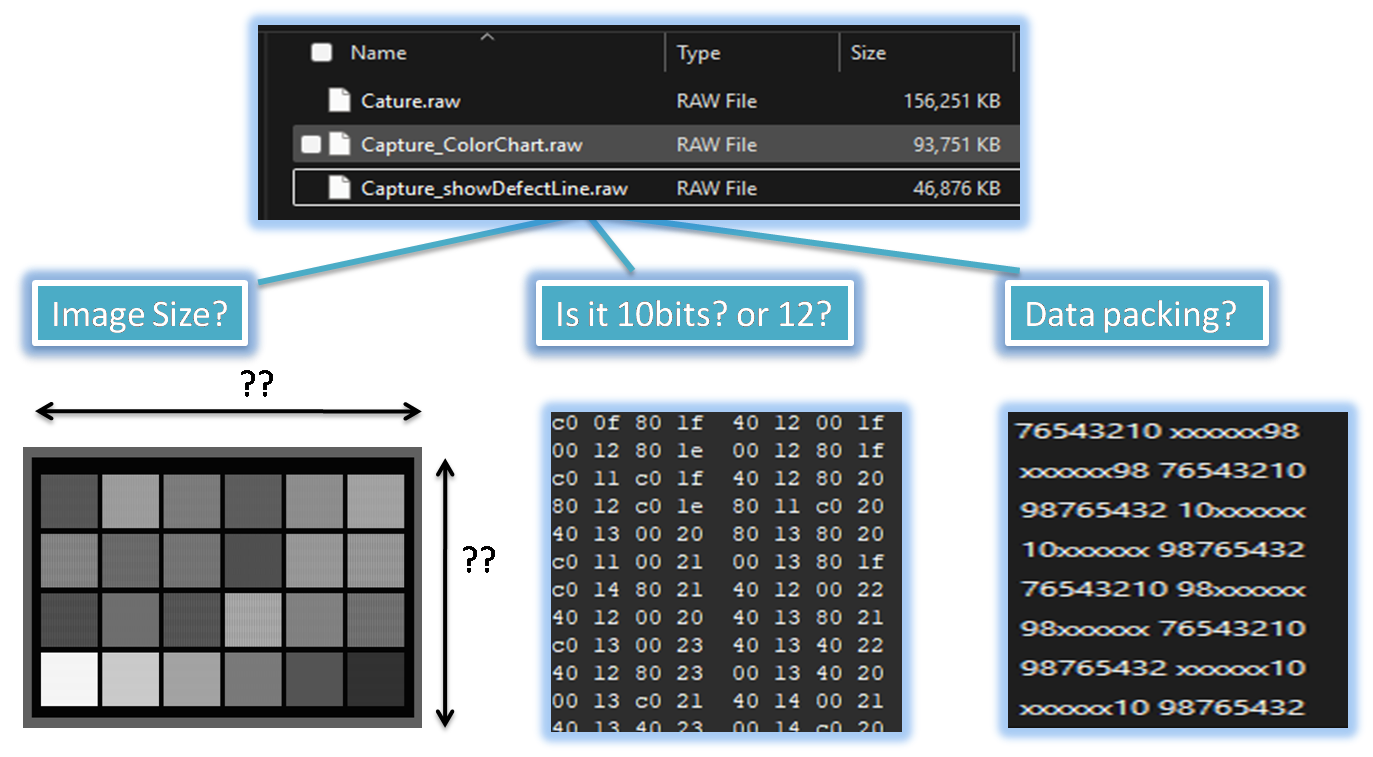
In many cases, because Bayer raw image data does not include headers or footers specifying width, height, or data bit packing,
users may encounter difficulties when trying to open headerless or unknown-format Bayer raw images using general Bayer image tools.
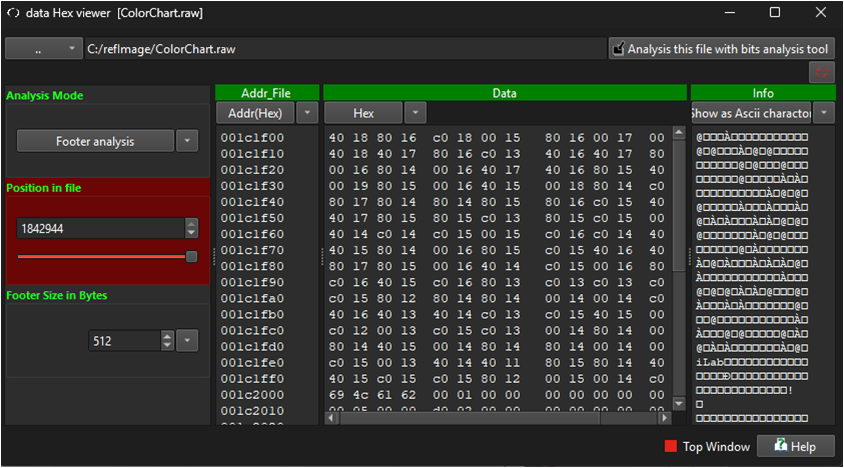
Even if the image includes a header or footer, if the header format is undisclosed or incompatible with general Bayer image tools,
it can become even more challenging to open the raw images. This is because the unknown size of the header or footer can make it
difficult to estimate the exact image size from the file size.
In many cases, because Bayer raw image data does not include headers or footers specifying width, height, or data bit packing,
users may encounter difficulties when trying to open headerless or unknown-format Bayer raw images using general Bayer image tools.
Even if the image includes a header or footer, if the header format is undisclosed or incompatible with general Bayer image tools,
it can become even more challenging to open the raw images. This is because the unknown size of the header or footer can make it
difficult to estimate the exact image size from the file size.
How SSImXel Helps You
-
User Input for Image Parameters
You can manually enter essential details like image size, pixel pattern (e.g., RGGB, BGGR), and bit depth. -
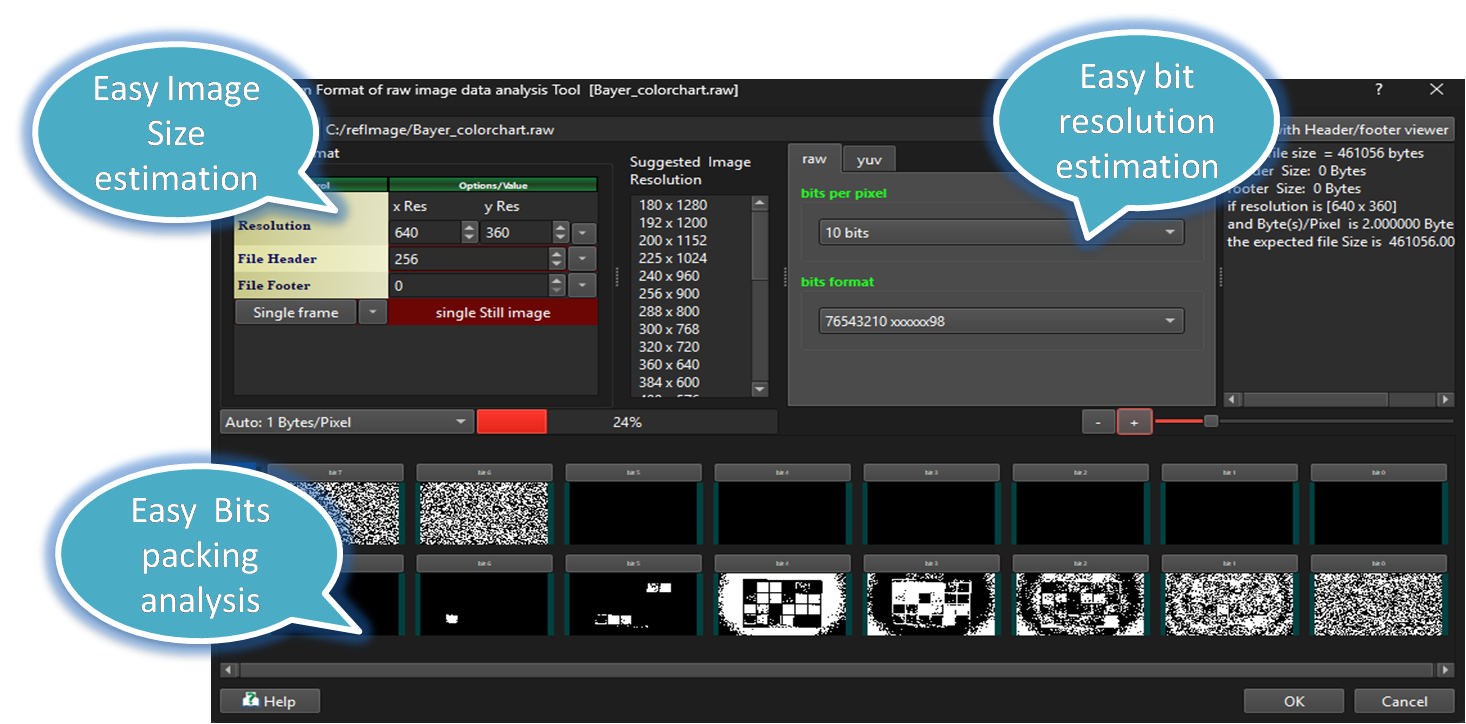
Automatic Size Estimation
The tool estimates image dimensions from file size and bit depth if you are unsure. -
Visual Preview & Debayering
View raw Bayer data with options for pseudo-color or full debayered color output. -
Save to Common Formats
After loading, you can save images as BMP, PNG, or TIFF.
Benefits
- Easily open headerless or unknown format Bayer RAW files.
- Avoid guesswork by specifying parameters.
- Useful for working with custom camera sensors or proprietary raw formats.

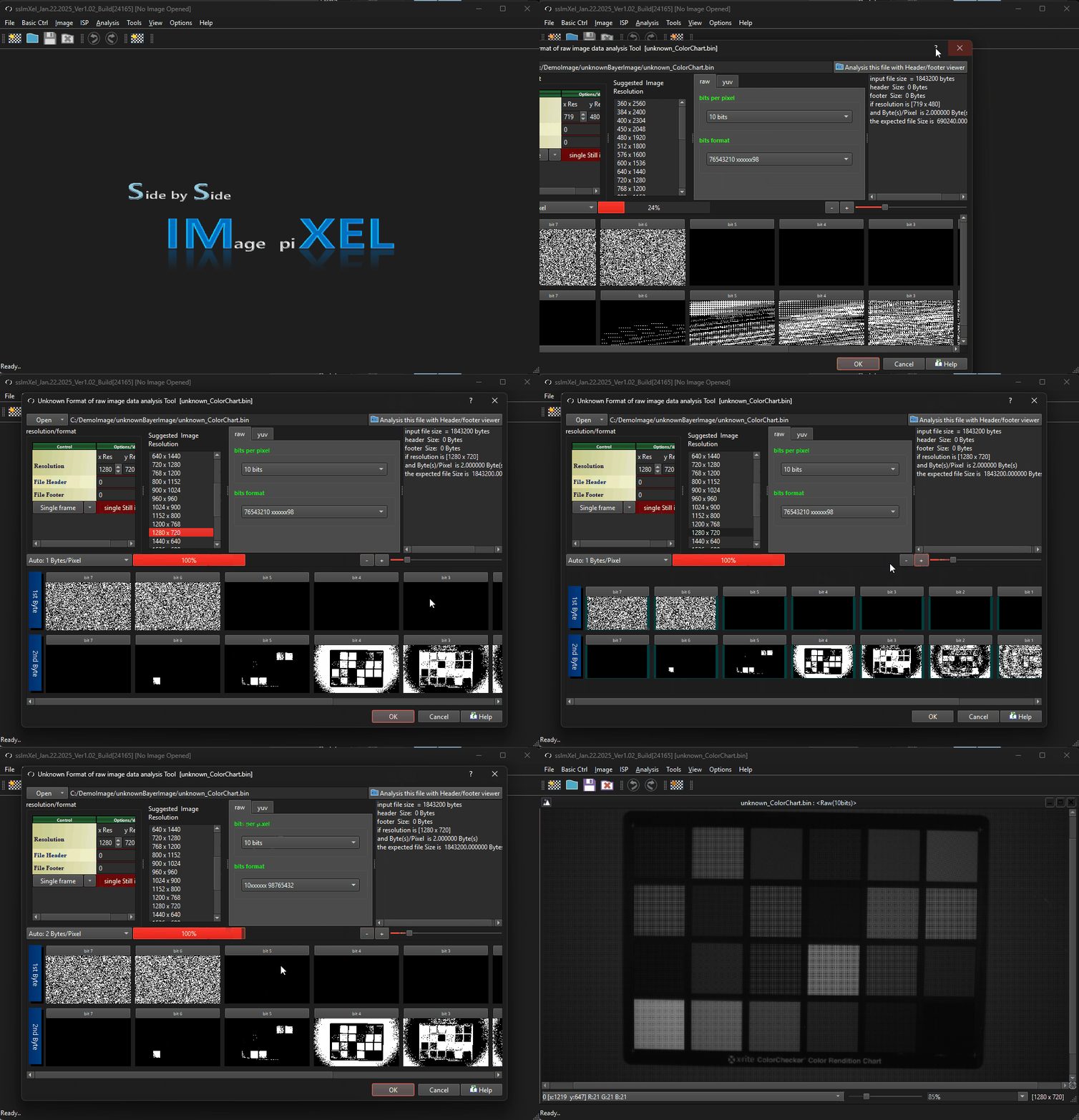
SSImXel provide powerful raw image data handling feature which can help user easily open such a unknown format of raw image data through followwing feature
[Unknown format of raw image data analysis Tool]
Header/Footer Viewer

The GIF demo below demonstrates how this tool can easily Open unknown fomat of bayer image.